Advertising with Gabriel
Running ads shouldn't require a marketing degree. Tell Gabriel what you want to promote, give him a budget, and he'll create complete ad campaigns ready for your approval.
Gabriel is your advertising manager. He creates scroll stopping social ads, high converting search ads, and complete media plans that tell you exactly how to spend your budget. Let's get to it!
Chat with Gabriel
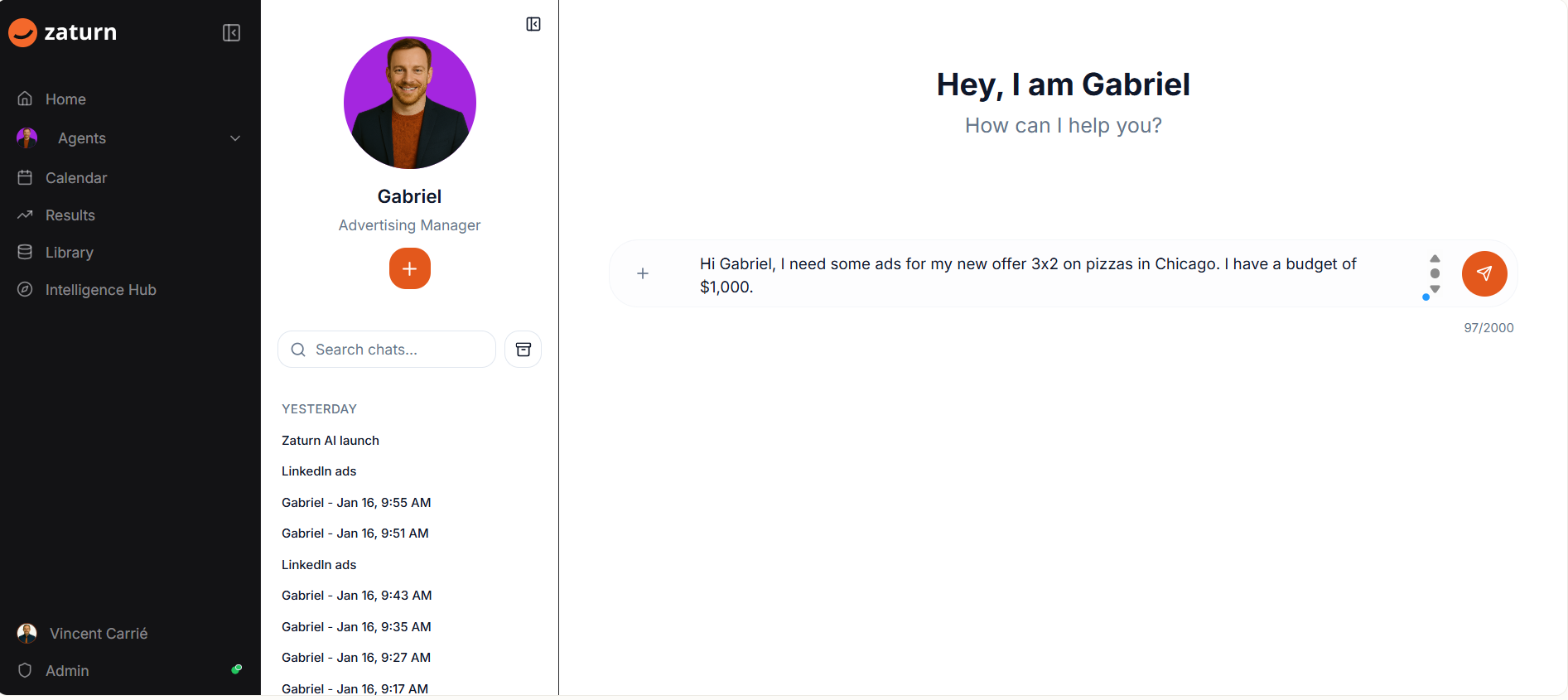
Chat with Gabriel and let him know what you want to promote. Gabriel will engage in a discussion with you to create the perfect ads. He's worked on thousands of campaigns and knows what converts.
Simply tell him your offer, your location, and your budget. Something like:
"Hi Gabriel, I need some ads for my new offer 3x2 on pizzas in Chicago. I have a budget of $1,000."
That's all he needs to get started.
Your Media Plan
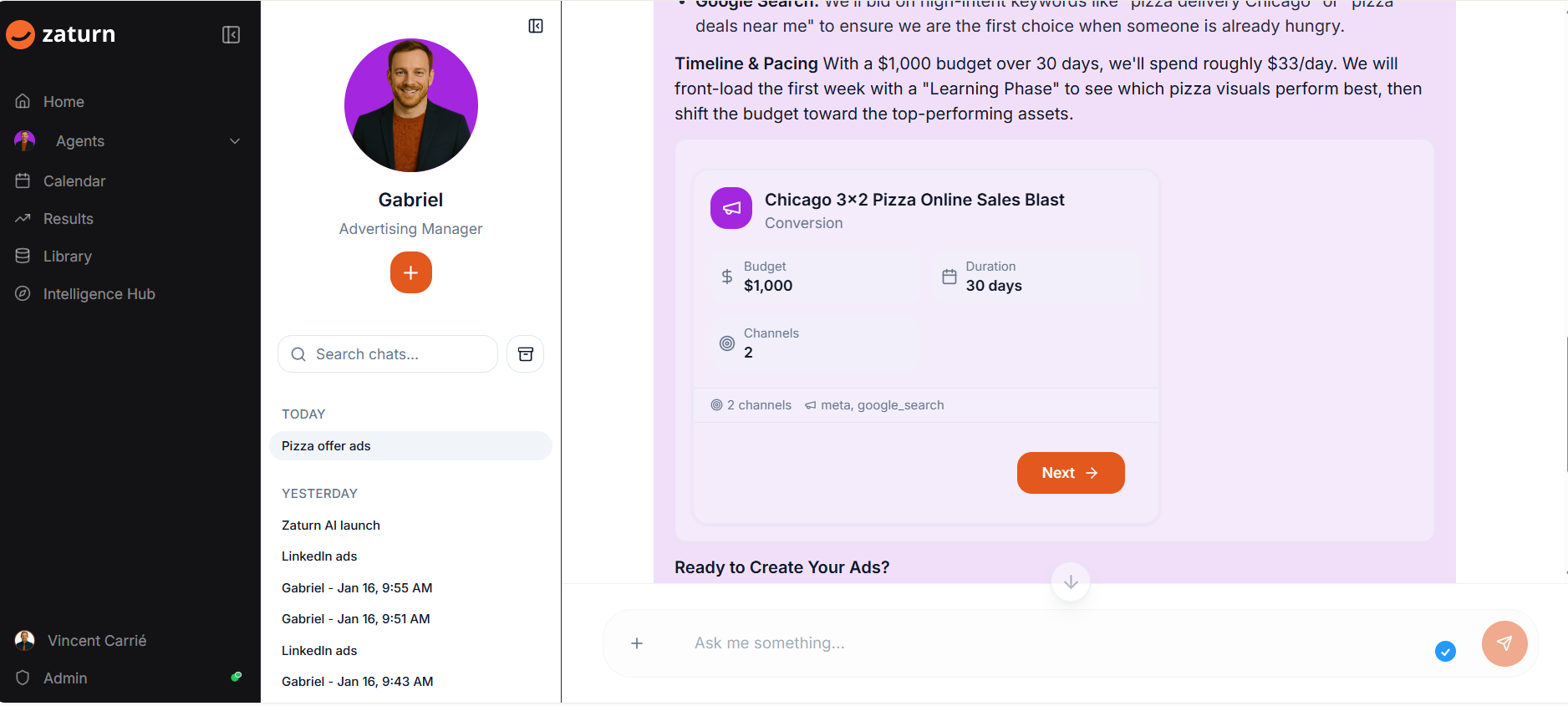
Here's where Gabriel really shines. He doesn't just create ads, he creates a complete media plan showing exactly how your budget should be spent.
You'll see the total budget, the duration of your campaign, which channels to use, and how much to allocate to each one. Gabriel even breaks down the expected click through rates and cost per acquisition so you know what results to expect.
For example, with a $1,000 budget over 30 days, Gabriel might recommend putting $650 on Meta for brand awareness and $350 on Google Search for people ready to buy right now.
Your Search Ads
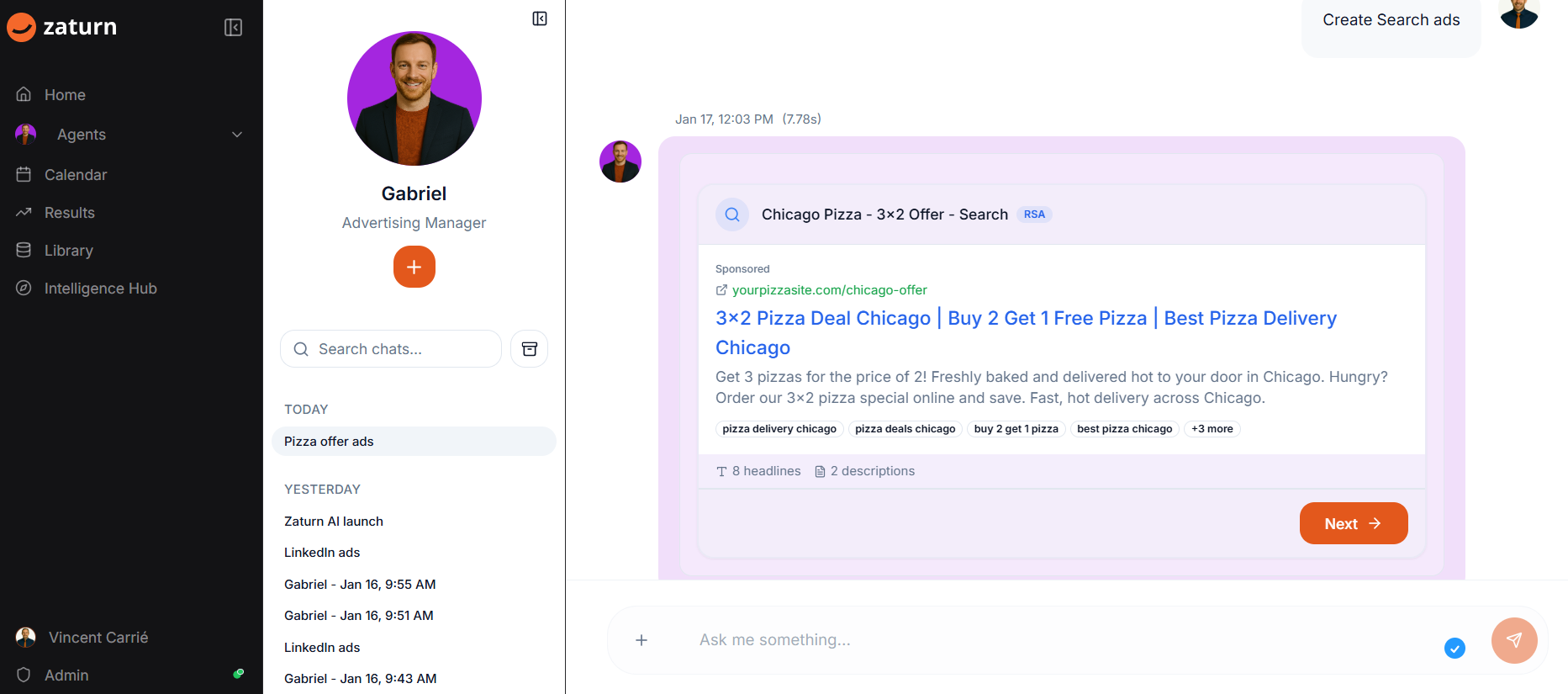
Gabriel creates Google Search Ads that show up when people are actively looking for what you offer. He writes multiple headlines and descriptions that Google mixes and matches to find the winning combination.
You'll see exactly how your ad appears in search results, including your display URL, the keywords you're targeting, and the landing page where people will go.
Happy with it? Click Next to review your social ads!
Your Social Ads
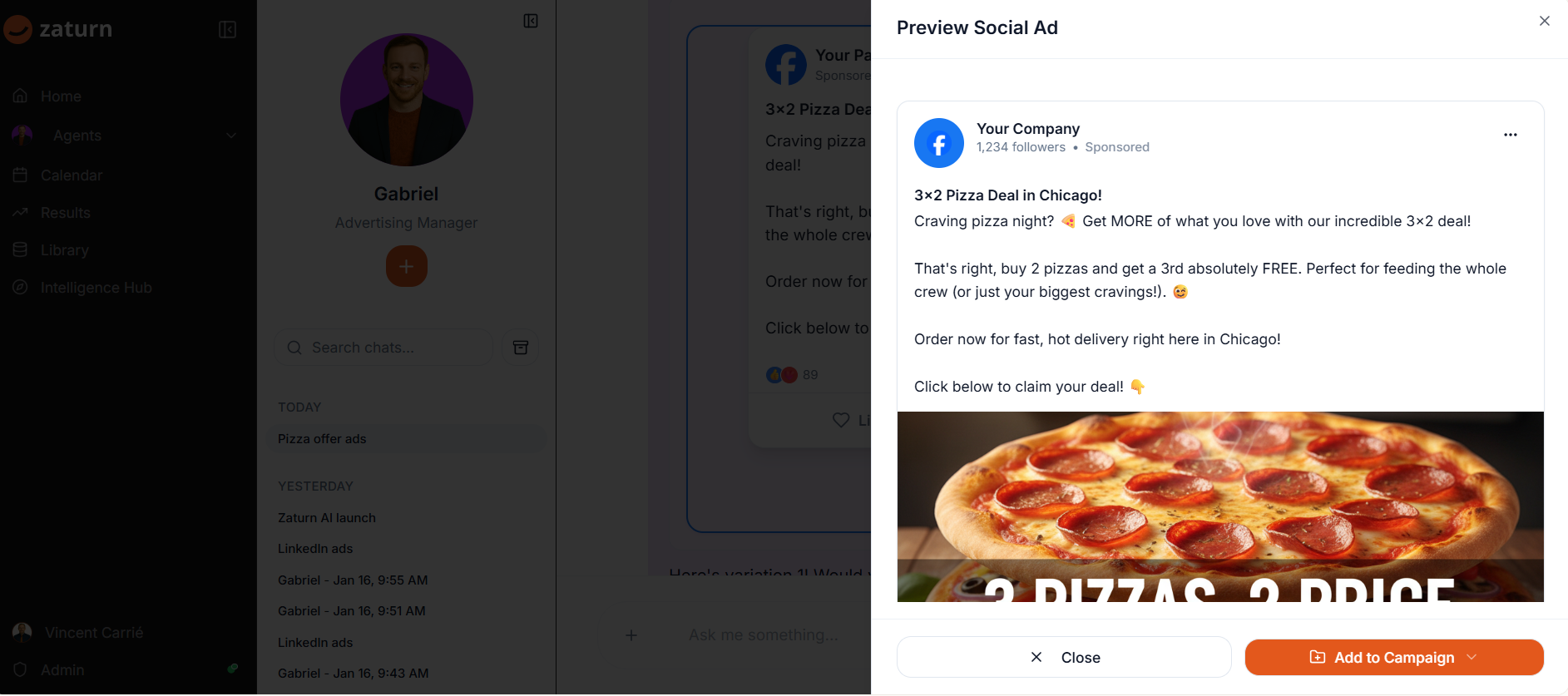
Gabriel also creates Facebook and Instagram ads complete with attention grabbing headlines and compelling copy. You'll see a full preview of how your ad will look in someone's feed before anything goes live.
The copy is written specifically for your offer, your audience, and your brand. No generic templates here.
Once you're happy, click Next to see your media plan!
Add to Campaign
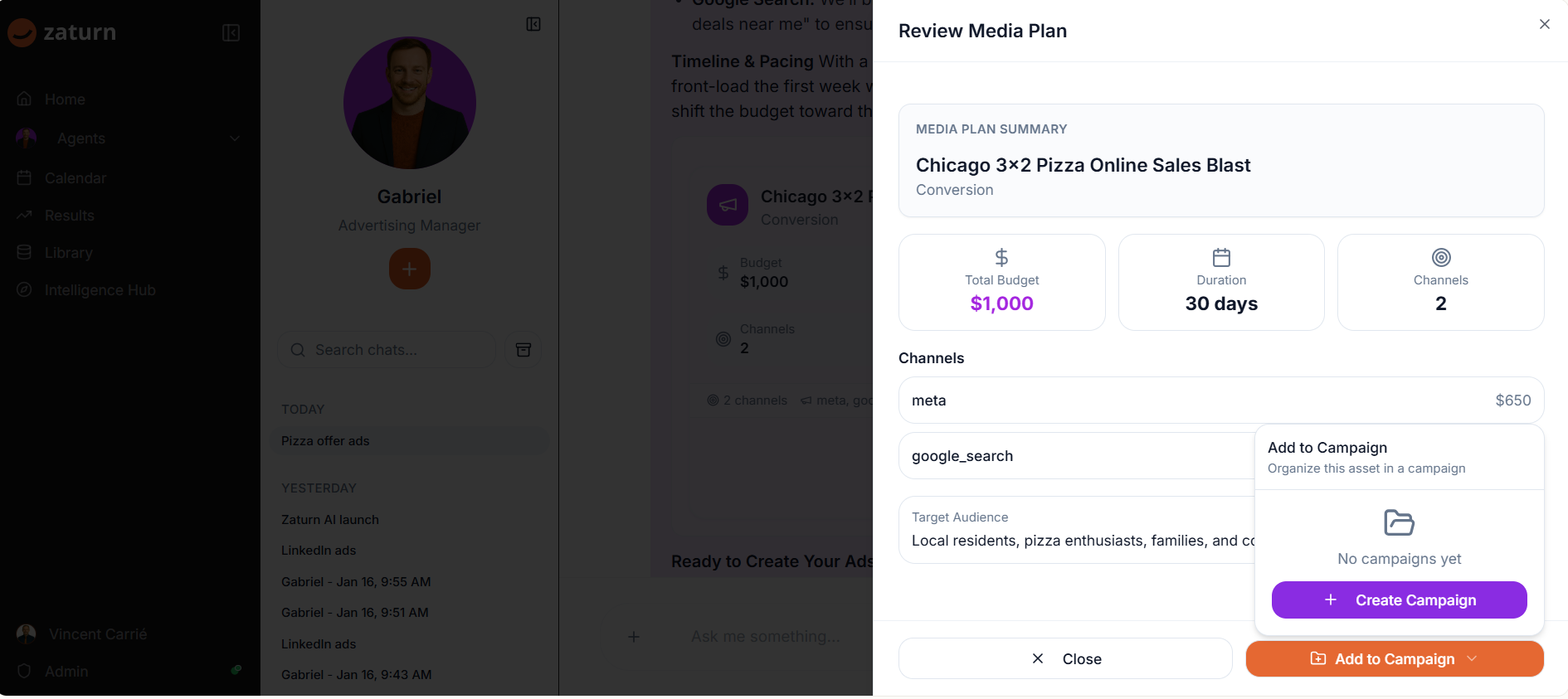
When you're happy with your ads and media plan, add them to a campaign. Campaigns keep everything organized in one place. You can create a new campaign or add to an existing one.
Your campaign stays in Draft status until you're ready to launch. This gives you time to review everything, make tweaks, or get feedback from your team.
Your Library
Head to your Library and you'll find all your campaigns under the Advertising section. You can see the campaign name, status, how many assets are in it, and when it was created.
Want to preview your ads again? Just click on the campaign. Need to make changes? You can do that too.
Your Best Advertising
That's it! Tell Gabriel what you need, review the ads he creates, approve your media plan, and you're ready to run professional advertising campaigns. No agency required.