Is Your AI Social Media Assistant More Than a Timer?
An AI social media assistant plans and writes posts, creates visuals, and prepares everything for your approval. Here’s how it works and how to choose one.
Most small business owners know they should be more active on social media. Some have tried scheduling tools and still can’t keep up. Others are doing everything manually and wondering if there’s a better way.
The problem isn’t discipline. It’s the tool. Schedulers don’t create; they just publish what you’ve already made. An AI social media assistant is a different category entirely: it handles the planning, writing, and visuals and brings everything to you ready to approve. You stop being the content factory and start being the quality filter.
This guide breaks down exactly what an AI social media assistant is, how it differs from schedulers and basic content tools, and what to look for when choosing one.
What Is an AI Social Media Assistant?
An AI social media assistant is an agent that creates your social media content for you (captions, visuals, hashtags, and a posting schedule) and prepares it for your review before anything goes live.
You connect your accounts, tell it about your brand, and it takes the production work off your plate. It’s neither a customer support chatbot nor a scheduler that publishes what you’ve already written. It’s a colleague that drafts, plans, and prepares while you stay in control of what actually gets posted.
According to a VerticalResponse survey, 43% of small businesses spend 6 or more hours per week on social media marketing alone. For most, that time isn’t spent on strategy; it’s spent on menial social media tasks that an AI assistant can handle.
Pro Tip: The best AI social media assistants don’t just generate generic content; they learn your brand voice from the setup process and get more accurate over time. Most Zaturn users report only needing to tweak 5–10% of captions after the first few weeks.
What Is the Difference Between a Scheduler and an AI Social Media Assistant?
This is the distinction most roundup tools skip, and it matters. Here’s what each one actually does:
Scheduling Tool (Buffer, Later, Hootsuite) | AI Social Media Assistant (Zaturn) | |
|---|---|---|
What it does | Publishes content you’ve already created | Creates content for you, then publishes with your approval |
Content planning | ❌ You plan it | ✅ Plans your monthly calendar automatically |
Caption writing | ❌ You write it | ✅ Writes on-brand captions in your tone |
Visual creation | ❌ You design it | ✅ Generates on-brand visuals with your logo and colors |
Hashtag research | ❌ Manual | ✅ Researches and optimizes hashtags per post |
Platform sizing | ❌ Manual for each | ✅ Auto-sizes for each platform’s requirements |
Time required | 10–15 hours/week (you do everything) | ~30 mins/week (review and approve only) |
Brand control | ✅ Full (you write it) | ✅ Full (you approve everything before it posts) |
Scheduling tools cover roughly 10–20% of the social media workflow (the scheduling step). AI social media assistants handle the other 80–90%: ideation, planning, writing, and visual production. That’s the gap most business owners are still filling manually.
Takeaway: A scheduler is a logistics tool that moves content from A to B. An AI assistant is a production tool; it makes the content in the first place. If you’re still writing every post yourself, you haven’t actually automated social media. You’ve just automated the final click.
What Does an AI Social Media Assistant Actually Do?
This is where most guides stay vague. Here’s specifically what a good AI social media assistant handles and how it works in practice. We’ll use Zaturn’s Chloe as the example throughout.
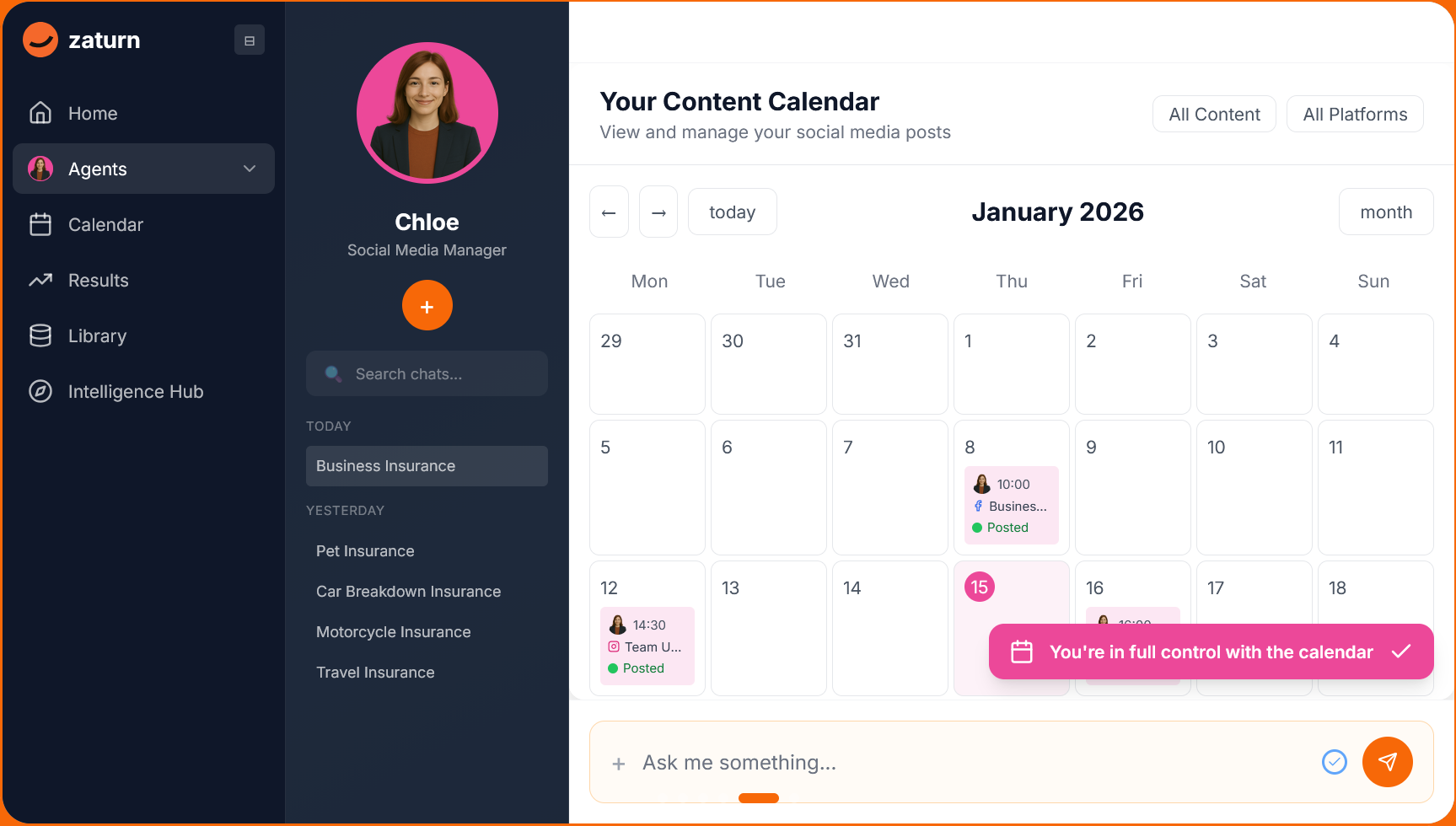
Content Calendar Planning
Before a single caption is written, Chloe maps out your month.
Based on your goals, your industry, and what’s trending in your space, she builds a content calendar (the right mix of educational posts, promotional content, and engagement hooks) so you’re never wondering what to post next.
→ Most business owners spend 2–3 hours a month just deciding what to post. With Chloe planning your calendar, that 2–3 hours disappears from your to-do list.
Caption Writing in Your Brand Voice
Chloe writes captions in your tone: professional, casual, conversational, or whatever you’ve defined during setup.
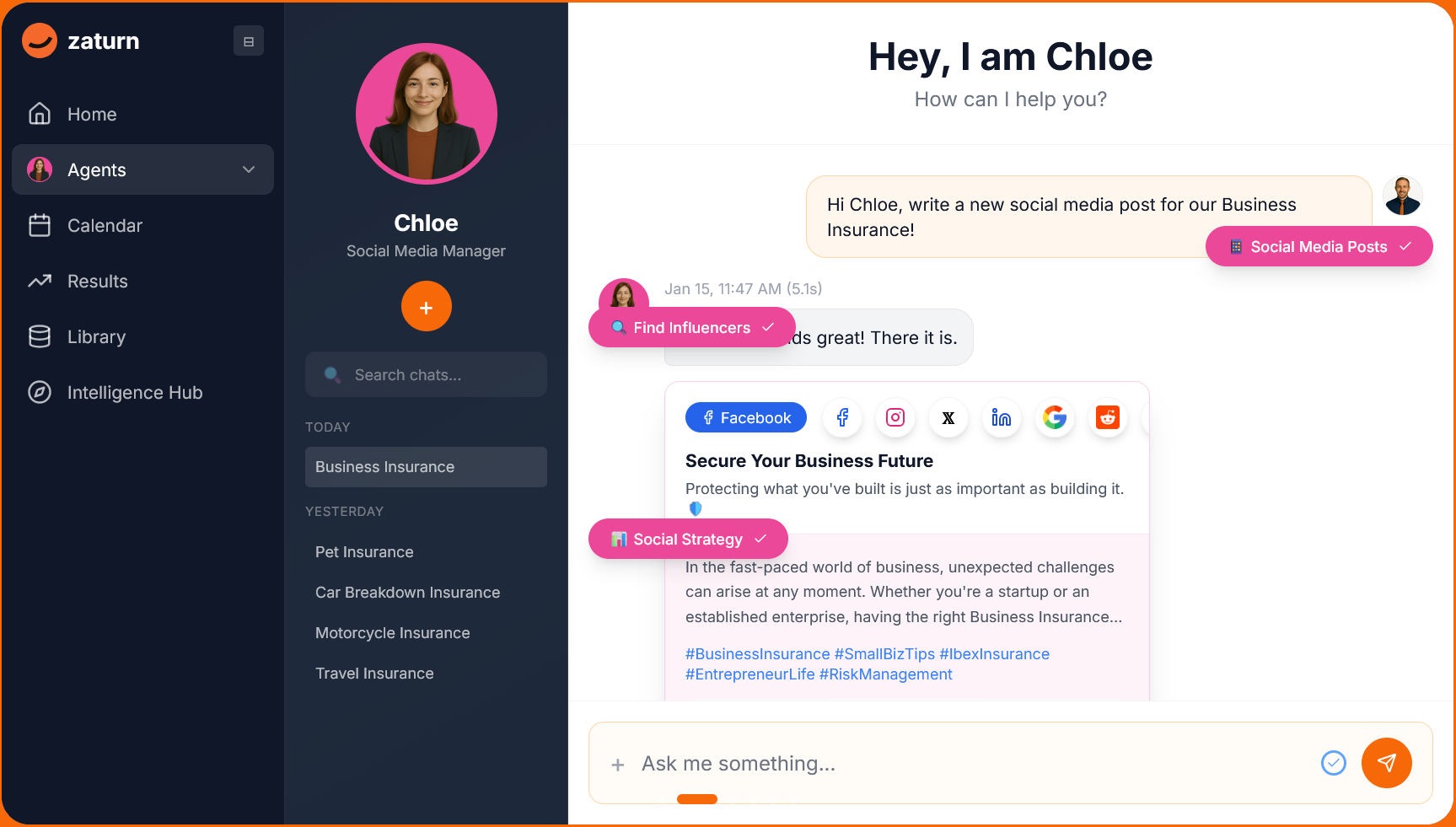
She adapts the language for each platform: a LinkedIn post reads differently from an Instagram caption, even if they’re covering the same topic.
→ Zaturn users report only needing to edit 5–10% of captions after the first few weeks, once the assistant has calibrated to their style. Most posts go through with minimal or no changes.
On-Brand Visual Creation
Chloe generates scroll-stopping visuals using your logo, brand colors, and style preferences. If you prefer to use your own photography or graphics, you can upload them directly, and Chloe incorporates them into the posting queue.
→ Every visual is auto-sized for the platform it’s posting to. No more manually resizing a square image for a LinkedIn banner or cropping an Instagram post for Facebook.
Hashtag Research and Optimization
Hashtags are researched per post, not applied from a generic saved set. Chloe identifies relevant tags based on the post content, your industry, and current engagement patterns on each platform, which makes a material difference to organic reach, particularly on Instagram and LinkedIn.
Pro Tip: Platform-specific hashtag strategy matters more than people realize. On LinkedIn in 2026, 3–5 highly relevant hashtags outperform 20 broad ones. On Instagram, a mix of niche (under 100,000 posts) and mid-size (100,000–500,000) hashtags consistently outperforms chasing high-volume tags. A good AI assistant applies this logic automatically.
Multi-Platform Scheduling
Chloe prepares content for LinkedIn, Face
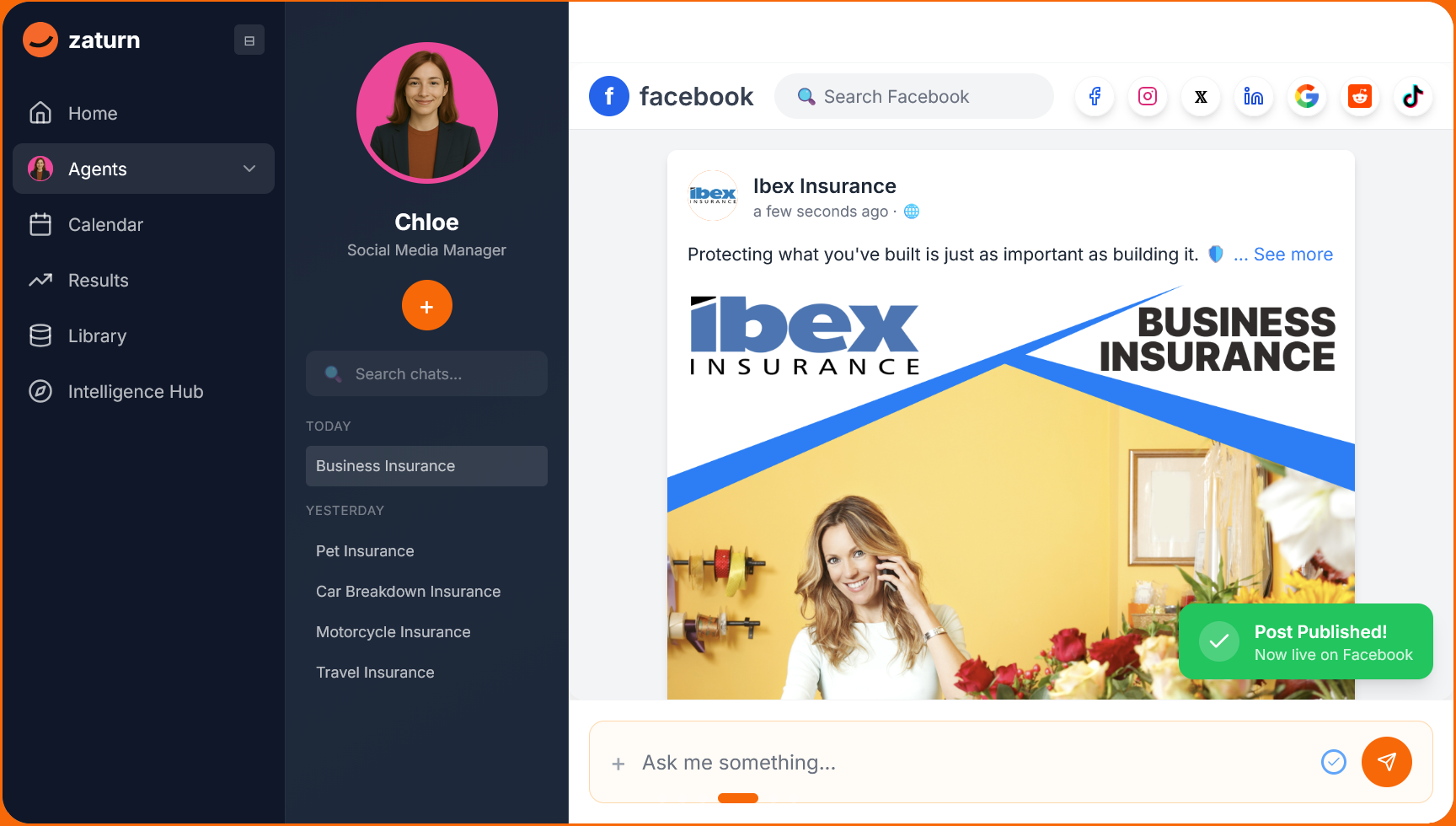
book, Instagram, X/Twitter, and many other social media platforms simultaneously.
Each post is formatted for the platform’s specific requirements, including character limits, image dimensions, and link handling, and queued for your review.
→ Nothing goes live until you approve it.
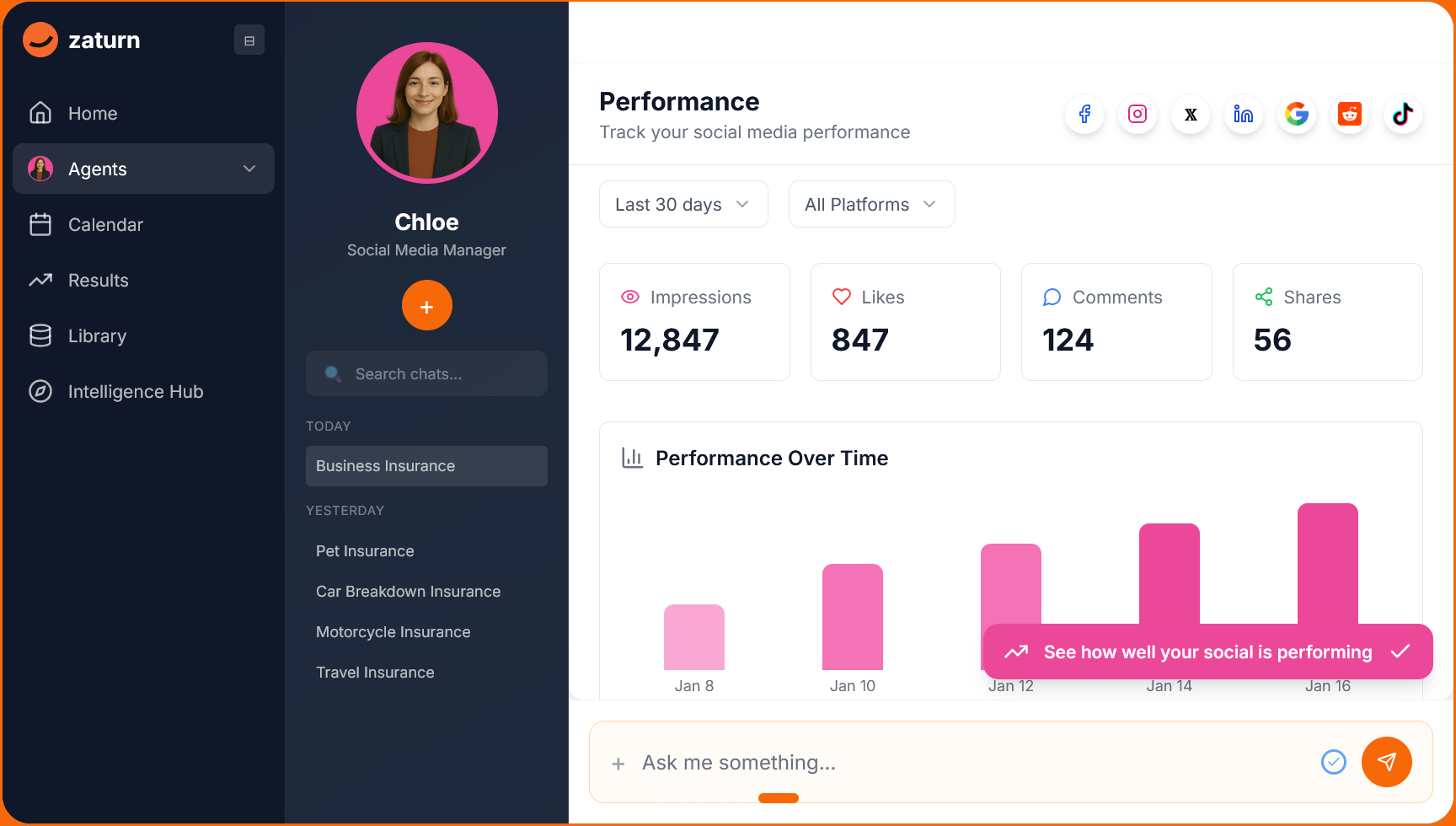
Performance Tracking
After posts go live, Chloe tracks how they perform: impressions, likes, comments, and shares are all visible in one dashboard across all connected platforms.
This feeds back into future content recommendations, so the assistant gets smarter about what works for your specific audience over time.
→ Most business owners who manage social manually check analytics inconsistently or not at all, which means they’re never building on what worked. A built-in analytics loop changes that without adding any extra work.
Trend Monitoring
Chloe monitors trending topics and conversation hooks relevant to your industry, surfacing opportunities to publish the kind of timely content that gets higher organic reach because it connects your brand to something people are already talking about.
How Does an AI Social Media Assistant Work in Practice?
The setup process matters a lot more than people expect. The quality of what an AI assistant produces is directly proportional to how well you’ve described your brand upfront. Here’s how Chloe’s process works:
Tell Chloe about your brand. Connect your accounts, upload your logo, and describe your brand voice and target audience. The more specific you are here, the less editing you’ll do later. This takes about 5 minutes.
Chloe plans your content calendar. Based on your goals and trending topics in your industry, she builds your monthly content calendar with the right cadence, content mix, and timing across all connected platforms.
Chloe creates captions and visuals. For each planned post, she writes an on-brand caption with hashtags and generates a visual using your branding (or slots in your own uploaded images if you prefer).
You review, edit, and approve. Nothing goes live without your sign-off. You see every post before it publishes and you can edit any caption or swap any visual and approve what you’re happy with. You’re always in control.
Takeaway: The approval step isn’t a workaround; it is the feature. Social media is public-facing and brand-defining. An assistant that posts without your sign-off is a liability. One that prepares everything and waits for your go-ahead is actually useful.
Do You Actually Need an AI Social Media Assistant?
Not everyone needs an AI social media assistant. Answer the questions below honestly and add up your points at the end.
Situation | Points |
|---|---|
You post inconsistently not because you don’t care, but because your time and energy run out | 3 |
You’re writing, designing, sizing, and scheduling everything manually | 3 |
You’re paying a social media manager or agency and questioning the return on investment (ROI) | 3 |
You’ve tried a scheduler (Buffer, Later, or Hootsuite) and still can’t keep up | 3 |
Social media takes 6+ hours of your week | 2 |
Your posting has gone quiet for weeks at a time in the last 6 months | 2 |
Your brand is active on more than two platforms | 2 |
You want to grow your audience, not just maintain it | 2 |
You already know your brand voice and audience clearly | 2 |
Here’s what your score means:
0–5: You’re not ready yet. Define your brand and strategy first.
6–10: An AI assistant would help, but a simple scheduler might be enough for now.
11–15: An AI assistant is a strong fit. You’d see immediate time savings and consistency gains.
16–21: You needed an AI social media assistant yesterday.
Pro Tip: The businesses that get the most from AI social media assistants are the ones that already know what they want to say but are drowning in the work of saying it consistently. If that’s you, the ROI case is strong.
Why Does Consistent Posting Actually Matter?
This is the part that turns consistency from a vague best practice into a measurable business argument.
Buffer’s analysis found that accounts that posted consistently saw 5x more likes, comments, and shares compared to those that didn’t.
“No-post weeks” (gaps where accounts go silent) show a measurable drop in reach that takes several consistent posts to recover. Inconsistency doesn’t just miss opportunities; it actively damages momentum.
Accounts that post consistently 3–5 times per week double their follower growth compared to those posting 1–2 times, according to SMK/Buffer research.
90% of small businesses use social media as part of their marketing strategy, meaning inactivity makes you invisible in a space where almost every competitor is present.
The consistency problem isn’t about effort. Most business owners understand they should post regularly. It’s about production capacity. Without someone or something handling the content work, consistency breaks down the moment things get busy. That’s exactly the gap an AI social media assistant closes.
Pro Tip: Frequency matters less than consistency. Posting twice a week every week outperforms posting five times one week and nothing the next. Most algorithms favor regular activity over sporadic bursts, so the single biggest ROI from an AI assistant is simply showing up reliably.
How Much Does an AI Social Media Assistant Cost vs. the Alternatives?
Here’s where the numbers become hard to ignore.
Option | Time Per Week | Monthly Cost | Brand Control |
|---|---|---|---|
DIY (you do everything) | ❌ 12–15 hours | ❌ Free (your time) | ✅ Full (you write it) |
Hire a social media manager | ✅ 0 hours (they do it) | ❌ $3,000–$5,000+ | ❌ Limited oversight |
Zaturn | ✅ ~30 mins (review only) | ✅ From $55/month | ✅ Full (you approve everything) |
So, what does all of this mean? Here’s what you need to pay attention to:
The DIY column isn’t really free, of course. At a conservative $50/hour rate for a business owner’s time, 12 hours per week is $2,400/month in opportunity cost spent on content production instead of the things that actually grow the business.
Full-service agencies charge $3,000–$5,000/month for what Chloe handles from $55/month. You lose some of the bespoke strategic input a senior strategist brings, but for most SMEs, the execution gap between a human manager and a well-configured AI assistant is far smaller than the 50–80x price difference suggests.
The hidden cost most people overlook is that inconsistent social media doesn't just mean missed growth; it actively erodes brand credibility. A business that posts twice in January and goes quiet until March looks less established than one posting twice a week, every week. Consistency is part of the product.
What Should You Look for in an AI Social Media Assistant?
Not all social media tools are equal. Some are schedulers with an AI writing feature bolted on. Others are genuinely built around the assistant model. Here’s how to tell the difference:
1. Does It Create Content or Just Publish It?
This is the most important question. A real assistant generates captions, visuals, and a posting plan. A scheduler takes what you’ve made and publishes it.
→ Ask if the tool produces a draft from scratch or if it requires you to write the content first.
2. Does It Learn Your Brand Voice?
Brand voice calibration is what separates generic AI output from content that actually sounds like you. Look for platforms that let you define tone, vocabulary, and style during setup (and that improve over time as you approve and edit posts).
→ Chloe’s setup takes about 5 minutes and produces content that most users tweak 5–10% of the time.
3. Does It Handle Multiple Platforms?
Each platform has different content norms, character limits, image dimensions, and audience expectations. An assistant that adapts content per platform (rather than posting the same thing everywhere) will consistently outperform one that doesn’t.
→ LinkedIn content requires depth and professional framing; Instagram rewards visual storytelling and brevity; X/Twitter needs punchy, conversational hooks. Make sure your platform of choice is capable of context switching.
4. Is the Approval Model Clear?
Nothing should go live without your explicit approval. This isn’t optional; social media is public-facing and brand-defining. Platforms that offer “set and forget” automatic posting sound appealing but are risky.
→ You approving everything is the model that works.
5. Does It Include Analytics?
Content production without performance tracking is flying blind. Look for platforms that show you how each post performed (impressions, engagement, and follower growth) and ideally use that data to improve future content recommendations.
Pro Tip: When evaluating any AI social media tool, ask it to generate a post for your actual business in your actual tone. The quality of that first draft tells you more than any feature list. If it produces something generic that sounds nothing like you without heavy editing, the brand voice calibration isn’t there.
The Bottom Line
Scheduling tools solve the last step of the social media problem. AI social media assistants solve all of it.
If you’re still writing every post, designing every graphic, and manually researching hashtags (spending 10+ hours a week on a function that should largely run itself), the tool category you’re using isn’t the right one.
Zaturn’s Chloe is built specifically for this: she plans your month, writes your captions, creates your visuals, and brings everything to you ready to review. You spend 30 minutes approving what goes live. The rest runs without you.
Ready to stop being your own social media team? Try Chloe and run your first month of content in under an hour.