Best Alternatives to Make
Best for visual workflow building on a budget
Features
- Social Media — None
- Email Marketing — None
- SEO — None
- Ad Management — None
- Marketing Analytics — Basic
Pros & Cons
Pros
- Visual builder makes it easier to map out multi-step marketing data flows
- 3,000+ integrations reduce custom connector work
- Scenario replay speeds up debugging
- No server management required
- Credit-based pricing scales predictably
Cons
- Learning curve is steep for non-technical marketers
- Error messages can be confusing to trace
- Operation-based pricing gets expensive for high-step workflows at volume
- Still requires you or a developer to build every marketing automation from scratch
Why teams switch to Zaturn
- No scenario building required
- Content planning is automatic
- Email from strategy to send
- SEO execution, not data movement
- Approval before anything goes live
- Built for marketers, not automation engineers
Compared platforms
Make
Zaturn
n8n
Pabbly Connect
Activepieces
Microsoft Power Automate
Zapier
Feature comparison
| Feature | Zaturn | Zapier | n8n | Pabbly Connect | Activepieces | Power Automate |
|---|---|---|---|---|---|---|
| Starting Price | $69/mo? | $29.99/mo. | $24/mo. (Cloud) | $16/mo. | Free, then $5/mo. per flow | $15/user/mo. |
| Free Plan | 14-day trial | ✓ | ✓ | ✓ | ✓ | 30-day trial |
| Self-Hosting | ✗ | ✗ | ✓ | ✗ | ✓ | ✗ |
| Native Integrations | 100+ | 7,000+ | 400+ | 2,000+ | 695+ | 900+ |
| Execution Pricing Model | Flat monthly | Per task | Per workflow run | Per task | Per active flow | Per user |
| AI Capabilities | Excellent | Limited | Good | Basic | Excellent | Limited |
| Human Approval Workflow | ✓ | ✗ | ✗ | ✗ | ✗ | ✗ |
| Marketing Automation | Built-in | Possible (Complex) | Possible (Complex) | Possible (Complex) | Possible (Complex) | Possible (Complex) |
| Social Media Management | Dedicated agent (Chloe) | Via workflow | Via workflow | Via workflow | Via workflow | Via workflow |
| Email Marketing | Dedicated agent (Emma) | Via workflow | Via workflow | Via workflow | Via workflow | Via workflow |
| SEO Tools | ✓ | ✗ | ✗ | ✗ | ✗ | ✗ |
| Ad Management | ✓ | ✗ | ✗ | ✗ | ✗ | ✗ |
| Website/CRO | ✓ | ✗ | ✗ | ✗ | ✗ | ✗ |
| Step-Level Debugging | N/A | ✗ | ✗ | ✗ | ✓ | Partial |
| Desktop RPA | ✗ | ✗ | ✗ | ✗ | ✗ | ✓ |
| Git Version Control | N/A | ✗ | Enterprise only | ✗ | Enterprise only | ✗ |
Why Do People Switch From Make?
Make’s visual scenario builder is its best feature and its most common complaint. Teams that think in flowcharts love it, but for everyone else, it takes time, and the error messages don’t help.
When a scenario breaks, Make tells you something went wrong, but tracing exactly where and why requires patience. Beyond that, user feedback centers on the following four patterns:
Issue | What it means in practice |
|---|---|
Steep learning curve | Non-technical users often spend days getting productive, even on simple workflows. The interface rewards a certain way of thinking that not everyone shares |
Confusing error handling | When a scenario fails, the error messages lack context, so finding the broken step takes longer than it should |
Credit-based pricing scales awkwardly | The operation model means high-volume workflows can burn through credits faster than expected, pushing users onto higher plans |
Limited AI depth | Make has added AI features, but the agentic experience still lags behind platforms built with AI as a core concept rather than an add-on |
None of these drawbacks make Make a bad choice. For the right user, it remains one of the best-value automation platforms available. The alternatives below exist for when the fit isn’t quite right;
Make Alternatives at a Glance
Before we get to the platform breakdowns, here’s a quick summary of the solutions we’re covering.
Tool | Starting Price | Best For | Free Plan |
|---|---|---|---|
Zapier | $29.99/mo. | Teams that want simplicity and the largest integration library | ✅ 100 tasks/mo. |
n8n | $24/mo. (cloud) | Developers who want self-hosting and execution-based pricing | ✅ Community Edition (self-hosted) |
Pabbly Connect | $16/mo. (annual) | Budget-conscious teams wanting unlimited tasks at a flat rate | ✅ 100 tasks/mo. |
Activepieces | Free up to 10 flows, then $5/flow/mo. | Teams wanting an open-source Make alternative with better AI integration | ✅ Community Edition (self-hosted) |
Microsoft Power Automate | $15/user/mo. | Businesses running on Microsoft 365 | ⚠️ 30-day free trial |
1. Zapier — Best for Teams That Find Make Too Complex
Zapier trades Make’s power and flexibility for simplicity. For teams that just want automations that work without a learning investment, that’s a reasonable trade.
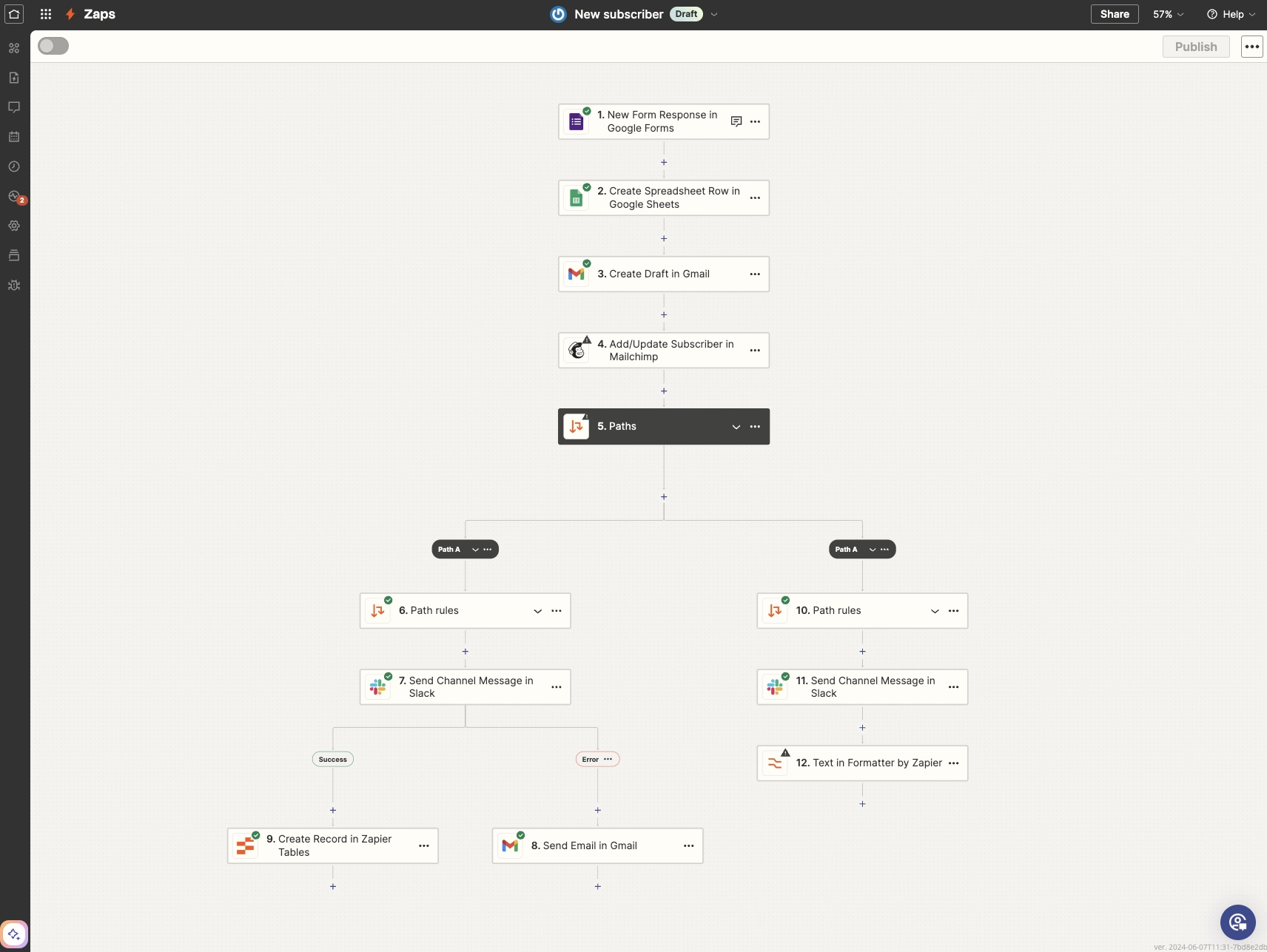
You’ll find that most comparisons position Make as the more advanced alternative to Zapier. For users leaving Make specifically, though, Zapier’s simplicity is often the draw.
If the visual canvas felt like too much overhead for what you’re trying to do, Zapier’s linear trigger-action model is deliberately easier to understand and faster to set up.
But there’s a trade-off. Although Zapier has a much larger integration library (7,000+ apps versus Make’s 3,000+), the per-task pricing model that frustrates its users at scale is the same one you’d be moving forward.
At low to moderate volumes, that’s fine. If task cost was part of why you’re looking at Make alternatives in the first place, Zapier doesn’t solve that.
Notable Features
7,000+ app integrations: The largest native integration library in the category. If a tool exists, Zapier probably connects to it.
Zapier Copilot: Describe what you want to automate in plain language and Copilot builds the Zap. It’s included on the free plan.
Tables and Forms: Built-in database and form tools included on every plan, which are useful for capturing and storing workflow data without a third-party tool.
Linear workflow builder: Simpler than Make's canvas. Each Zap follows a clear trigger-then-action structure that most users understand in minutes.
AI fields: Add AI-powered data transformation steps inside Zaps to summarize, classify, extract, or reformat data mid-workflow without custom code.
Pros and Cons
Pros | Cons |
|---|---|
✅ Easiest setup in the category — 430+ G2 mentions for user-friendliness | ❌ Expensive at scale. Pricing complaints are the top G2 con with 180+ mentions |
✅ Largest integration library of any tool on this list | ❌ Costs rise fast as workflow complexity or volume increases, with 140+ such G2 mentions |
Pricing
Plan | Price | What's included |
|---|---|---|
Free | $0/mo. | 100 tasks/mo., two-step Zaps, Zapier Copilot, Tables and Forms |
Professional | $29.99/mo. | 750 tasks, multi-step Zaps, webhooks, unlimited premium apps, AI fields |
Team | $103.50/mo. | 2,000 tasks, 25 users, shared Zaps and folders, SAML SSO |
Enterprise | Custom | Unlimited users, advanced admin controls, annual task limits, technical account manager |
❓ Note: Zapier’s pricing is usage-based. The rates mentioned above are starting prices; your final cost will depend on the total monthly task volume you choose on their pricing page.
📌 Verdict: Zapier makes sense if Make’s difficulty was the problem and task volume stays manageable. If you’re processing thousands of workflow runs a month, the per-task pricing will follow you here too.
2. n8n — Best for Developers Who Want More Control
Where Make charges per operation, n8n charges per workflow run. This dramatically changes the economics of complex, multi-step automations.
Make's credit model means that a 15-step workflow costs 15 credits to run. n8n counts the whole workflow as one execution. At low volumes, the difference is negligible, but for businesses running high-step workflows at scale, the cost gap becomes substantial.
The self-hosted Community Edition is also worth taking seriously. It's free beyond server costs, keeps all data on your own infrastructure, and removes the per-execution ceiling entirely.
Teams with a developer available and any concern about data or budget will find it a genuinely different option from anything Make offers.
The only caveat is that n8n's interface isn't as polished as Make's, and non-technical users will struggle with it. This is a tool for technical teams.
Notable Features
Execution-based pricing: One full workflow run counts as one execution regardless of how many steps it contains, which is a major cost advantage over Make for complex workflows.
Self-hosting: The Community Edition runs on your own server. It offers unlimited executions, full data control, and no monthly ceiling.
Code execution in workflows: Write JavaScript or Python directly inside workflow nodes for data transformations that no-code tools can't handle.
AI Workflow Builder: Describe a workflow in plain language and n8n generates it. This feature is available on paid cloud plans.
400+ integrations plus HTTP node: Smaller native library than Make or Zapier, but the HTTP node connects to virtually any API without a pre-built connector.
Pros and Cons
Pros | Cons |
|---|---|
✅ Execution-based pricing is dramatically cheaper for complex workflows | ❌ Missing cost controls during testing can lead to unexpected cloud bills |
✅ Self-hosting gives full data control with no execution costs | ❌ Steep learning curve — not suitable without a developer on the team |
Pricing
Plan | Price | What's included |
|---|---|---|
Community | Free | Self-hosted, unlimited executions, unlimited workflows, community support only |
Starter | $24/mo. | 2,500 executions/mo., hosted by n8n, 1 project, 50 AI Workflow Builder credits |
Pro | $60/mo. | 10,000 executions, 3 projects, admin roles, workflow history, 150 AI credits |
Business | $960/mo. | 40,000 executions, self-hosted, SSO/SAML, Git version control |
Enterprise | Contact Sales | Unlimited projects, 200+ concurrent executions, SLA support |
❓ Note: n8n lets you customize the number of executions from a predefined list in the pricing page and adjusts the pricing accordingly.
📌 Verdict: n8n is the right call if Make’s credit-based pricing is the specific pain point and you have the technical capability to work with it. Self-hosting makes the cost case even stronger for high-volume teams.
3. Pabbly Connect — Best for Predictable Costs at High Volume
Pabbly Connect solves the cost unpredictability that frustrates Make users at scale. It offers the same full feature set on every plan, with pricing that only changes based on how many tasks you need.
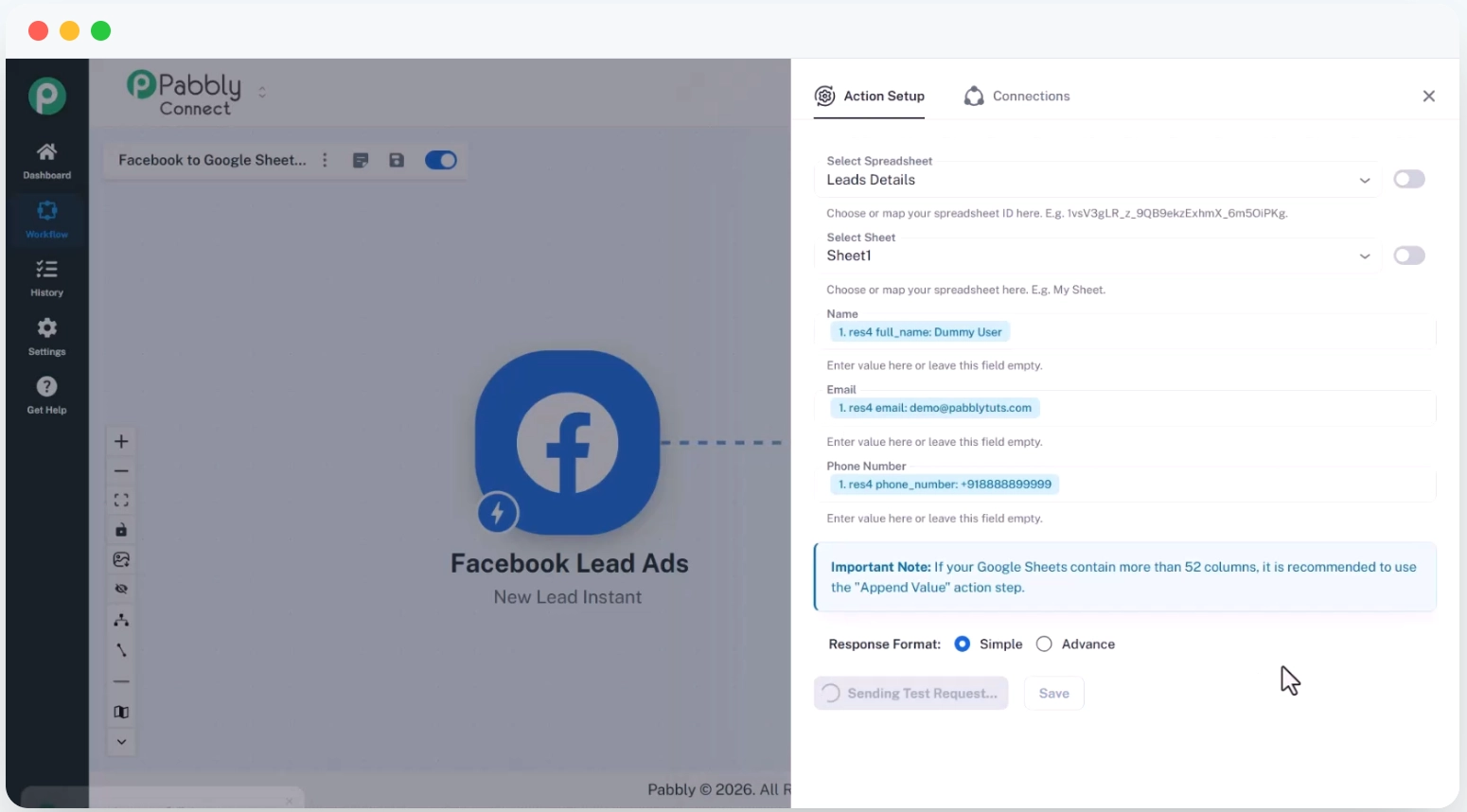
Make’s credit pricing works well for low- to mid-volume automations. But as your workflow’s complexity grows and your run frequency increases, credits disappear faster than expected, and upgrading to the next tier feels like paying for headroom you’re not sure you’ll use.
Pabbly Connect takes the opposite approach: every plan includes the complete feature set, and you only pay more for more task volume.
On the Standard plan at $16/mo. (annual), you get 10,000 tasks per month with unlimited workflows, team members, premium app connections, and path routers. There’s no artificial limit on features based on your tier. The Unlimited plan removes task caps entirely.
The only concern might be that Pabbly’s G2 profile is unclaimed and includes limited reviews, so third-party validation is thinner than the other tools here.
Notable Features
No feature gating across plans: Webhooks, multi-step workflows, path routers, formatters, JavaScript and Python modules, an AI assistant, and MCP servers are all included on every paid plan.
Unlimited team members: No per-seat charges on any plan, which makes it genuinely affordable for teams that would face significant per-user fees elsewhere.
Free internal tasks: Tasks between Pabbly's own internal tools don't count toward your monthly limit, effectively extending your task allowance for workflows that include them.
Instant webhooks: Real-time trigger handling is on all plans, including Free. It’s not restricted to higher tiers.
2,000+ integrations: Smaller library than Make or Zapier but covers the major SMB platforms, including CRMs, email tools, payment processors, and project management apps.
Pros and Cons
Pros | Cons |
|---|---|
✅ Full feature set on every plan — no tier-based restrictions | ❌ UI is inconsistent and lacks an auto-save feature |
✅ No per-seat pricing — genuinely affordable for teams | ❌ Limited AI features compared to more modern platforms |
Pricing
Plan | Price | What's included |
|---|---|---|
Free | $0/mo. | 100 tasks/mo., unlimited workflows and team members, full feature set |
Standard | $16/mo. (annual) | 10,000 tasks/mo., everything included, no feature gating |
Unlimited | $69/mo. (annual) | Unlimited tasks/mo., everything included |
❓ Note: Don't be pressured by the countdown timer on Pabbly’s pricing page; it actually resets every time you refresh. The prices we’ve listed here are the actual, everyday costs.
📌 Verdict: Pabbly Connect is worth considering if Make’s credit model has been creating budget surprises. The flat-rate structure and absence of feature gating make costs predictable. The thin review base is the main reason to proceed with some caution on business-critical workflows.
4. Activepieces — Best Open-Source Alternative With AI Built In
Activepieces combines Make’s visual workflow approach with n8n’s open-source flexibility and a more modern AI agent layer. The pricing model is also different from both.
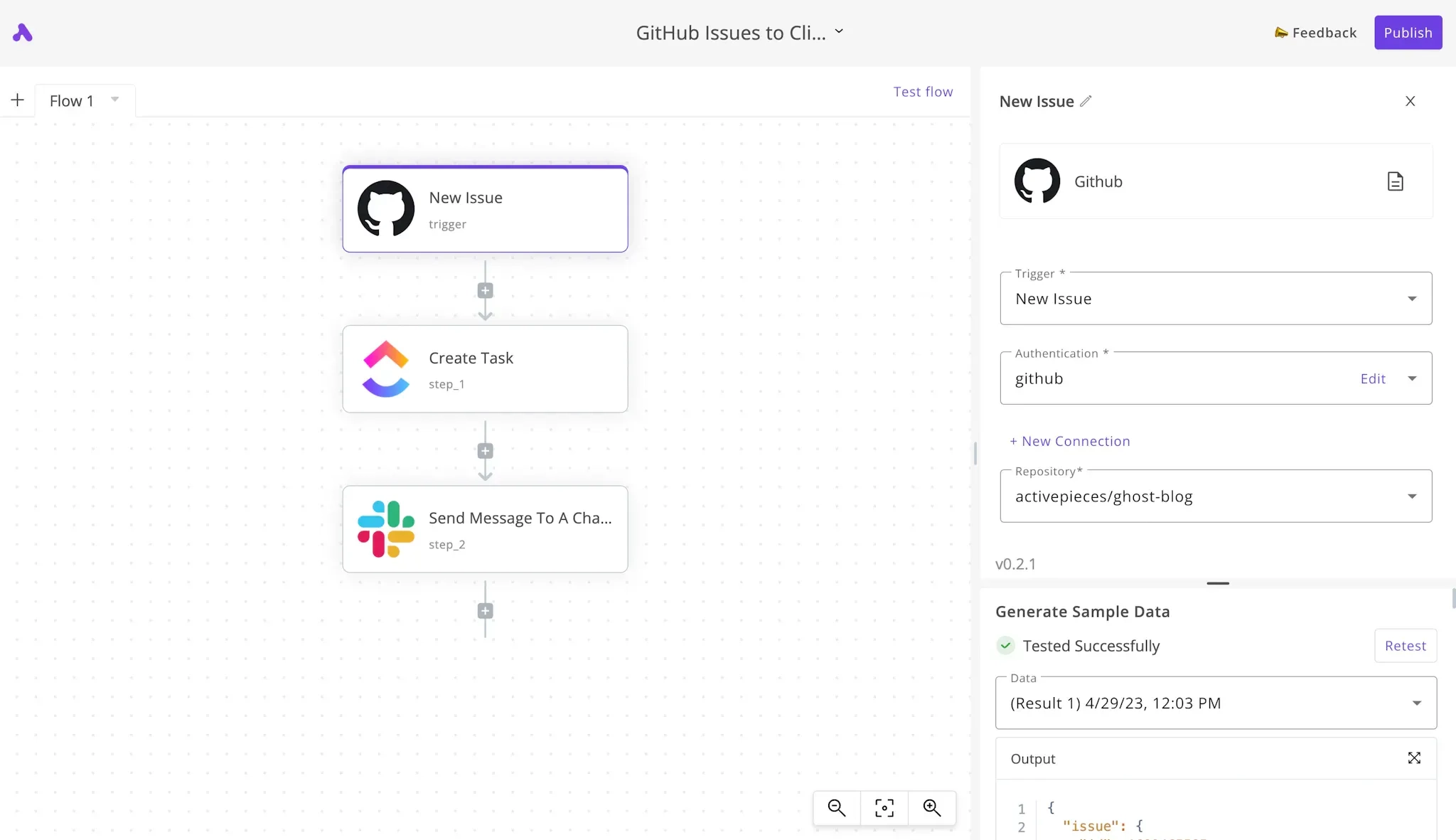
Make added AI features over time. Activepieces was built with AI agents as a main concept rather than an afterthought.
The platform supports full AI agent workflows: describe what you want to automate, train the agent on your specific task, connect it to your tools, and let it run. When a situation needs human judgment, the agent asks rather than guessing. That human-in-the-loop approval step is something Make doesn't offer natively.
The pricing model is unusual and worth understanding before committing. The cloud version is free for up to 10 active flows, then $5 per active flow per month. For a team running 20 workflows, that's $50/mo. For 50 workflows, $250/mo.
The self-hosted Community Edition is free with no flow limits. By the way, G2 reviews flag limited integrations compared to established tools. With 695+ apps, it's smaller than Make's 3,000+, but for teams whose stack is covered, users consistently praise the platform experience.
Notable Features
AI agents with human-in-the-loop approval: Agents ask for human sign-off when they encounter situations that need judgment. Not everything needs to be fully autonomous.
Full run logs with step-level detail: Every workflow run shows exactly what happened at each step, including input, output, and timing. When something breaks, you find it in seconds, not minutes.
Open source and self-hostable: MIT licensed Community Edition with 270+ contributors. Self-host for free with no active flow limits.
695+ app integrations: Smaller than Make but growing. It covers the major platforms with Salesforce, HubSpot, Slack, and Google Workspace all supported.
MCP servers on all plans: Connect AI agents to any MCP-compatible tool. This is useful for teams building more complex AI-driven workflows.
Pros and Cons
Pros | Cons |
|---|---|
✅ Step-level run logs solve Make's error transparency problem directly | ❌ Integration library is smaller than Make or Zapier, noted across 30+ G2 mentions |
✅ AI agents with human approval are more capable than Make's AI layer | ❌ Learning curve for complex workflows, noted across 15+ G2 mentions |
Pricing
Plan | Price | What's included |
|---|---|---|
Community | Free | Self-hosted, MIT licensed, unlimited flows, core features, community support |
Standard (cloud) | Free for 10 flows, then $5/flow/mo. | Unlimited runs per flow, AI agents, MCP servers, full run logs |
Unlimited | Annual contract, custom | Enterprise governance, SSO, RBAC, audit logs, Git sync, dedicated support |
Embed | Annual, custom, starting at $30,000/yr. | Embedded automation builder and AI agents, JavaScript SDK, custom templates and branding, piece management, private pieces, cloud or self-hosted, dedicated support |
📌 Verdict: Activepieces is the strongest choice for teams that want Make’s visual approach but need better error visibility, stronger AI agent capabilities, and the option to self-host. The integration library gap is a concern, though, so check your specific stack before committing.
5. Microsoft Power Automate — Best for Microsoft 365 Teams
If your team lives in Teams, Outlook, SharePoint, and Excel, Power Automate connects them at a level that Make’s connectors simply can’t replicate.
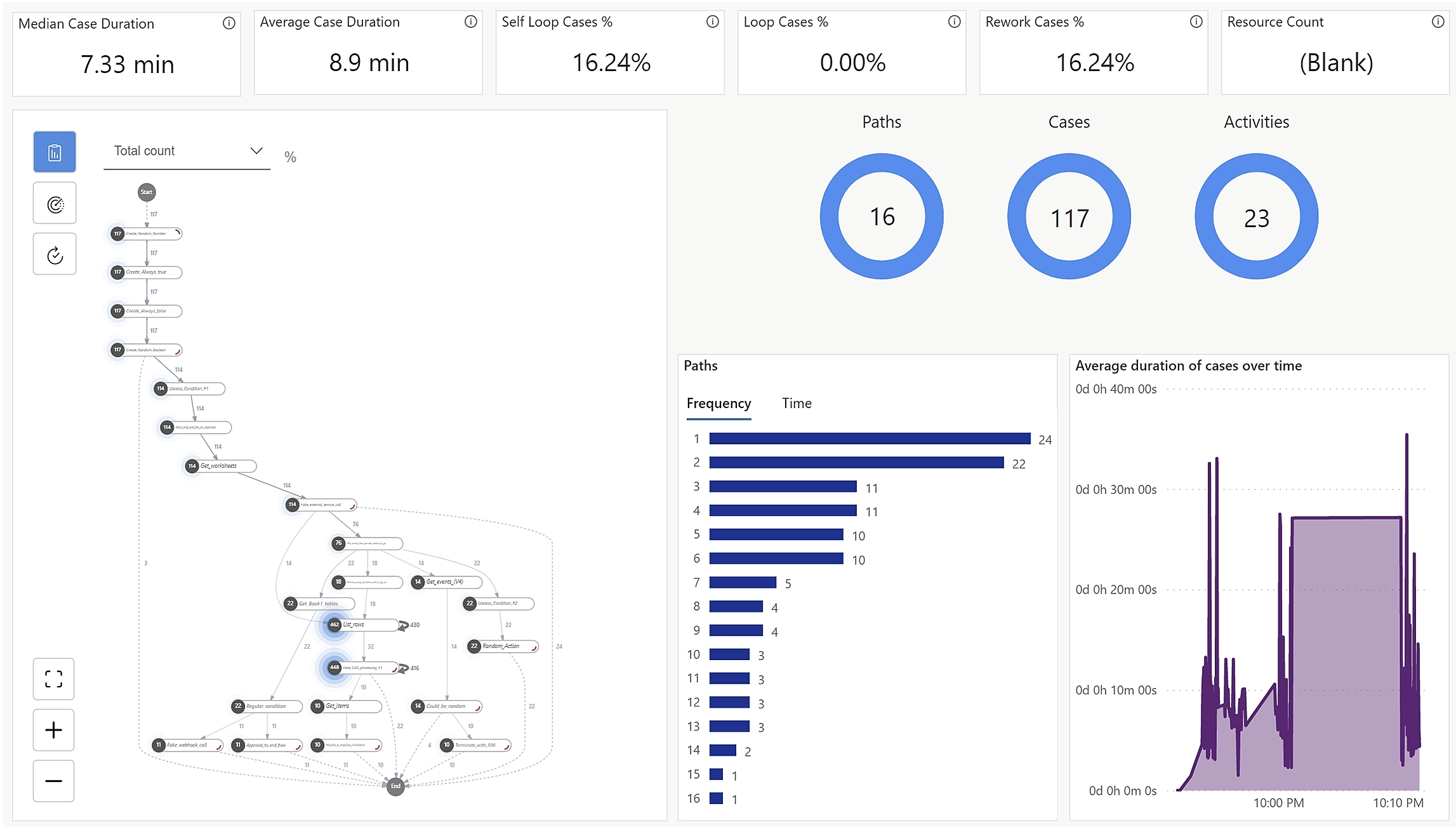
Make's Microsoft integrations are functional but surface-level. Power Automate is built by Microsoft, which means it has access to internal APIs and workflow triggers that third-party connectors can't reach.
Automations between Teams messages, SharePoint lists, Outlook calendars, Excel tables, and Dynamics 365 records work natively in a way that Make users dealing with Microsoft-heavy stacks regularly find frustrating.
But outside the Microsoft ecosystem, the argument becomes weaker. Power Automate's interface is more complex than Make's, and debugging advanced flows is a consistent pain point, with 200+ G2 mentions describe it as complex and user-unfriendly for advanced tasks, and 102 mentions flag slow performance.
It's also possible that Power Automate is already included in your existing Microsoft 365 subscription, which changes the cost calculation.
Notable Features
Deep Microsoft 365 integration: Native triggers and actions for Teams, Outlook, SharePoint, Excel, Dynamics 365, and Azure, with access to internal APIs that third-party connectors can't match.
Copilot flow builder: Describe what you want to automate and Microsoft's Copilot generates the flow. It’s more capable than Make's AI suggestions for Microsoft-specific workflows.
Desktop RPA: Automate Windows desktop applications and legacy systems with no API. The Process plan covers unattended automation bots for completely hands-off execution.
900+ connectors: Broad library covering Salesforce, SAP, ServiceNow, and most major platforms beyond the Microsoft ecosystem.
Possibly already included: Many Microsoft 365 Business and Enterprise plans include Power Automate at no additional cost (though usually with limited functions). This is worth checking before evaluating paid alternatives.
Pros and Cons
Pros | Cons |
|---|---|
✅ Unmatched depth for Microsoft 365 workflows | ❌ Complex and user-unfriendly for advanced tasks — 200+ G2 mentions |
✅ May already be included in your Microsoft 365 subscription | ❌ Slow performance reported consistently across workflows — 100+ G2 mentions |
Pricing
Plan | Price | What's included |
|---|---|---|
Free trial | Free | 30 days, full Premium feature access |
Premium | $15/user/mo. (annual) | Cloud flows, premium connectors, process mining, attended desktop flows |
Process | $150/bot/mo. (annual) | Unattended desktop automation bots, unlimited users per bot |
📌 Verdict: Power Automate earns its place only if Microsoft 365 is central to your operations. For everyone else, Zapier, n8n, or Activepieces are the less complex alternatives. Assess which fits your technical appetite best.
The Best Make Alternative for Marketing Automation
The tools we covered above move data between apps and trigger actions based on rules. For general automation, that's exactly what you need.
In marketing automation, a workflow can fire a notification when a lead comes in, add them to your CRM, and send a webhook. It won't write the follow-up email, plan your social calendar, or build the ad campaign. Someone still has to do that part, and most small business owners don't have the time or the technical setup to automate their way around it.
Zaturn's six AI agents handle the marketing execution directly. Each one specializes in a specific channel and works from the same brand context.
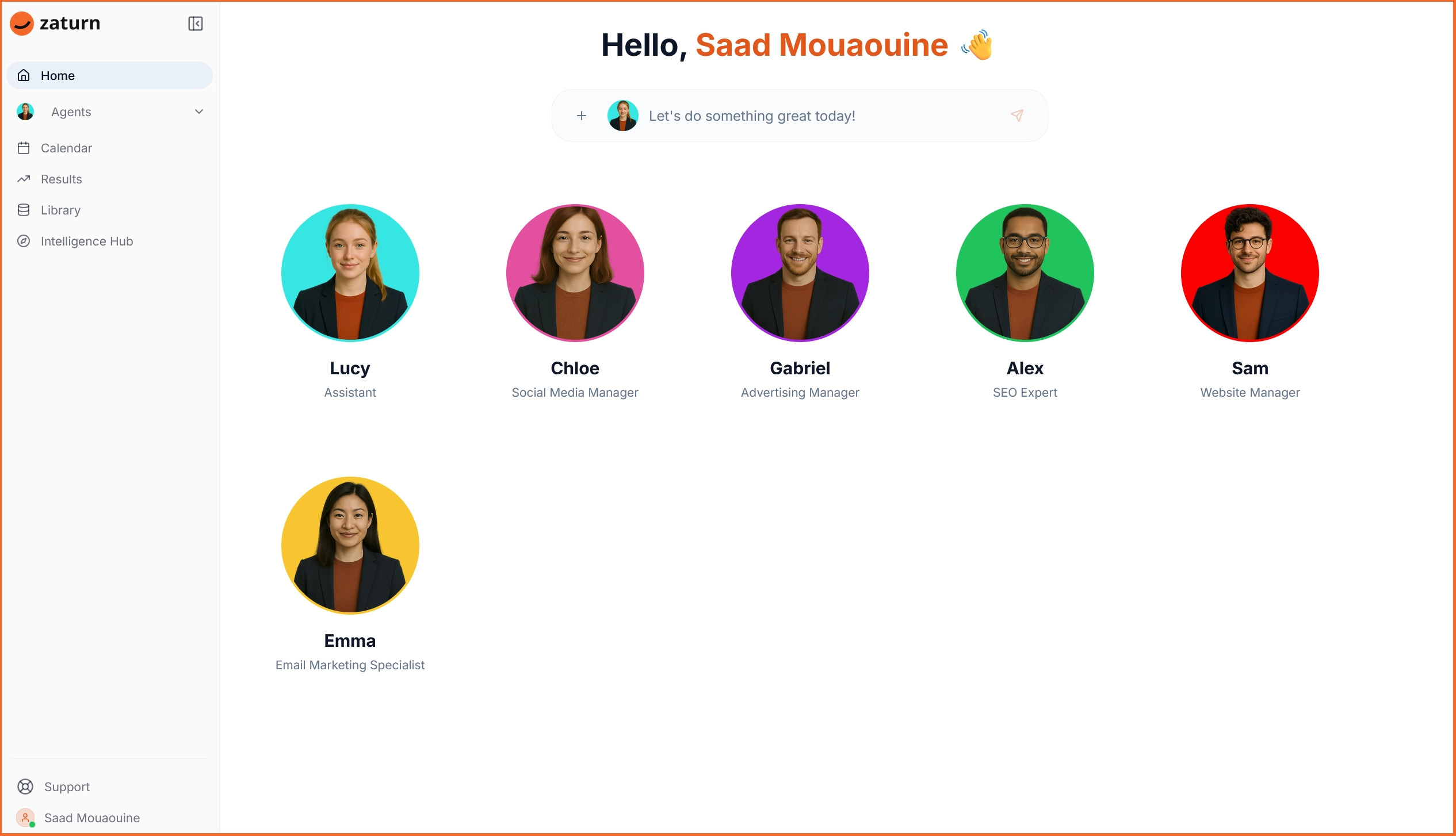
Chloe (Social Media): Plans your content calendar, writes platform-specific posts for LinkedIn, Facebook, Instagram, and X, generates on-brand visuals, and queues everything for your approval.
Emma (Email): Builds email campaigns from strategy through to send, including sequences, newsletters, win-back campaigns, and automations through your existing email platform.
Alex (SEO): Audits your site, identifies keyword opportunities, writes optimized content, and tracks your rankings through a direct Google Search Console connection.
Gabriel (Advertising): Creates media plans, writes ad copy variations, sets up audience targeting, and monitors performance across Facebook, Instagram, and Google.
Sam (Website/CRO): Reviews your site for conversion barriers and delivers prioritized recommendations with projected impact.
Lucy (General): Routes requests and answers platform questions so you always know who you should be talking to.
The Intelligence Hub stores your brand voice, visual assets, and audience details so every agent draws from the same context without re-briefing.
Plan | Monthly Price | What's Included |
|---|---|---|
Starter | $69/mo. | All 6 agents, all integrations, 1 workspace, 1 user, unlimited content, 14-day free trial |
Growth | $129/mo. | Everything in Starter, 3 workspaces, 3 users, priority support, onboarding call |
Custom | Talk to Sales | Unlimited campaigns, white-label, dedicated success manager, custom integrations |
If your Make workflows are primarily marketing tasks, be it social media, email, ads, or content, Zaturn is built specifically for that. Try it for free for 14 days. No credit card is required.
How to Pick the Right Make Alternative
Not sure which platform should replace your current Make subscription? Here’s what we recommend.
Your situation | Best fit |
|---|---|
Make felt too complex and you want something simpler | Zapier — $29.99/mo. |
You need full infrastructure control and have a developer available | n8n Community Edition — free (self-hosted) |
Credit-based pricing was creating unpredictable costs | Pabbly Connect — $16/mo. |
You want Make's visual approach but better AI and error visibility | Activepieces — free up to 10 flows, then $5/mo. |
Your team runs on Microsoft 365 | Power Automate — $15/user/mo. |
Your workflows are mostly marketing tasks | Zaturn — $69/mo. |
You need complex workflows without per-operation costs | n8n or Activepieces (self-hosted) |
You want unlimited tasks at a flat monthly price | Pabbly Connect Unlimited — $69/mo. |