AI Email Assistant: How to Automate Your Email Marketing in 2026

Looking for an AI email assistant? Learn how AI handles email campaigns, newsletters, and sequences for you. Compare inbox tools vs. marketing assistants and find the right one.

AI Email Assistant: How to Automate Your Email Marketing in 2026

When most people search for an "AI email assistant," they're thinking about one of two very different things.

Some want help managing their inbox. They're drowning in hundreds of emails a day and need AI to draft replies, summarise threads, and keep things organised. Tools like Superhuman, Copilot, and Gemini in Gmail handle that.

Others want something bigger. They want AI that handles their entire email marketing operation: writing campaigns, building welcome sequences, creating newsletters, and sending them to the right audience at the right time. That's a completely different category, and it's the one most people actually need when they're trying to grow a business.

This guide covers both. But we're going to spend most of our time on the second category, because that's where AI is making the biggest difference for small businesses and marketing teams in 2026.

AI Email assistant inbox vs marketing

Two Types of AI Email Assistant (and Why It Matters)

Before you choose a tool, you need to understand which problem you're solving. The term "AI email assistant" covers two fundamentally different use cases, and picking the wrong one wastes both your time and money.

Inbox assistants sit inside your Gmail or Outlook. They help you read, organise, and reply to the emails you receive. Think of them as a personal secretary who triages your inbox. Superhuman drafts replies in your voice. Google's Gemini summarises long threads. Microsoft Copilot pulls answers from your email history. These tools make you faster at responding, but they don't create anything new.

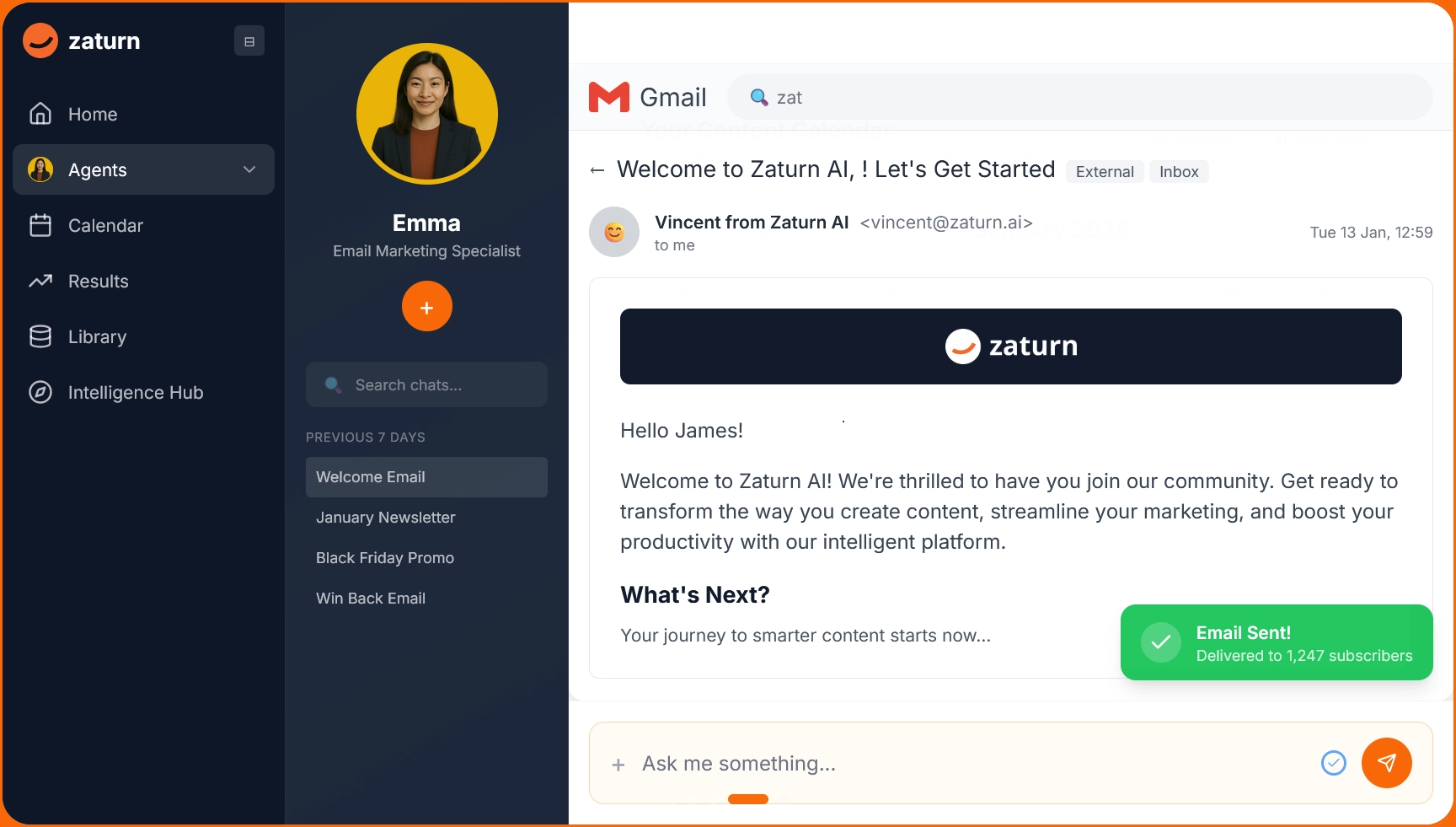
Email marketing assistants are different. They create outbound campaigns, write newsletters, build automated sequences, and send emails to your subscriber list. Instead of helping you answer emails, they help you send emails that drive revenue, nurture leads, and keep customers engaged. This is where platforms like Zaturn operate, with Emma, a dedicated AI email marketing specialist who writes, designs, and sends campaigns through direct integrations with email platforms.

The distinction matters because the tools, pricing, and outcomes are completely different. An inbox assistant saves you time on a task you already do. A marketing assistant replaces an entire function you might not have the time or expertise to do at all.

Ai Email Assistant Inbox Marketing

What an AI Email Marketing Assistant Actually Does

The best way to understand this is to walk through a real workflow. Here's what happens when you use an AI email marketing assistant like Emma to run your email operation.

Strategy and planning. Before writing a single email, Emma asks what you're trying to achieve. Are you welcoming new subscribers? Re-engaging customers who haven't purchased in 90 days? Promoting a seasonal offer? She then maps out the right email type, sequence length, and send timing based on best practices and your goals.

Copywriting. Emma writes the subject line, preview text, headline, and body copy, all optimised for your specific objective. Subject lines stay between 30 and 50 characters to maximise open rates. Body copy leads with the benefit, uses "you" language, and stays scannable. Every email has a clear, single call to action because emails that try to do three things at once convert on none of them.

Design. Emma generates mobile-responsive HTML emails using your brand colours, logo, and fonts. She follows email design fundamentals: 600px max width, high-contrast CTA buttons with minimum 44x44px tap targets, web-safe fonts, and proper alt text on images. No reliance on CSS that breaks in Outlook. No images that fail to load in Gmail's clipping threshold.

Automation sequences. This is where AI email assistants really shine. Emma doesn't just write one email. She builds complete sequences: a 5-email welcome series for new subscribers, a win-back campaign for lapsed customers, post-purchase follow-ups that encourage reviews and repeat orders, and lead nurture drips that move prospects toward a purchase. Each email in the sequence is timed and triggered based on subscriber behaviour.

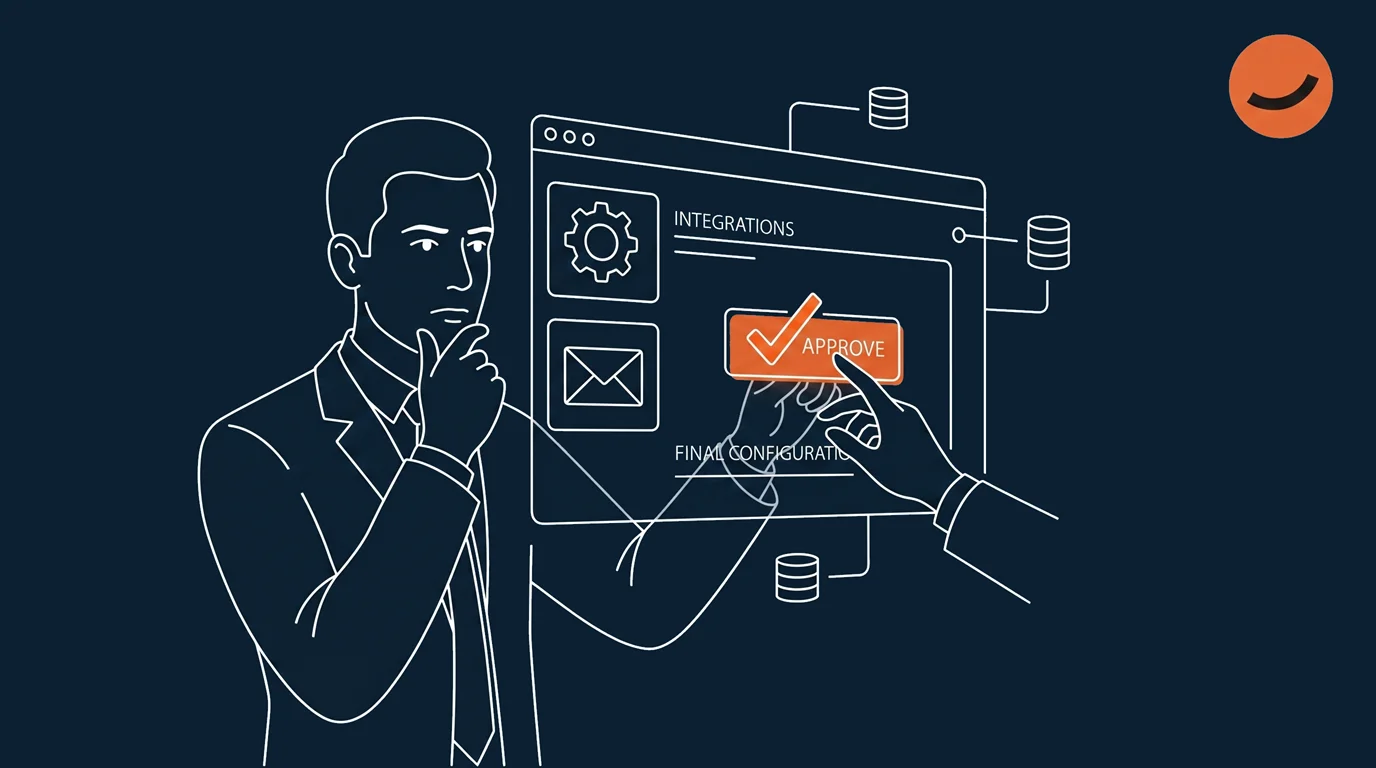
Sending and scheduling. Unlike AI tools that just generate text for you to copy elsewhere, Emma connects directly to email marketing platforms like Brevo. She selects the right audience list, schedules the send, and handles the distribution. You review the email, tap approve, and it goes out. No manual export, no copy-paste, no switching between tabs.

A/B testing suggestions. For every campaign, Emma provides an alternative subject line for split testing. Over time, the data from these tests feeds back into better future campaigns.


The 7 Best AI Email Assistants in 2026

We've split this into two sections: marketing assistants (for sending campaigns) and inbox assistants (for managing your inbox). Most businesses need the first category. Some need both.

Email Marketing Assistants

1. Zaturn (Emma) — Best AI Email Marketing Assistant for Small Business

The only platform where an AI agent writes, designs, and sends your email campaigns through a direct integration, not just generates text you copy-paste somewhere else.

Best for: Small businesses, solopreneurs, and e-commerce brands that want email marketing on autopilot

Pricing: Starter $55/mo (annual) or $69/mo (monthly) · Growth $103/mo (annual) or $129/mo (monthly) · 14-day free trial, no credit card required

Email types: Welcome sequences, newsletters, win-back campaigns, post-purchase flows, lead nurture drips, promotional emails

Website: zaturn.ai

Emma is one of five specialised AI agents on the Zaturn platform, and she's built specifically for email marketing. She doesn't just draft emails. She writes subject lines optimised for open rates, designs branded HTML templates, builds multi-step automation sequences, selects the right audience segment, and sends campaigns through Brevo integration, all after you approve.

Her discovery workflow is what sets her apart from generic AI writing tools. Before creating any email, she asks about your objective, audience, key message, and CTA. She then applies your brand colours, logo, and tone of voice automatically.

Emma handles six core email types: welcome emails for new subscribers, promotional campaigns for offers and launches, newsletters for ongoing engagement, win-back sequences for lapsed customers, post-purchase follow-ups for reviews and repeat orders, and lead nurture drips for converting prospects.

And because Emma is part of a multi-agent platform, she works alongside Chloe (social media), Alex (SEO), and Gabriel (advertising). Your email campaigns can align with your social posts, blog content, and ad campaigns without you coordinating between separate tools.

Pros: Full execution (writes, designs, and sends), branded HTML templates, multi-step automation sequences, approve-then-execute workflow, most affordable option at $55/mo for the full platform (not just email)

Cons: Newer platform still building brand recognition, currently integrates with Brevo, Mailchimp and Outlook (more ESP integrations planned)

Bottom line: If you want an AI that actually runs your email marketing instead of generating text you still need to manually send, Emma is the most complete and affordable option in 2026. (Start your 14-day free trial →)


2. Mailchimp — Best Standalone Email Platform with AI Features

A reliable, user-friendly email marketing platform with solid AI features for subject lines, send-time optimisation, and audience segmentation, but email is all it does.

Best for: Small businesses focused primarily on email marketing and newsletters

Pricing: Free plan (500 contacts) · Essentials from $13/mo · Standard from $20/mo · Premium from $350/mo

Website: mailchimp.com

Mailchimp has added AI-powered subject line suggestions, send-time optimisation, content generation, and predictive audience segmentation. The drag-and-drop builder is intuitive, and the automation workflows (welcome series, abandoned cart, birthday emails) work well.

However, Mailchimp's AI features assist your email creation rather than handling it end to end. You're still the one building each email, selecting segments, and scheduling sends. The AI makes suggestions. It doesn't execute.

Pros: Very user-friendly, solid free tier, good automation workflows, established deliverability reputation

Cons: AI features assist rather than execute, pricing scales steeply with contact list size, only covers email (no social, SEO, or ads), limited customisation on lower tiers


3. Brevo (formerly Sendinblue) — Best Budget Email Platform with Automation

Affordable email marketing with solid automation workflows and AI-assisted content, though you'll need to build campaigns yourself.

Best for: Budget-conscious businesses that need email + SMS + basic CRM

Pricing: Free plan (300 emails/day) · Starter from $9/mo · Business from $18/mo

Website: brevo.com

Brevo offers email, SMS, and WhatsApp marketing with AI-powered content suggestions. The automation builder supports multi-step workflows, and the free tier is generous. It's worth noting that Brevo is the email platform that Zaturn's Emma integrates with for campaign delivery, which speaks to its reliability and API flexibility.

Pros: Very affordable, generous free tier, multi-channel (email + SMS + WhatsApp), solid automation builder

Cons: AI features are more limited than purpose-built AI tools, template designs are functional but not premium, reporting less detailed than Mailchimp on higher tiers


4. Jasper — Best for High-Volume Email Copywriting

A powerful AI writing engine that can generate email copy at scale, but you'll still need a separate platform to design, build, and send your campaigns.

Best for: Marketing teams producing high volumes of email copy across multiple brands

Pricing: Pro from $59/mo per seat (annual) · Business: custom pricing

Website: jasper.ai

Jasper excels at generating email copy with consistent brand voice. Its templates cover promotional emails, newsletters, subject lines, and sequences. The Brand Voice feature ensures every email matches your tone. But Jasper is a writer, not a sender. You'll need Mailchimp, Brevo, or another ESP to actually design, build, and deliver your campaigns.

Pros: Excellent brand voice consistency, strong email copy templates, unlimited words on all plans

Cons: Content generation only (doesn't design, build, or send emails), per-seat pricing adds up, requires a separate email platform to actually deliver campaigns


Inbox Management Assistants

5. Superhuman — Best for Email Power Users

A premium email client that drafts replies in your voice, prioritises your inbox, and suggests follow-ups, built for professionals who send and receive hundreds of emails daily.

Best for: Executives, sales professionals, and anyone managing a high-volume inbox

Pricing: Starter $30/mo · Business $40/mo

Website: superhuman.com

Superhuman's AI drafts replies matching your writing style, suggests follow-ups on emails that need responses, and lets you search your inbox using natural language. It's fast, polished, and purpose-built for email productivity. The catch: it's an inbox tool, not a marketing tool. It helps you reply to emails faster, not create campaigns.

Pros: Exceptional speed and UX, AI drafts in your voice, smart follow-up suggestions, natural language inbox search

Cons: Inbox management only (no email marketing capabilities), expensive for what it does, requires switching email clients


6. Microsoft Copilot (Outlook) — Best for Microsoft 365 Users

AI features baked directly into Outlook for summarising threads, drafting responses, and pulling information from your Microsoft ecosystem.

Best for: Teams already using Microsoft 365

Pricing: Included with Microsoft 365 subscriptions · Copilot add-on from $30/user/mo

Website: microsoft.com

Copilot in Outlook can summarise long email threads, draft replies based on context, and pull relevant information from your calendar, Teams chats, and documents. For teams already in the Microsoft ecosystem, it's the most frictionless way to add AI to email.

Pros: Deep Microsoft 365 integration, no separate tool to install, summarises threads well, pulls context from across your Microsoft apps

Cons: Inbox management only, AI quality depends on your Microsoft data, additional cost on top of Microsoft 365, not available on all plan tiers


7. Google Gemini (Gmail) — Best Free Inbox AI

Google's built-in AI for Gmail that summarises threads, drafts replies, suggests responses, and organises your inbox, available to all Gmail users in 2026.

Best for: Anyone using Gmail who wants basic AI assistance at no extra cost

Pricing: Free features for all users · Advanced features with Google AI Pro/Ultra subscriptions

Website: gmail.com

Gmail's Gemini integration brings AI Overviews (thread summaries), Help Me Write (draft generation), Suggested Replies, and AI Inbox (priority filtering) directly into the Gmail experience. The free features are genuinely useful for everyday email management.

Pros: Free for all Gmail users, no separate tool needed, AI Overviews summarise threads well, Suggested Replies save time on quick responses

Cons: Inbox management only, advanced features require paid Google AI subscription, no email marketing capabilities whatsoever


Quick Comparison Table

Tool

Type

Starting Price

Writes Campaigns?

Sends Emails?

Best For

Zaturn (Emma)

Marketing

$55/mo

✅ Yes

✅ Yes (via Brevo, Mailchimp, Outlook)

SMBs wanting full email marketing execution

Mailchimp

Marketing

Free / $13/mo

⚠️ AI assists

✅ Yes

Email-focused small businesses

Brevo

Marketing

Free / $9/mo

⚠️ Basic AI

✅ Yes

Budget email + SMS marketing

Jasper

Copywriting

$59/mo/seat

✅ Yes (copy only)

❌ No

Teams needing high-volume email copy

Superhuman

Inbox

$30/mo

❌ No

❌ No (replies only)

High-volume inbox management

Copilot

Inbox

$30/user/mo

❌ No

❌ No (replies only)

Microsoft 365 teams

Gemini (Gmail)

Inbox

Free

❌ No

❌ No (replies only)

Gmail users wanting basic AI help

How to Choose the Right AI Email Assistant

The right choice depends entirely on what "email help" means for you.

If you need to grow your business through email marketing: You need a marketing assistant, not an inbox tool. Superhuman won't write your newsletter. Copilot won't create a welcome sequence. For actual email marketing execution at the best value, Zaturn's Emma handles the full workflow from strategy through sending, starting at $55/month for the entire platform (which also includes social media, SEO, and advertising agents). If you prefer a traditional ESP with some AI features, Mailchimp or Brevo are solid choices, though you'll be doing most of the work yourself.

If you need to manage a busy inbox: Stick with the tools built into your email client. Gmail users get Gemini for free. Microsoft 365 users get Copilot. If you want a premium experience and can justify $30/month, Superhuman is the most polished option.

If you need both: Use an inbox tool for managing incoming email and a marketing platform for outbound campaigns. For example, Gemini (free) for inbox management plus Zaturn for email marketing execution gives you the best of both worlds at the lowest total cost.


5 Email Marketing Tasks Your AI Assistant Should Handle

Not sure where to start? Here are the five highest-impact email workflows that an AI marketing assistant like Emma can take off your plate immediately.

Welcome sequences. Every new subscriber should receive a series of 3 to 5 emails introducing your brand, sharing your story, and guiding them toward a first purchase or key action. Emma builds these automatically, spacing them over 7 to 14 days.

Newsletters. Consistent newsletters keep your audience engaged between purchases. Emma creates branded newsletters with your latest content, offers, or updates, and schedules them on a regular cadence.

Win-back campaigns. Customers who haven't purchased in 60 to 90 days need a nudge. Emma writes re-engagement sequences with escalating incentives that bring lapsed customers back.

Post-purchase follow-ups. After someone buys, the right follow-up sequence drives reviews, referrals, and repeat purchases. Emma handles timing, messaging, and CTA placement.

Lead nurture drips. Prospects who aren't ready to buy today need a sequence of value-driven emails that build trust over time. Emma creates educational sequences that move subscribers through your funnel at their own pace.


Final Verdict

The AI email assistant market in 2026 is split between tools that help you read email and tools that help you send email. Both are useful, but for businesses trying to grow, the marketing side delivers the real ROI.

If you want an AI that doesn't just generate email copy but actually creates branded campaigns, builds automation sequences, and sends them to your list after you approve, Zaturn's Emma is the most complete and affordable option available. At $55/month for the Starter plan (which includes four additional marketing agents), you're getting the output of an email marketing specialist without the agency retainer. Try it for 14 days free, no credit card required.

Frequently Asked Questions

What is an AI email assistant?

An AI email assistant is software that uses artificial intelligence to help with email-related tasks. This term covers two categories: inbox assistants (which help you read, organise, and reply to emails faster) and email marketing assistants (which create, design, and send email campaigns to your subscriber list). For businesses looking to grow through email, the marketing category delivers the bigger impact.

Can an AI email assistant replace Mailchimp?

Not entirely, but the gap is closing fast. Traditional email platforms like Mailchimp give you the tools to build and send campaigns, but you still need to write the copy, design the layout, choose the segment, and schedule the send. An AI email marketing assistant like Zaturn's Emma handles all of those steps. She writes, designs, segments, and sends through Brevo integration. For small businesses that don't have time to learn a complex ESP, an AI-powered approach can effectively replace the manual work that Mailchimp requires.

Are AI email assistants safe to use with my customer data?

Reputable AI email tools follow industry-standard security practices. Look for GDPR compliance, clear data handling policies, and explicit statements about whether the tool trains its models on your data. [Zaturn](https://zaturn.ai) is GDPR compliant and hosted securely in Europe. For inbox tools, always check what permissions you're granting, since deeper AI features typically require broader access to your inbox data.

What's the difference between an AI email assistant and a regular email marketing tool?

A regular email marketing tool (like Mailchimp or Brevo) gives you a blank canvas and expects you to create everything. You write the copy, design the layout, set up the automation rules, and schedule sends. An AI email assistant does the creative and strategic work for you: writing copy, designing templates, building sequences, and suggesting optimisations. The most advanced ones, like Zaturn's Emma, also handle the sending and scheduling after you approve.

How much does an AI email assistant cost?

Costs vary widely. Inbox assistants range from free (Gemini in Gmail) to $30 to $40 per month (Superhuman, Copilot). Email marketing platforms with basic AI features start free and scale to $20+ per month (Mailchimp, Brevo). Dedicated AI marketing assistants like Zaturn start at $55 per month and include not just email but social media, SEO, advertising, and website management agents as well.

Can I use ChatGPT as an email assistant?

You can use ChatGPT to draft email copy, but it has zero integration with any email platform. You'll need to manually copy text into your ESP, add design elements, select your audience, and schedule the send yourself. For occasional one-off emails, ChatGPT works fine as a drafting tool. For ongoing email marketing operations, a purpose-built assistant like Emma is significantly more efficient because she handles the full workflow from draft to delivery. Read: Zaturn vs ChatGPT comparison → https://zaturn.ai/blog/zaturn-vs-chatgpt-comparison