Best Alternatives to n8n
Best for technical teams that want full workflow control
Features
- Social Media — None
- Email Marketing — None
- SEO — None
- Ad Management — None
- Marketing Analytics — Basic
Pros & Cons
Pros
- You can technically build marketing automations if you have a developer
- Free self-hosted option keeps costs low for technical teams
- Custom JavaScript and Python inside workflow nodes
- Active open-source communtiy with shared templates
Cons
- No native marketing execution — social, email, SEO, and ads all require custom workflows
- Requires developer knowledge to set up anything marketing-related
- No approval workflow for marketing content
Why teams switch to Zaturn
- No workflow building required
- Content planning is built in
- Email campaigns from strategy to send
- SEO execution, not just data movement
- Approval-first model
- Lower total cost for marketing teams
Compared platforms
n8n
Zaturn
Make
Zapier
Pabbly Connect
Microsoft Power Automate
Activepieces
Feature comparison
| Feature | Zaturn | Activepieces | Make | Zapier | Pabbly Connect | Power Automate |
|---|---|---|---|---|---|---|
| Starting Price | $69/mo. | Free, then 5$ per flow per month | $10.59/mo. | $29.99/mo. | $16/mo. (annual plan) | $15/user/mo? |
| Free Plan | 14-day trial | ✓ | ✓ | ✓ | ✓ | 30-day trial |
| Self-hosting | ✗ | ✓ | ✗ | ✗ | ✗ | ✗ |
| Native Integrations | 100+ | 695+ | 3,000+ | 7,000+ | 2,000+ | 900+ |
| AI Agents | ✓ | ✓ | Limited | Limited | ✗ | Limited |
| Human Approval Workflow | ✓ | ✓ | ✗ | ✗ | ✗ | ✗ |
| Marketing Automation | Built-in | Possible (Complex) | Possible (Complex) | Possible (Complex) | Possible (Complex) | Possible (Complex) |
| Social Media Management | Dedicated (Chloe) | Via workflow | Via workflow | Via workflow | Via workflow | Via workflow |
| Email Marketing | Dedicated (Emma) | Via workflow | Via workflow | Via workflow | Via workflow | Via workflow |
| SEO Tools | ✓ | ✗ | ✗ | ✗ | ✗ | ✗ |
| Ad Management | ✓ | ✗ | ✗ | ✗ | ✗ | ✗ |
| Step-level debugging | N/A | ✓ | Partial | ✗ | ✗ | Partial |
| Git Version Control | N/A | Enterprise only | ✗ | ✗ | ✗ | ✗ |
| Desktop RPA | ✗ | ✗ | ✗ | ✗ | ✗ | ✓ |
Why Do People Switch From n8n?
The complaints that come up most often aren’t about n8n’s power. In fact, most developers acknowledge it’s capable. They’re about what happens when a workflow needs to grow up and become a production system.
Limitation | What experienced users report |
|---|---|
Git integration is Enterprise-only and limited | Native source control exists but requires an Enterprise plan, doesn't support pull requests or diffs inside n8n, and overwrites rather than merges on pull. Community Edition users are still building their own workarounds. |
Monolithic workflow structure | Everything lives in a single visual blob. Reuse, modularity, and DRY principles are hard to apply. Refactoring a complex workflow is painful |
Debugging requires manual workarounds | No step-by-step breakpointing or state introspection. Most developers end up adding log nodes throughout and working through execution traces one at a time |
AI agents hit reliability limits quickly | At more than basic complexity, n8n struggles to manage persistent state and robust error handling in AI-powered workflows |
Self-hosting OAuth is a recurring headache | Setting up Google OAuth for self-hosted n8n requires configuring Google Console access manually — a 20-minute process that experienced developers still describe as frustrating |
Cloud cost controls are missing | During testing on cloud plans, executions can spike without warning. Users report unexpected bills before they've set up proper safeguards |
👌 n8n works well for prototyping, MVPs, and connecting services quickly. However, once your workflows need to scale, be maintained by a team, or support production-grade AI agents, you’ll find yourself looking for a better alternative.
n8n Alternatives at a Glance
Here’s a quick breakdown of the n8n alternatives we recommend before we break down each.
Tool | Starting Price | Best For | Free Plan |
|---|---|---|---|
Activepieces | Free up to 10 flows, then $5/flow/mo. | Open-source alternative with better debugging and AI agent support | ✅ Community Edition (self-hosted) |
Make | $10.59/mo. | Teams wanting a polished visual builder with 3,000+ integrations | ✅ 1,000 credits/mo. |
Zapier | $29.99/mo. | Non-technical teams who need the largest integration library with minimal setup | ✅ 100 tasks/mo. |
Pabbly Connect | $16/mo. (annual) | Teams that want predictable costs with unlimited tasks at a flat rate | ✅ 100 tasks/mo. |
Microsoft Power Automate | $15/user/mo. | Businesses already operating within the Microsoft 365 ecosystem | ⚠️ 30-day free trial |
1. Activepieces — Best Open-Source n8n Alternative
Activepieces keeps what n8n users value most (open source, self-hostable, and visual workflow building) while addressing the debugging and AI agent limitations that push developers away.
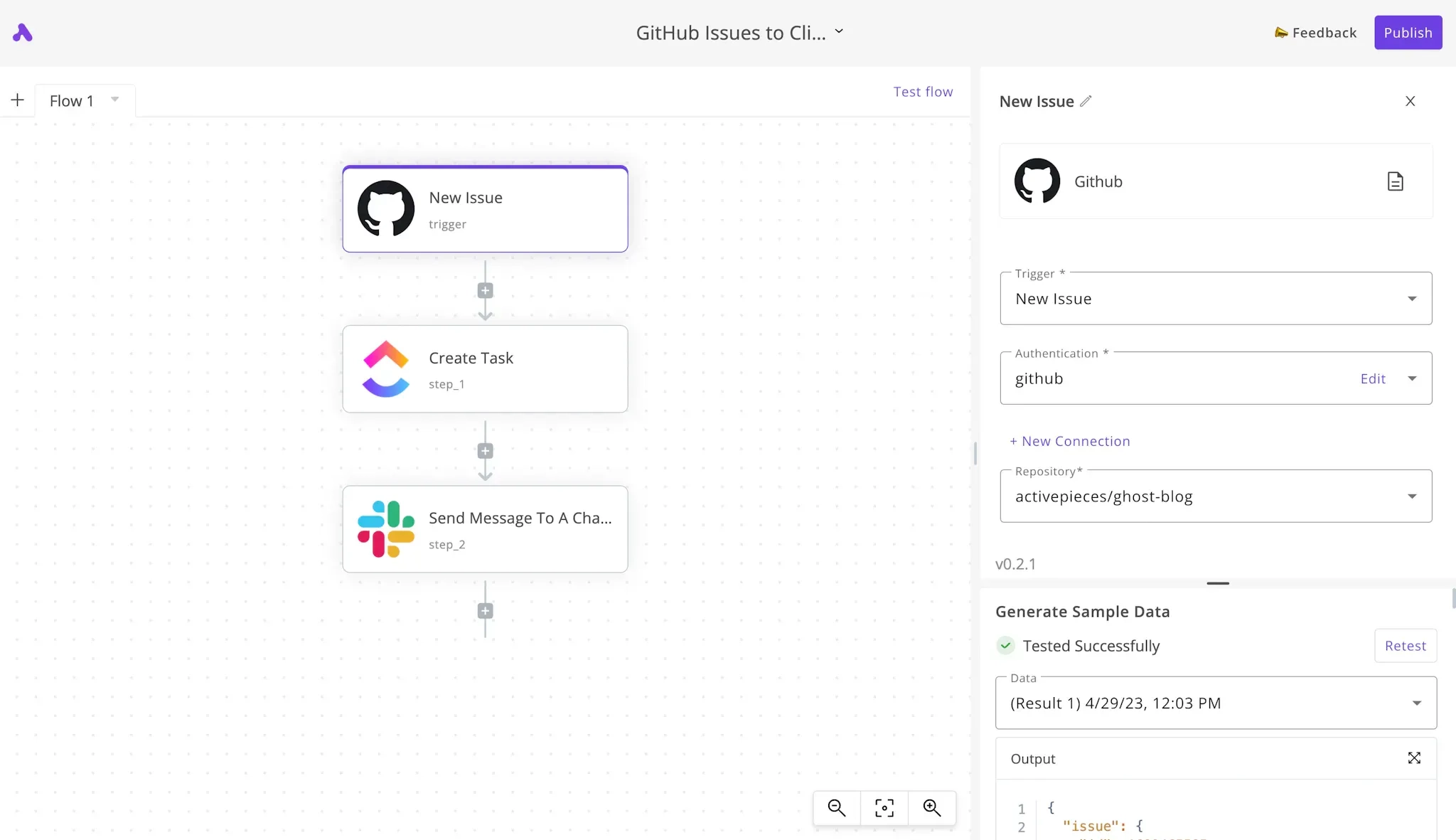
The most common developer complaint about n8n is debugging. When a workflow breaks, you get a single execution trace and have to work backward.
Activepieces takes a different approach: every run logs full input and output at each individual step. You see exactly what data entered a node, exactly what came out, and exactly where something went wrong. For anyone who's spent hours adding manual log nodes to an n8n workflow, this feature is a lifesaver.
On the AI side, Activepieces includes human-in-the-loop approval as a native workflow concept. Rather than trying to build reliable AI agents in a visual builder that wasn't designed for it, you can define exactly which decisions require human sign-off and which can run autonomously.
The self-hosted Community Edition is MIT licensed, free beyond server costs, and has no active flow limits. The cloud version starts free for up to 10 flows.
Notable Features
Step-level run logs: Every workflow execution shows input and output at each individual step. Finding a broken node takes seconds, not a debugging session.
Human-in-the-loop approval: Define which agent decisions require human sign-off before proceeding. Keeps AI workflows reliable without making everything fully manual.
Open source and self-hostable: MIT licensed Community Edition with 270+ active contributors. Self-host for free with no execution or flow limits.
695+ integrations: Smaller than n8n's library but growing steadily, covering the major platforms most teams actually use, such as Salesforce and Hubspot.
MCP servers on all plans: Connect AI agents to any MCP-compatible tool. This is useful for teams building multi-step AI automation without stitching together custom code.
Pros and Cons
Pros | Cons |
|---|---|
✅ Step-level debugging directly addresses n8n's biggest production pain point | ❌ Integration library is smaller than n8n's, which is a serious constraint for less common tools |
✅ AI agent design is more mature than n8n's; it’s built for the concept, not retrofitted | ❌ Complex workflow learning curve, specifically noted in over 15 G2 mentions |
Pricing
Plan | Price | What's included |
|---|---|---|
Community | Free | Self-hosted, MIT licensed, unlimited flows and executions, community support |
Standard (cloud) | Free for 10 flows, then $5/flow/mo. | Unlimited runs per flow, AI agents, MCP servers, full step-level logs |
Enterprise | Annual contract, custom | SSO, RBAC, audit logs, Git sync, dedicated support, on-prem deployment |
📌 Verdict: For developers leaving n8n over debugging frustration or unreliable AI agents, Activepieces is the most direct upgrade. You keep the open-source flexibility and self-hosting option while gaining production-grade observability. Check your integration list before committing, though.
2. Make — Best for Teams Who Want a More Polished Visual Builder
Make's visual canvas is more refined than n8n's node system and its integration library is nearly three times larger. It also removes the server management burden that comes with self-hosting.
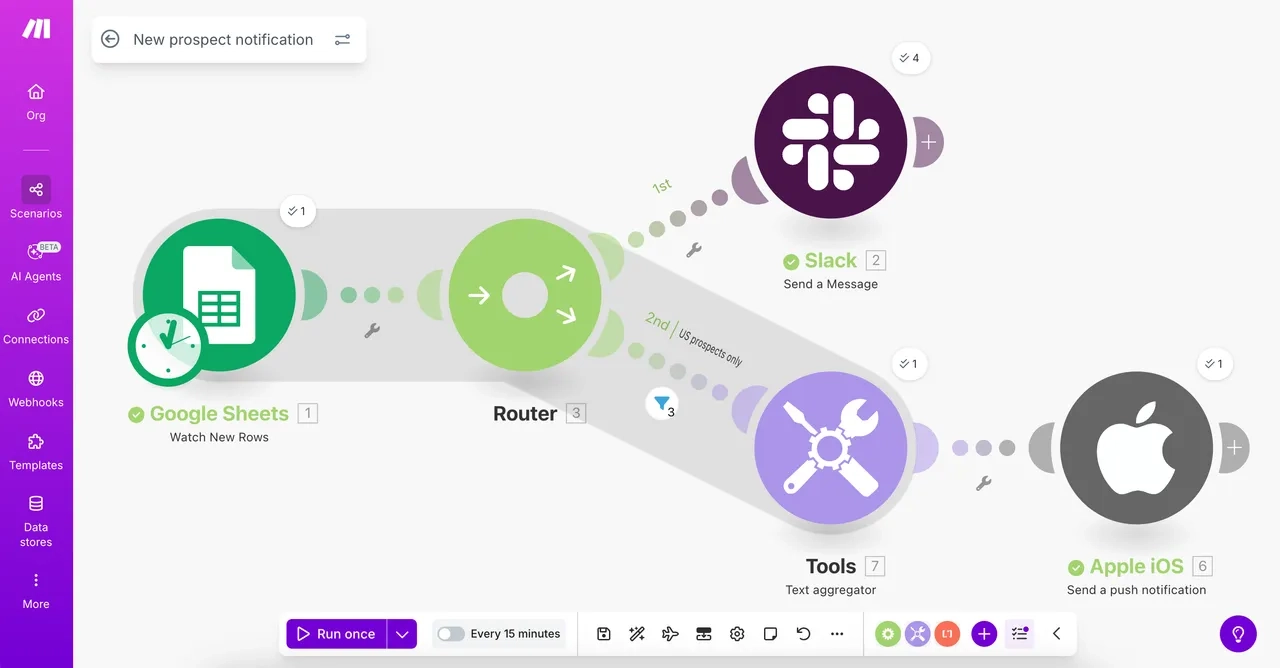
One persistent criticism of n8n, even from developers who appreciate its flexibility, is that the interface makes complex workflows hard to follow.
The node layout works fine for simple automations, but as workflows grow, navigation becomes cumbersome and global code search is absent. Refactoring something spread across dozens of nodes is very painful and time-consuming.
Make's canvas approach keeps workflows more visually organized. Every module is distinct, data flow is visible at a glance, and the error handling is more transparent. The integration library at 3,000+ apps is significantly larger than n8n's native library, which reduces the custom HTTP work that n8n often requires for less common connectors.
The trade-off is cost: Make charges per operation rather than per execution, which changes the economics for high-step workflows at volume.
Notable Features
Visual scenario canvas: Cleaner and more navigable than n8n's node editor for complex multi-step workflows. Data flow between modules is visible and traceable.
3,000+ native integrations: Nearly three times n8n's native library, which significantly reduces the need for custom HTTP connector work.
Scenario replay: Re-run any previous scenario using the original trigger data. Useful for testing and recovering from errors without waiting for new live events.
AI Scenario Assistant: Describe what you want to automate in plain language and Make generates the scenario structure.
No server management: Fully cloud-hosted. For teams that self-hosted n8n and found the maintenance overhead added up, this is a meaningful reduction in operational burden.
Pros and Cons
Pros | Cons |
|---|---|
✅ Much larger native integration library than n8n, meaning fewer custom connectors are needed | ❌ Operation-based pricing gets expensive for high-step workflows at scale |
✅ Cleaner visual interface makes complex workflows easier to navigate | ❌ Learning curve is still a problem for non-technical users, as noted across several G2 mentions |
Pricing
Plan | Price | What's included |
|---|---|---|
Free | $0/mo. | 1,000 credits/mo., visual builder, 3,000+ apps, 15-minute run intervals |
Core | $10.59/mo. | 10,000 credits/mo., unlimited active scenarios, API access, 1-minute intervals |
Pro | $18.82/mo. | Priority execution, custom variables, full-text execution log search |
Teams | $34.12/mo. | Team roles, shared scenario templates, collaboration features |
Enterprise | Custom | Custom functions, enterprise apps, 24/7 support, overage protection |
📌 Verdict: Make is the right move if n8n's interface or integration gaps were your primary frustration. But if you’re running high-volume, high-step workflows, pay attention to your budget and run the numbers before committing to a plan tier.
3. Zapier — Best for Non-Technical Teams Who Need Maximum Integration Coverage
Zapier's 7,000+ integrations make it the largest native automation library available, and for teams where the main n8n frustration was building custom HTTP connectors for missing apps, that difference is not to be taken lightly.
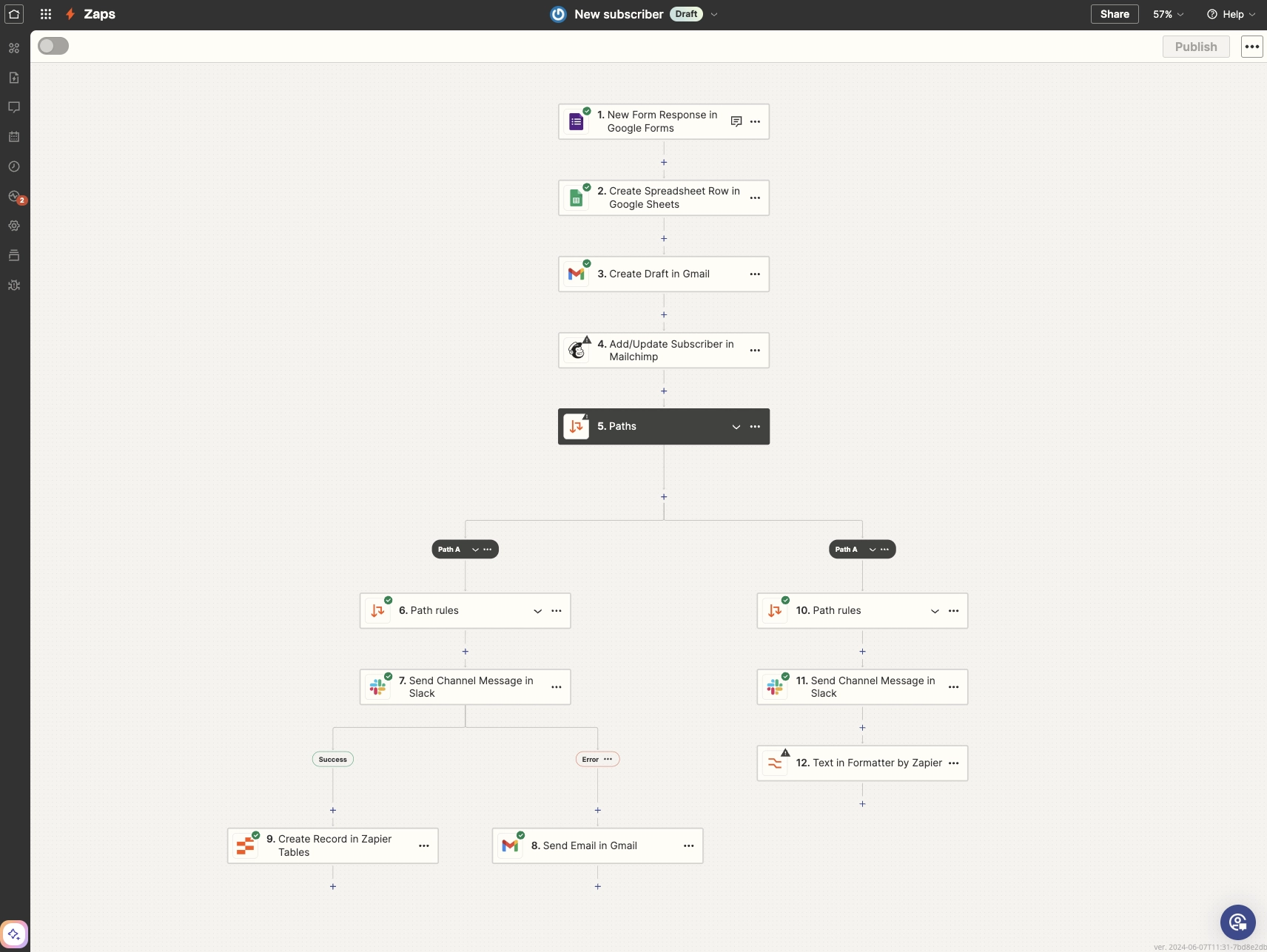
n8n's integration library is functional but relatively lean at around 400+ native nodes. Connecting to apps without a dedicated node requires building custom HTTP requests, which demands API knowledge and maintenance effort.
Zapier's 7,000+ pre-built connectors cover the vast majority of business tools most teams use, and the connections just work without requiring custom configuration.
The trade-off for that breadth is a simpler workflow model. Zapier's trigger-action structure is more linear and less flexible than n8n's node system. Complex branching logic and multi-path workflows that felt natural in n8n require workarounds in Zapier.
It's a deliberate trade of power for accessibility, and for non-technical teams, that's often the right one. The per-task pricing model is also worth paying attention to; it's similar to what makes Make frustrating at scale for high-volume use cases.
Notable Features
7,000+ pre-built app integrations: The widest native integration library in the category. Most business tools have a dedicated connector that's maintained and updated by Zapier's team.
Zapier Copilot: Build automations from plain-language descriptions. It’s included on the free plan, making it useful for non-technical users who found n8n's node system too steep.
Tables and Forms: Built-in database and form tools bundled into every plan, covering basic data capture needs without an additional tool.
AI fields: Add AI-powered transformation steps inside any Zap to summarize, classify, or extract data mid-workflow without code.
Minimal setup overhead: No Docker, no server, and no OAuth configuration. Google and other major platforms connect through Zapier's own OAuth client in a few clicks.
Pros and Cons
Pros | Cons |
|---|---|
✅ Largest integration library available, with 7,000+ apps with maintained connectors | ✅ Per-task pricing compounds quickly at high volume, as noted across over 180 G2 mentions |
✅ Zero infrastructure overhead compared to n8n self-hosting | ❌ Complex logic and multi-path workflows are harder to build than in n8n |
Pricing
Plan | Price | What's included |
|---|---|---|
Free | $0/mo. | 100 tasks/mo., two-step Zaps only, Zapier Copilot, Tables and Forms |
Professional | $29.99/mo. | 750 tasks, multi-step Zaps, webhooks, unlimited premium apps, AI fields |
Team | $103.50/mo. | 2,000 tasks, 25 users, shared Zaps and folders, SAML SSO |
Enterprise | Custom | Unlimited users, advanced admin controls, annual task limits |
❓ Note: Zapier’s pricing is usage-based. Use the slider on the platform’s pricing page to select the total monthly task volume appropriate for your needs; the pricing will adjust accordingly.
📌 Verdict: Zapier makes sense when the integration library was the primary n8n frustration and technical overhead is something the team wants to leave behind. Keep an eye on task volume, though; the pricing model is generous at low volumes and punishing at high ones.
4. Pabbly Connect — Best for High-Volume Workflows at a Flat Rate
Pabbly Connect removes the cost unpredictability that comes with n8n's cloud plans. Every paid tier includes the full feature set, and you pay only for how many tasks you need per month.
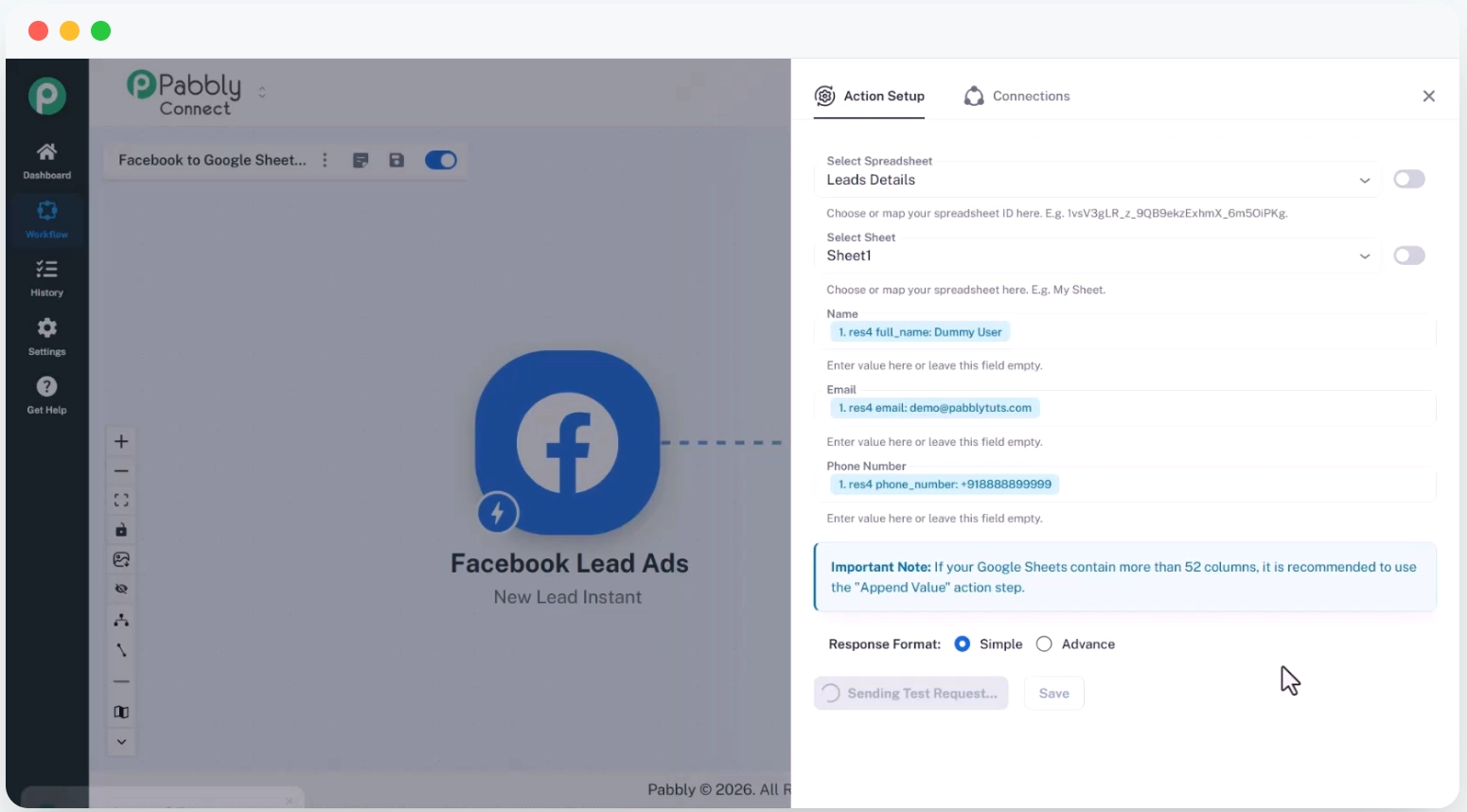
One complaint that comes up specifically about n8n's cloud plans is the absence of cost controls. During testing and development, executions can spike and bills climb before you've had a chance to set safeguards.
Pabbly Connect lets you pick a task volume, pay a flat monthly rate, and that's it. There are no surprises at the end of the billing cycle.
Every Pabbly plan also includes the complete feature set from day one. Multi-step workflows, path routers, webhooks, formatters, JavaScript and Python modules, and MCP servers are all included regardless of tier. You're not buying access to features; you're just choosing how many tasks you need.
By the way, Pabbly has seen fewer reviews compared to its alternatives, so third-party validation is thinner.
Notable Features
Flat-rate pricing with no feature gating: Every plan includes the full feature set. The only variable between tiers is monthly task volume.
Unlimited team members on all plans: No per-seat charges; your entire team can access and build workflows without adding per-user costs.
Free internal tasks: Workflows between Pabbly's own tools don't count against your monthly task limit, extending your effective allowance.
JavaScript and Python modules included: Custom code execution is available on all paid plans. No enterprise tier is required.
MCP servers: AI agent connectivity through MCP-compatible tools is included across the platform, not locked behind higher tiers.
Pros and Cons
Pros | Cons |
|---|---|
✅ Completely predictable pricing, expect no surprise bills during testing or high-volume periods | ❌ UI inconsistencies and lack of auto-save are recurring user complaints |
✅ Full feature access on every plan with no artificial restrictions | ❌ Limited AI features compared to more modern platforms |
Pricing
Plan | Price | What's included |
|---|---|---|
Free | $0/mo. | 100 tasks/mo., unlimited workflows and team members, full feature set |
Standard | $16/mo. (annual) | 10,000 tasks/mo., everything included, no feature restrictions |
Unlimited | $69/mo. (annual) | Unlimited tasks/mo., everything included |
❓ Note: Don't be pressured by the countdown timer on Pabbly’s pricing page. The special offer is a classic marketing trick. The sale never ends, and the prices we’ve listed here are the actual, everyday costs.
📌 Verdict: Pabbly Connect is worth serious consideration if n8n's cloud billing unpredictability were your pain point. The flat-rate model and absence of feature tiers make budgeting straightforward. Do your integration research first, as the library is smaller and the review base is thin.
5. Microsoft Power Automate — Best for Microsoft 365 Teams
For teams whose workflows are primarily within Microsoft's ecosystem, Power Automate's native integrations operate at a depth that n8n's Microsoft connectors simply don't reach.
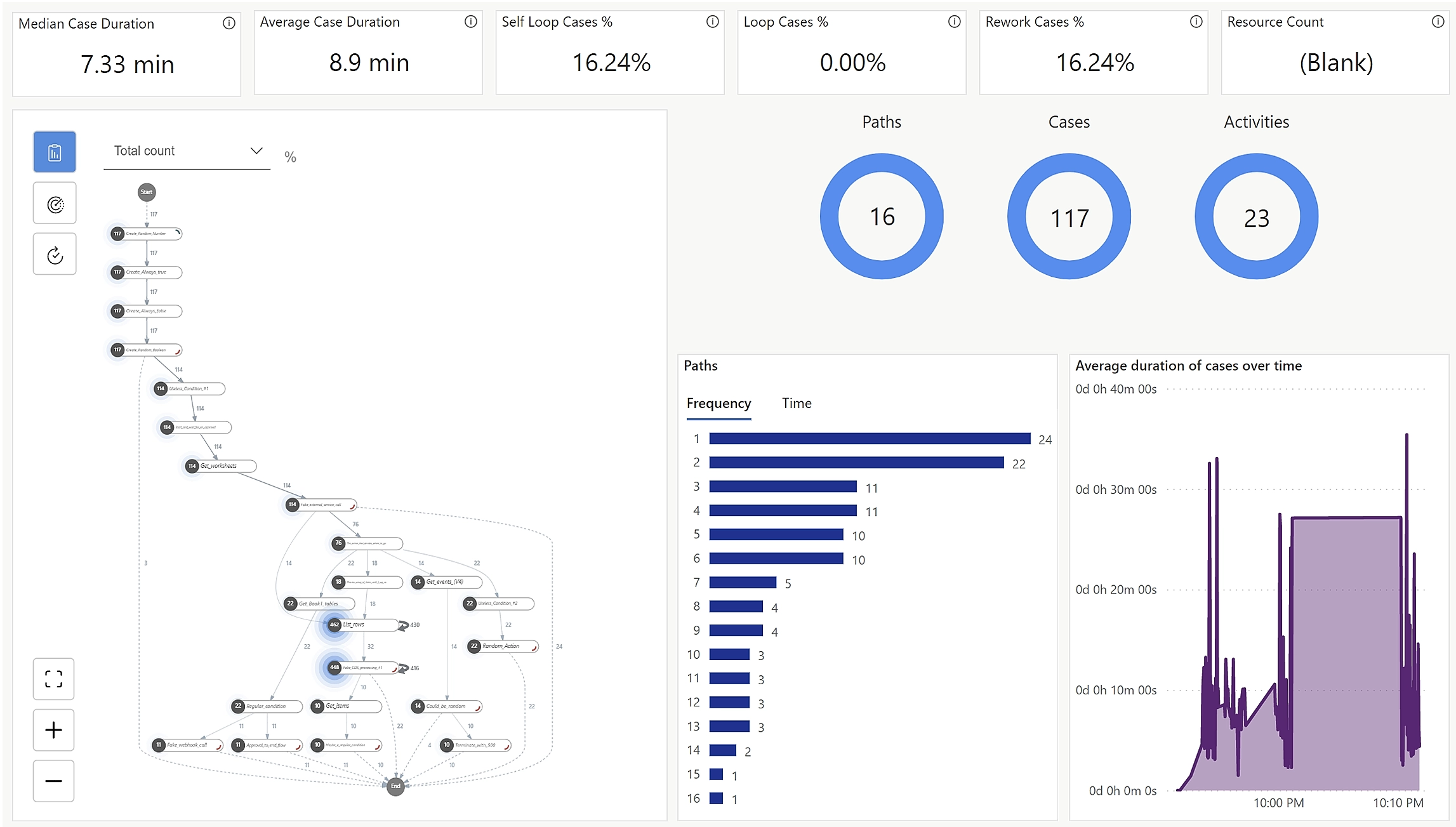
n8n connects to Microsoft tools, but via standard API integrations rather than native access. For basic operations, that's fine. But for teams running workflows between Teams, SharePoint, Outlook, Excel, Dynamics 365, and Azure services, the difference between a third-party connector and a Microsoft-native integration is huge: trigger options are broader, actions are more granular, and edge cases that require workarounds in n8n just work.
Power Automate also removes the self-hosting concerns that n8n users deal with. There’s no Docker, no server configuration, and no OAuth client setup for Google or Microsoft services.
The downside is that outside the Microsoft ecosystem, Power Automate's complexity-to-value ratio drops a lot. The interface is harder to navigate than n8n for advanced flows, and performance issues are documented well enough across G2 reviews to be a major concern for time-sensitive workflows.
Notable Features
Native Microsoft 365 integration: Direct access to Teams, Outlook, SharePoint, Excel, Dynamics 365, and Azure with trigger and action depth that API-based connectors can't replicate.
Copilot flow builder: Describe automations in plain English and Microsoft's Copilot drafts the flow. This is particularly effective for Microsoft-specific workflows where it understands the context.
Desktop RPA: Automate Windows desktop applications and legacy systems with no API. The Process plan handles fully unattended bot execution for hands-off automation.
Possibly already included: Depending on your Microsoft 365 subscription tier, Power Automate may already be available at no additional cost.
900+ connectors: Covers major platforms beyond Microsoft, such as Salesforce, SAP, ServiceNow, and most enterprise tools.
Pros and Cons
Pros | Cons |
|---|---|
✅ Unmatched depth for Microsoft 365 workflows, with native access other tools can't replicate | ❌ Complex and user-unfriendly for advanced tasks, as noted across 200+ G2 mentions |
✅ May be included in your existing Microsoft 365 subscription | ❌ Slow performance across workflows reported consistently, as noted across 100+ G2 mentions |
Pricing
Plan | Price | What's included |
|---|---|---|
Free trial | Free | 30 days full Premium access |
Premium | $15/user/mo. (annual) | Cloud flows, premium connectors, process mining, attended desktop flows |
Process | $150/bot/mo. (annual) | Unattended desktop automation bots, unlimited users per bot |
📌 Verdict: Power Automate earns its place for teams operating primarily in Microsoft 365. For everyone else, the interface and performance issues make the other tools on this list more practical alternatives to n8n.
The Best n8n Alternative for Marketing Teams
Workflow automation connects apps and triggers actions. For ops and IT teams, that's the right tool.
For marketing, you can technically automate content creation and campaign execution in n8n, but it requires advanced developer knowledge, complex prompt engineering, and plenty of maintenance. Most marketing teams don't have that, and most n8n users don't build it.
Zaturn's six AI agents handle execution out of the box. Each one covers a specific marketing channel and works from the same brand context; no custom automation is required.
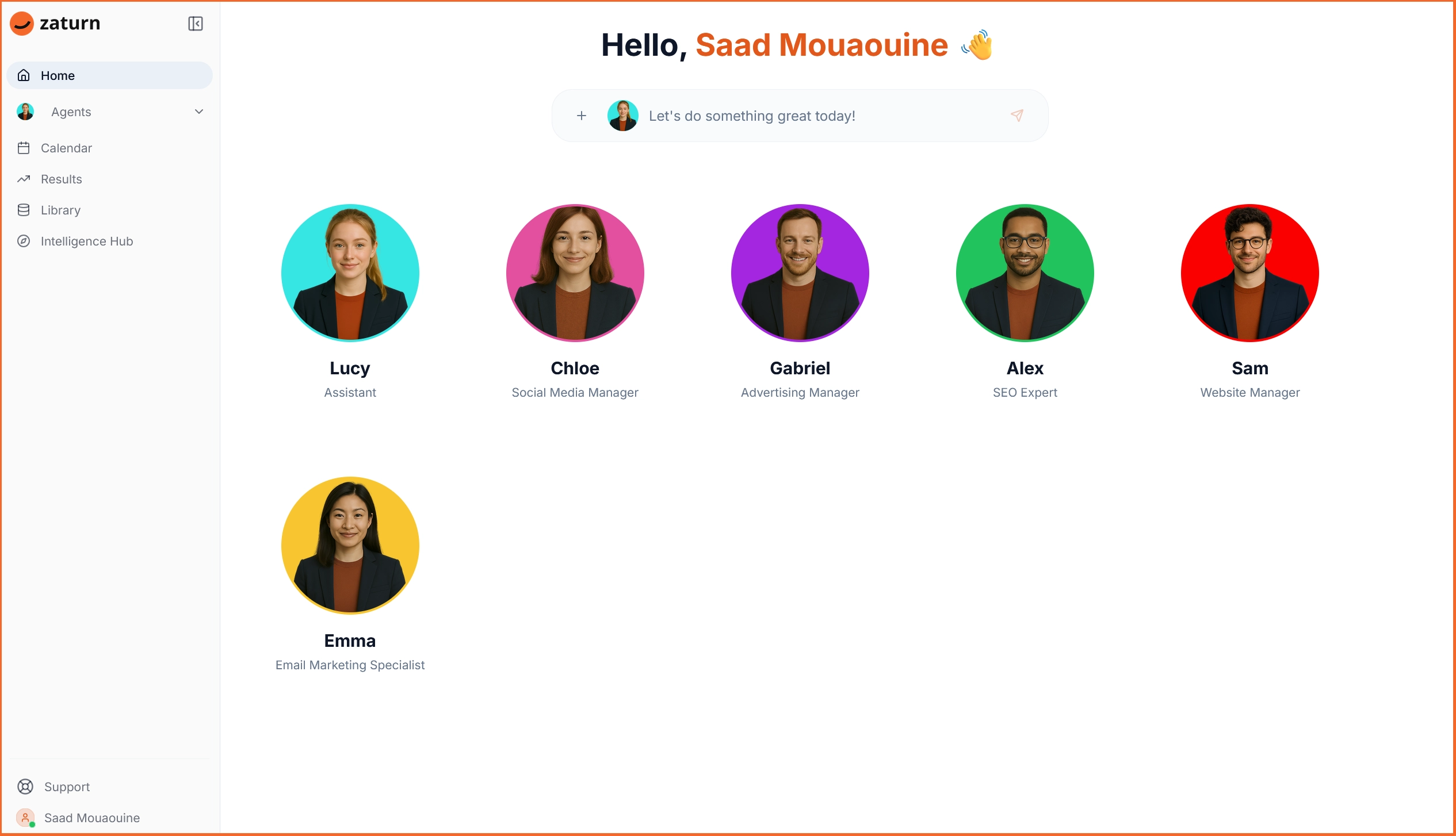
Chloe (Social Media): Plans content calendars, writes platform-specific posts for LinkedIn, Facebook, Instagram, and X, generates on-brand visuals, and queues everything for your approval.
Emma (Email): Handles email strategy through to sending, including welcome sequences, newsletters, win-back campaigns, and automations integrated with your existing email platform.
Alex (SEO): Runs site audits, identifies keyword opportunities, writes optimized content, and monitors rankings via a direct Google Search Console connection.
Gabriel (Advertising): Builds media plans, writes ad variations, configures audience targeting, and monitors performance across Facebook, Instagram, and Google.
Sam (Website/CRO): Audits your site for conversion for pitfalls and delivers specific recommendations with projected impact estimates.
Lucy (General): Handles platform questions so you know exactly who should be talking to.
Everything Zaturn’s agents create goes through an approval queue first, so nothing reaches your audience without your sign-off. The Intelligence Hub stores brand voice, visual assets, and audience context permanently; agents never need re-briefing between sessions.
Plan | Monthly Price | What's Included |
|---|---|---|
Starter | $69/mo. | All 6 agents, all integrations, 1 workspace, 1 user, unlimited content, 14-day free trial |
Growth | $129/mo. | Everything in Starter, 3 workspaces, 3 users, priority support, onboarding call |
Custom | Talk to Sales | Unlimited campaigns, white-label, dedicated success manager, custom integrations |
If your n8n workflows were primarily handling marketing tasks, Zaturn handles the execution directly. Try it for free for 14 days. No credit card is required.
How to Pick the Right n8n Alternative
Not sure which platform is the one you should transition to? Here’s a quick guide.
Your situation | Best fit |
|---|---|
You want open-source self-hosting with better debugging and AI agents | Activepieces — free Community Edition |
You need a more polished interface and wider integration library | Make — from $10.59/mo. |
Your team is non-technical and needs maximum app coverage | Zapier — from $29.99/mo. |
Cloud billing unpredictability was the main pain point | Pabbly Connect — $16/mo. annual |
Your workflows live primarily in Microsoft 365 | Power Automate — $15/user/mo. |
Your automation use case is marketing execution | Zaturn — $69/mo. |
You need unlimited executions without server management | Pabbly Connect Unlimited — $69/mo. |
You want self-hosting with production-grade observability | Activepieces Community Edition |