AI Facebook Post Generator: Which One Is Worth It? (2026)
51% of small businesses report that creating engaging social content is their top marketing challenge. For time-strapped teams, maintaining a consistent Facebook presence often falls by the wayside, leading to missed opportunities.
With over 3 billion monthly active users, Facebook is still one of the best platforms for reaching your audience.
The problem is keeping up with it. Writing posts, creating visuals, researching hashtags, and scheduling content eats hours every week, and most businesses just don't have those hours.
That's exactly what an AI Facebook post generator is built to solve.
Short Answer
An AI Facebook post generator is a tool that writes Facebook captions, creates visuals, and handles scheduling so you stop doing it manually. Most platforms offer a free generator as a taster of their full product; those write a single post on demand and forget your brand immediately.
Full platforms like Buffer or ContentStudio add scheduling and analytics. Agent-based platforms like Zaturn's Chloe go further: They learn your brand voice, plan your content calendar, and bring everything to your review queue on autopilot.
Which one you need depends on whether you want a writing shortcut, a scheduling suite, or a Facebook presence that runs itself.
What Is an AI Facebook Post Generator?
An AI Facebook post generator is software that creates Facebook content for you, including captions, images, and a publishing schedule, so you’re not doing the production work manually every week.
Not all of them work the same way. There are three meaningfully different tiers, and knowing which one you’re looking at changes the value equation entirely:
Free Generator (Buffer/Content Studio Free Tool) | Complete Platform (Buffer paid/Blaze) | AI Agent (Zaturn/Sintra AI) | |
|---|---|---|---|
What it is | Free taster on a platform's website | Full content management suite with AI writing built in | Named AI agent that runs your social media |
Brand voice | ❌ Prompt-based, otherwise generic output every time | ✅ Presets or Brand Kit on paid plans | ✅ Deep — trained on your brand, improves over time |
Visual creation | ❌ None | ✅ AI image generation on paid plans | ✅ AI generation or upload your own, auto-sized |
Scheduling | ❌ None — manual export | ✅ Full calendar, direct publishing | ✅ Built-in calendar with direct publishing |
Brand memory | ❌ Forgets instantly | ⚠️ Remembers within the platform | ✅ Permanent — Intelligence Hub never resets |
Time required | ❌ Still 5 to 8 hours/week | ⚠️ 2 to 4 hours/week | ✅ ~30 minutes/week |
❓ Free generators are usually the front door to paid platforms, not standalone products. They show you what AI content looks like, but they don’t run your Facebook for you.
Why Does Consistent Facebook Posting Help Your Reach?
Consistent posting signals to Facebook's algorithm that your page is active, which directly affects how many people see your content. Pages that go quiet lose organic reach, and rebuilding it takes several consistent posts to recover.
Here's what Facebook's algorithm is actually weighing:
Comments and shares carry more weight than likes. Posts that spark a reaction get pushed to more people.
Posting frequency signals that your page is alive. Gaps of a week or more hurt your baseline reach.
Relevance score predicts how interesting your post will be to each user, based on your history and theirs.
Interactive content (polls, questions, and carousels) generates the comment activity Facebook rewards most.
The practical implication is that it's not just about posting more. It's about posting reliably. Two posts a week every week will outperform five posts one week and nothing the next.
💡 Pro Tip: Inconsistency doesn’t just mean missed opportunities; it actively suppresses your reach. Every time your page goes silent, you’re giving the algorithm a reason to show your content to fewer people next time.
How Do the Top AI Facebook Post Generators Compare?
Here’s a look at the main options across all three tiers.
Free Generators
Buffer and ContentStudio’s free AI Facebook post generators all work the same way: type a topic, pick (or describe) a tone, and get a caption.
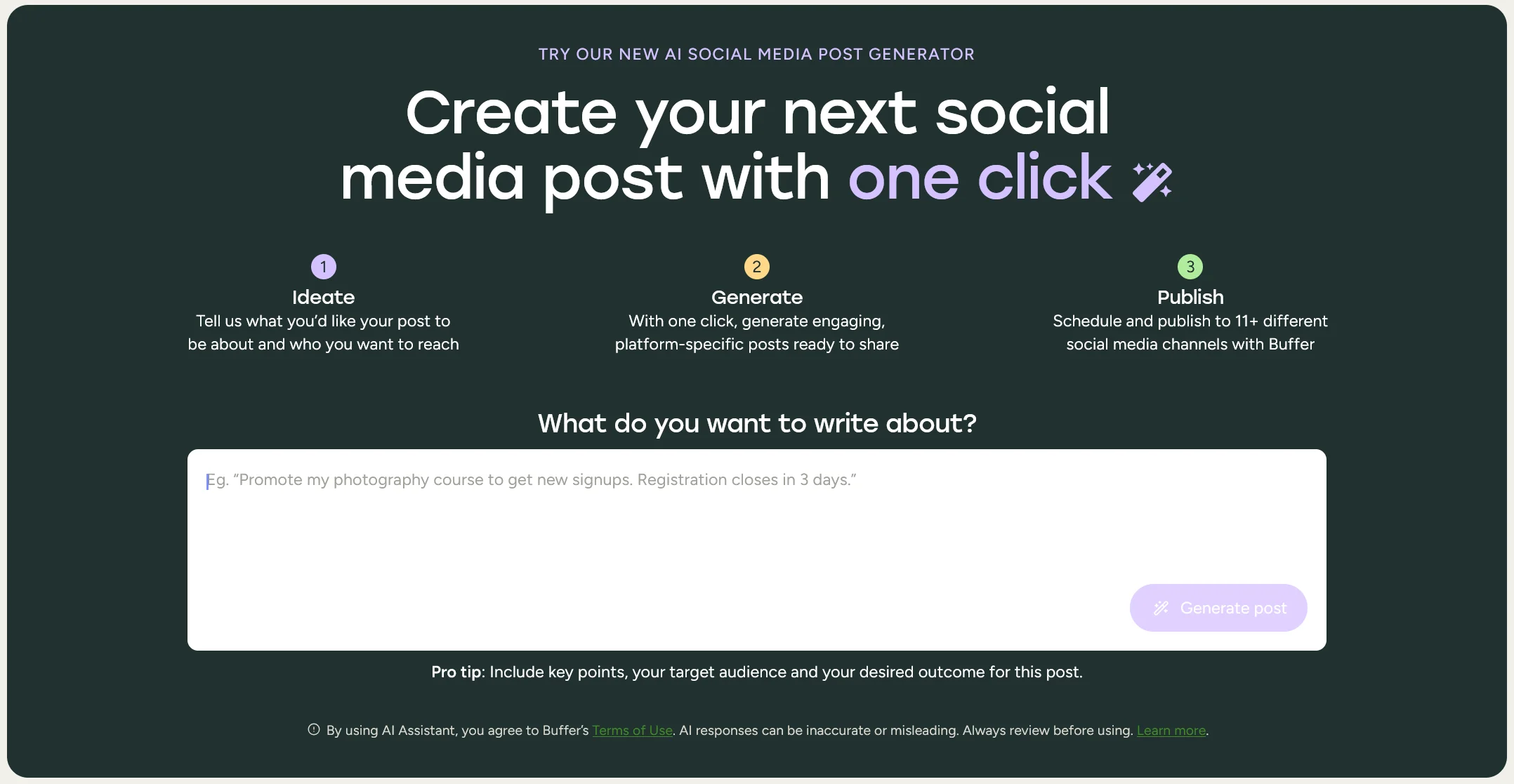
They’re fast, free, and a genuinely useful way to test whether AI-generated content fits your brand before committing to a paid plan.
They’re not standalone products. They’re the free front door to each platform’s paid suite.
✅ Use these tools for one-off posts or to test the water. Don’t expect them to solve a consistency problem.
Complete Platforms
These tools are the right choice if you want a central hub for scheduling and analytics with AI as a writing layer on top. You’re still directing the strategy, but the AI assists rather than operates independently.
Platform | AI Features | Scheduling | Brand Voice | Starting Price |
|---|---|---|---|---|
Buffer | Caption generation, hashtag manager | Full calendar, multi-platform, first comment scheduling | Tone presets | Free tier available; |
ContentStudio | Caption, image, and video generation, Brand Knowledge base | Smart scheduling, automation via 3rd party tools | Brand Knowledge on paid plans | From $29/mo. |
Hootsuite | Caption and image generation, DM automation | Full calendar, multi-platform, best time to post recommendations | Basic tone settings | From $199/user/mo. |
Blaze AI | Content generation, Brand Kit batching, AI Learning Loop | Planning windows, auto-publish option | Brand Kit (logo, colors, tone) | Trial available; |
AI Agents
Platforms like Zaturn (with its agent, Chloe) and Sintra AI (with its helper, Soshie) operate entirely differently from the tools listed above.
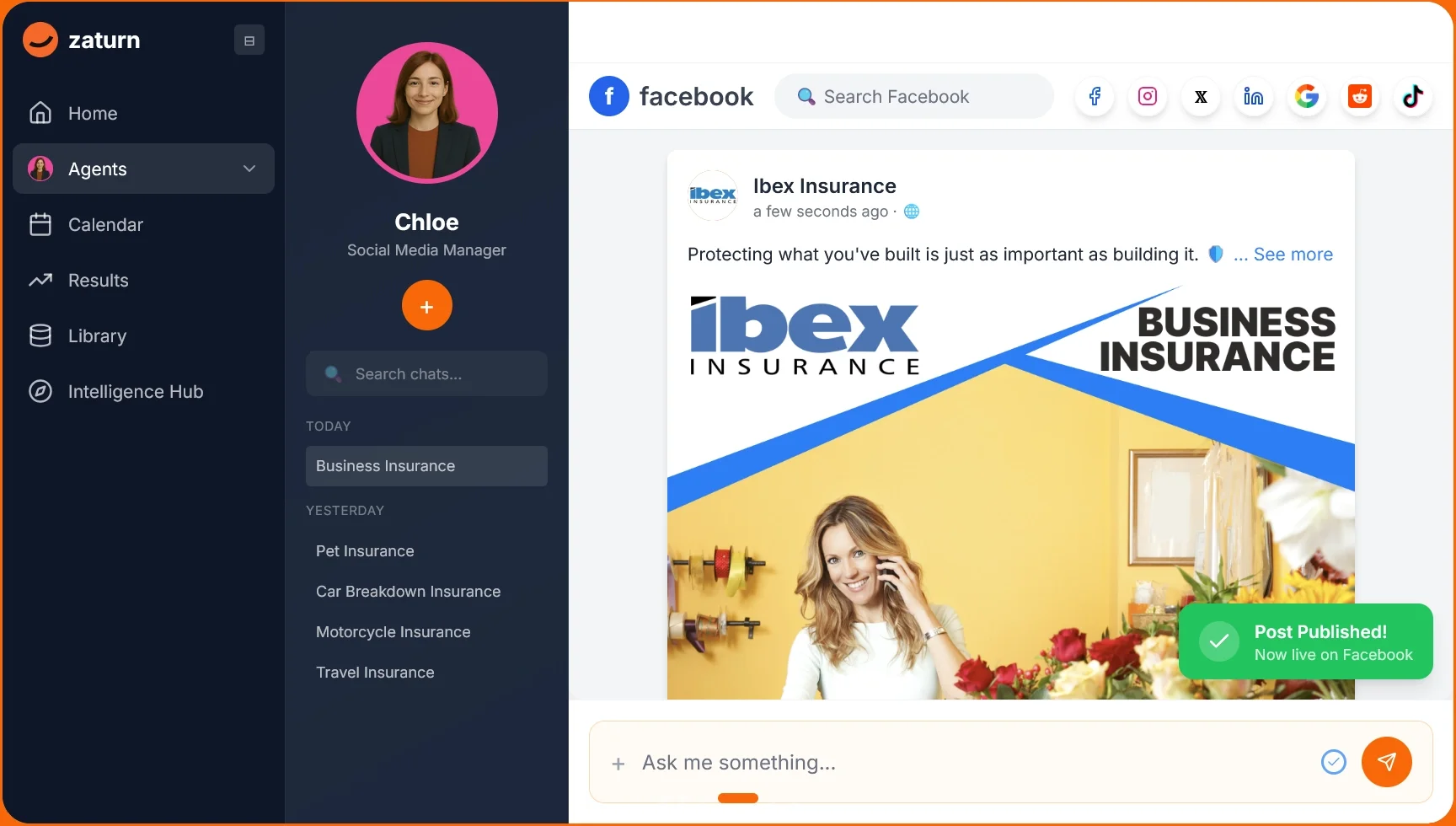
Rather than waiting for you to ask for a post, these autonomous AI social media assistants plan your month, write platform-specific captions, generate on-brand visuals, and queue everything for your approval continuously, from a permanent understanding of your brand.
The distinction from a traditional scheduling platform is about who’s driving.
→ On Buffer, ContentStudio, or even an advanced batch-creator like Blaze AI, you’re driving and the AI is helping.
→ With agents like Chloe and Soshie, the AI is driving and you’re approving. That fundamental shift in the workflow is what takes the time investment from 2 to 4 hours a week down to 30 minutes.
Which AI Facebook Post Generator Should You Use?
If you’re not sure which AI Facebook generator suits your needs, here’s a quick breakdown:
Use a free generator if you need a quick one-off caption and want to test AI content before committing to anything.
Choose a complete platform (Buffer, ContentStudio, or Blaze) if you want scheduling, analytics, and AI writing in one place and you're comfortable directing the strategy yourself.
Choose Sintra AI if your priority is social media across multiple platforms with a proactive AI helper and a wide feature set.
Choose Zaturn if you want your Facebook presence to run itself. A trained agent produces, schedules, and queues content continuously, with your approval before anything goes live.
How Can Zaturn Help With Facebook Posts?
Zaturn's Chloe is an AI social media agent, not a caption generator you activate on demand, but a system that keeps your Facebook (and other channels) active, on-brand, and ready to publish week after week. Here's exactly what she handles.
Caption Writing In Your Brand Voice
You tell Chloe your objective, audience, and tone during setup. She writes Facebook-specific captions (the right length, hook, and call-to-action for the platform), not the same post reformatted from Instagram.
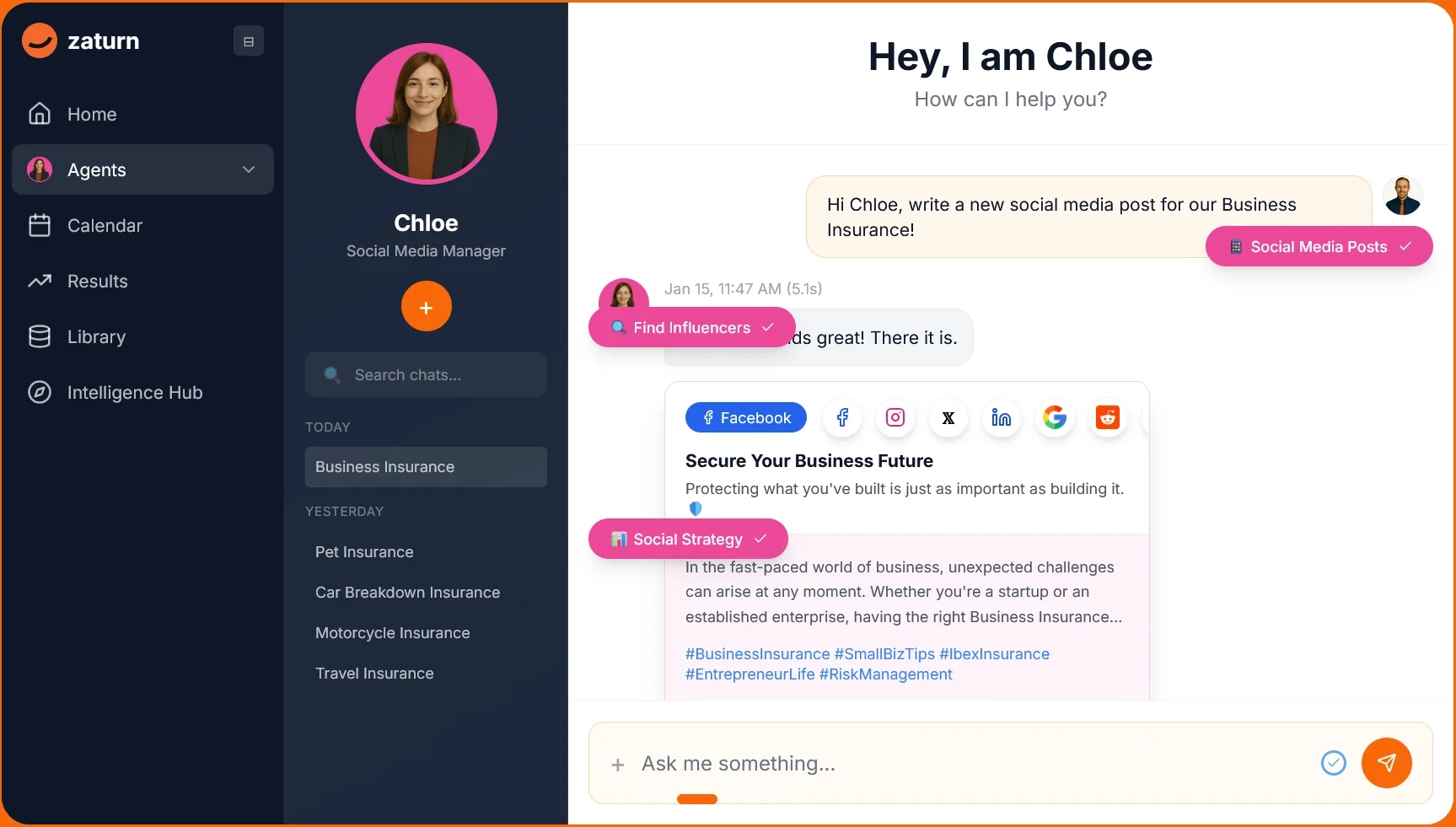
Most users only tweak 5% to 10% of captions after the first few weeks, once Chloe has calibrated to their style.
On-Brand Image Generation
Once you’ve approved the caption, Chloe generates a visual using your brand colors, logo, and style.
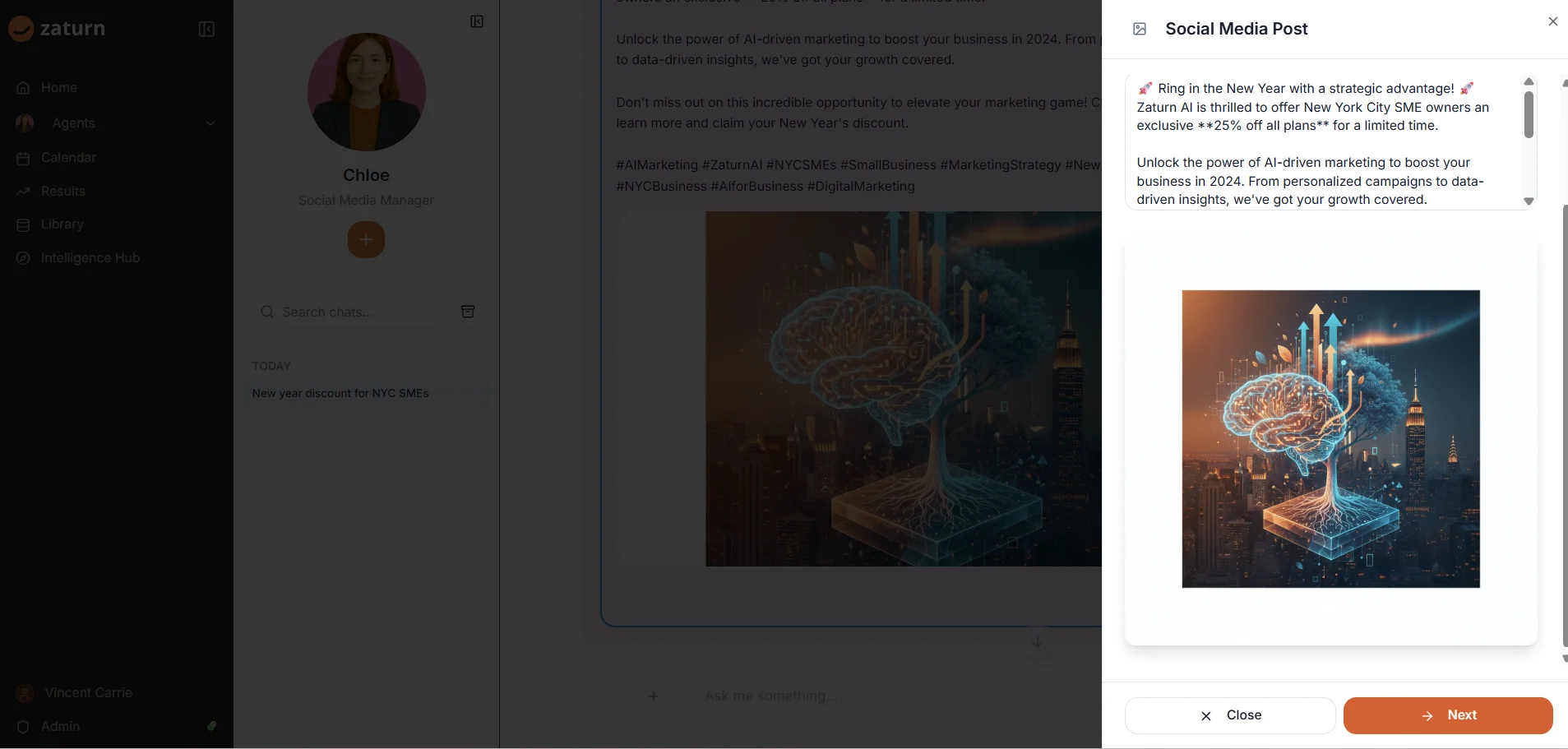
You can use the generated image or upload your own. Either way, it’s sized correctly for Facebook before it goes anywhere. You no longer need to manually resize images or hunt for stock photos that match your aesthetic.
Scheduling and Direct Publishing
Chloe publishes directly to your connected Facebook account or schedules for your chosen time. Everything lands in your calendar view, where you can edit, reschedule, or delete any post before it goes live.
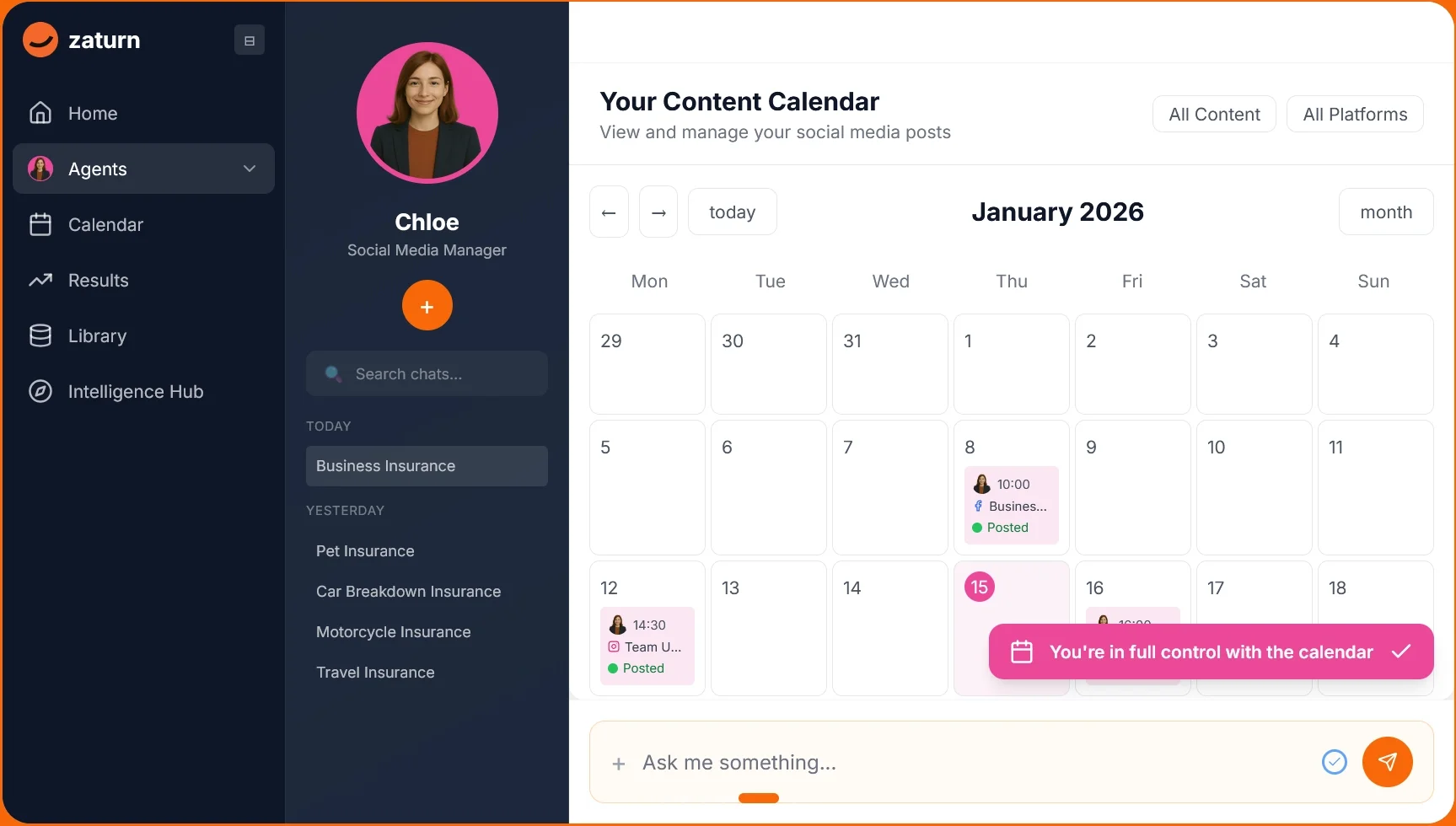
Nothing publishes without your sign-off. The approval step is the feature, not a workaround.
Multi-Platform Formatting
Chloe creates content for Facebook, Instagram, LinkedIn, and X simultaneously, formatting each post for the platform's specific requirements. One briefing session covers every channel.
Performance Tracking
After posts go live, Chloe tracks impressions, likes, comments, and shares across all connected platforms.
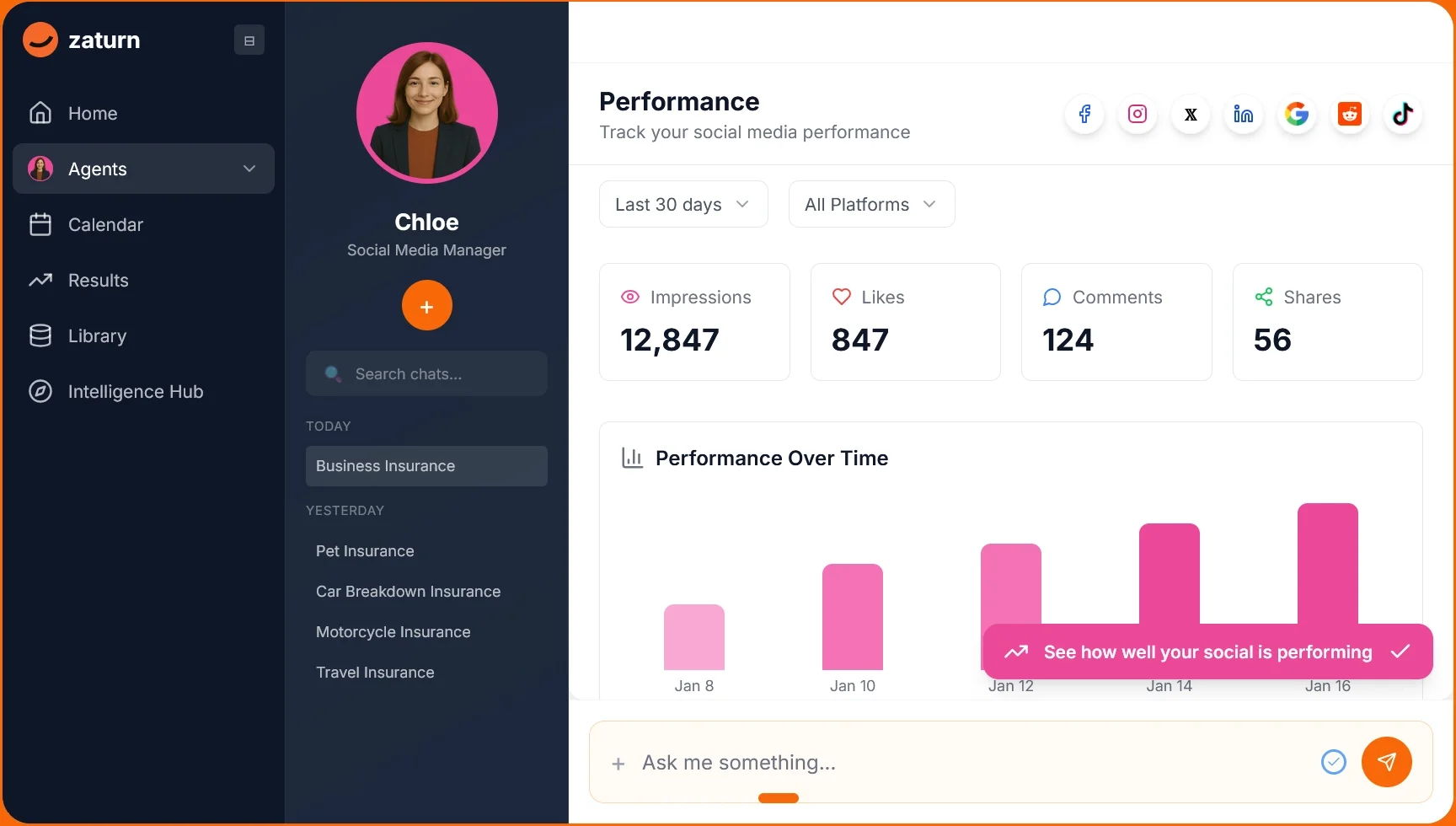
That data feeds back into future content recommendations so output improves over time.
✅ Pro Tip: The more specific you are about your brand voice during setup, the less editing you’ll do later. Don’t say “professional”; say something like “direct, plain English, talks to small business owners, never use corporate jargon” to give Chloe something to work with.
What Is the Cost of Writing Facebook Posts Yourself
The DIY option feels free, but your time has a price. Here’s what each approach actually costs.
Option | Time Per Week | Monthly Cost | Brand Consistency |
|---|---|---|---|
Do it yourself | 10 to 15 hours | Free (but your time isn't) | Depends on your discipline |
Hire a social media manager | 0 hours | $3,000 to $5,000+/mo. | Good with proper briefing |
Free generator (Buffer, ContentStudio) | Still 5 to 8 hours | Free | None — no brand memory |
Complete platform (Buffer paid, Blaze) | 2 to 4 hours/week | From $6 (Buffer) or $79/mo. (Blaze) | Good with Brand Kit setup |
Zaturn (Chloe) | ~30 mins/week | From $69/mo. | Consistent — trained on your brand |
⚠️ The hidden cost most people overlook is that inconsistent posting doesn’t just mean missed growth; it actively erodes brand credibility. A small business that posts twice in January and goes quiet until March looks less established than one posting twice a week, every week. Consistency is part of the product.
How Do You Get the Best Results from an AI Facebook Post Generator?
Output quality is directly tied to input quality, regardless of which tool you use. Here’s what actually makes a difference.
Be specific about brand voice. “Professional tone” tells an AI almost nothing. “Direct, plain English, talks to small business owners, not marketing executives” gives it something to work with.
Give it a goal, not just a topic. “Write a post about our new product” produces generic output. “Promote our new coffee blend to regular customers; ask what their morning routine looks like” produces something usable.
Use the approval step properly. The review queue is where you add the 10% that needs a human touch: a timely reference, a specific customer story, or a tone adjustment. Let the AI handle the other 90%.
Let performance data compound. Agent-based tools improve over time. Most Zaturn users see noticeably better content quality within the first month as Chloe learns what resonates with their audience.
✅ Pro Tip: When testing any AI Facebook post generator, give it your actual brand brief and ask for a real post. That first draft tells you more than any feature list.
Do You Actually Need an AI Facebook Post Generator?
Not everyone actually needs an AI Facebook post generator. To find out if such a tool will make your life easier, score yourself on the situations below.
Situation | Points |
|---|---|
You post inconsistently not because you don't care, but because time runs out | 3 |
You're writing, designing, and scheduling everything manually | 3 |
Social media takes 6+ hours of your week | 3 |
You've tried a scheduler and still can't keep up | 2 |
Your Facebook has gone quiet for weeks at a time in the last 6 months | 2 |
You're managing more than one platform | 2 |
You want to grow your audience, not just maintain it | 2 |
You already know your brand voice and audience clearly | 1 |
Here’s what the scores mean:
0 to 5: You’re not ready yet. Define your brand and strategy first; an AI tool won't fix a strategy gap.
6 to 10: An AI generator would help. A free tool or entry-level platform might be enough for now.
11 to 15: An AI generator is a strong fit. You'd see immediate time savings and more consistent posting.
16+: You needed this yesterday.
The Bottom Line
There are three different things people mean when they search for an AI Facebook post generator: a free caption tool, a full scheduling platform with AI built in, or an agent that runs your Facebook presence end to end.
The free tools are a good starting point. The complete platforms are genuinely useful if you want scheduling and analytics in one place. But if you're still writing every caption, resizing every image, and watching your Facebook go quiet whenever life gets busy, you don't have a content problem. You have a system problem.
Chloe is built for that. She plans your content, writes your captions, generates your visuals, and brings everything to you ready to approve. You spend 30 minutes a week. The rest runs autonomously.
Ready to stop being your own social media team? Zaturn’s 14-day free trial requires no credit card. Connect your Facebook account and see your first week of content ready to review in one session.