Best Alternatives to ActiveCampaign
Features
- Email Automation — Excellent
- AI Writing — Basic
- Ease of Use — Basic
- Multi-Channel — Basic
- Pricing Value — Basic
Pros & Cons
Pros
- Best-in-class automation builder with deep conditional logic and behavioral triggers
- Native CRM integration lets email sequences trigger based on deal stage and pipeline movement
- Predictive content and send time optimization on higher tiers
- 14,600+ G2 reviews — one of the most validated platforms in the category
- Split testing up to 5 variants simultaneously
Cons
- Contact-based pricing compounds fast — inactive contacts now count toward your total since November 2025
- Very steep learning curve and a non-intuitive interface
- Support delays of 24 to 72 hours on lower tiers
- Advanced reporting and attribution locked behind Pro at $79/mo.+
Why teams switch to Zaturn
- No more contact-based billing surprises
- Emma builds the campaigns, not just delivers them
- No migration required
- Marketing beyond email
- Approval before anything sends
- From zero to first campaign in one session
Compared platforms
ActiveCampaign
One of the most powerful email automation platforms available, featuring deep behavioral triggers, CRM integration, and conditional logic that most competitors can't match. Contact-based pricing that compounds fast as lists grow, and a November 2025 update that started charging for inactive contacts made the billing situation worse.
Zaturn
Six specialized AI agents covering social media, email, SEO, advertising, and website management. Emma handles the full email workflow, covering strategy, copywriting, segmentation, automations, and sending through Mailchimp, Brevo, Gmail, or Outlook. Nothing sends without your approval.
Brevo
Charges by email volume, not contact count, making it the direct answer to ActiveCampaign's contact-based billing complaints. Covers email, SMS, WhatsApp, and web push from one platform. The free plan allows 300 emails per day to unlimited contacts.
Klaviyo
Built specifically for e-commerce. Purchase behavior, browse abandonment, predictive lifetime value, and back-in-stock triggers are native concepts, not workarounds. Deep Shopify, WooCommerce, and Magento integrations that ActiveCampaign's connectors can't replicate.
Mailchimp
The most familiar email marketing platform available. It's easy to navigate, has well-integrated AI features, and its Creative Assistant generates on-brand templates from your logo and colors. Automation is shallower than ActiveCampaign but the interface is easier for non-technical teams.
Audienceful
Built for teams who want to write and send newsletters without fighting a campaign builder. The Notion-inspired editor, clean branded templates by default, and native Webflow integration make it the fastest path from idea to inbox for content-first teams.
HubSpot
Marketing and CRM built as genuinely integrated products. Email sequences trigger based on deal stage, contact properties, or sales activity. The free CRM is useful. Marketing Hub Professional at $890/mo. plus $3,000 onboarding is where the full automation features lives.
Feature comparison
| Feature | Zaturn | Brevo | Klaviyo | Mailchimp | Audienceful | HubSpot |
|---|---|---|---|---|---|---|
| Starting Price | $69/mo. | $9/mo. | $20/mo. | $13/mo. | Free / $37.50/mo. | Free CRM / $20/seat/mo. |
| Pricing Model | Flat monthly | Volume-based | Contact-based | Contact based | Contact based | Per seat |
| Free plan | ⚠️ 14-day trial | ✅ 300/day unlimited contacts | 250 contacts | ✅ 500 contacts | ✅ 1,000 contacts | ⚠️ CRM only |
| Campaign Writing | ✓ | ✗ | ✗ | ✗ | ✗ | ✗ |
| Email Automation | ✓ | ✓ | ✓ | ✓ | ✓ | ✓ |
| Multi-Channel | ✅ Social, email, ads, SEO | ✅ Email, SMS, WhatsApp, push | ✅ Email + SMS | ✅ Email + social + ads | ❌ Email only | ✅ Email + social + ads |
| Approval Workflow | ✓ | ✗ | ✗ | ✗ | ✗ | ✗ |
| CRM Integration | ✅ Direct Data-Layer | ✅ Hybrid | ✅ E-commerce storefronts | ✅ Native plug-and-play | ✅ Via Automation | ✅ Native built-in CRM |
Why Do People Switch From ActiveCampaign?
ActiveCampaign has 14,600+ G2 reviews and a 4.4/5 rating, but the reasons people leave are very specific.
User complaint | What's actually happening |
|---|---|
Contact-based pricing that keeps climbing | You pay for every contact stored, active or not, subscribed or bounced. The November 2025 billing update made it worse, now counting inactive contacts for new users too. One user with 25,000 contacts sending 500,000 emails a month reported the cost becoming unjustifiable. Lists growing from 5,000 to 15,000 can double the monthly bill. |
Features removed without warning | Some users have reported automation changes and deprecated features arriving with limited notice. "This is just another one of those little things that shows how far they've strayed from being a customer-centered company,” said one user. |
Steep learning curve | The automation builder is powerful but very complex. Non-technical users consistently report spending days getting productive, and the interface draws 280+ G2 mentions specifically for being non-intuitive. |
Support delays | Users on lower tiers report waiting 24 to 72 hours for responses. When something breaks mid-campaign, they don’t find the support they need. |
Important features locked behind expensive tiers | Custom reports, attribution tracking, and predictive content require Pro ($79/mo.) or higher. Basic plans leave you flying blind on what's actually working. |
Still requires you to do all the marketing work | ActiveCampaign automates the delivery of campaigns you've already built. Writing the sequences, figuring out the strategy, and deciding what goes out is still on you. |
ActiveCampaign Alternatives at a Glance
Before we get into the reviews, here’s how the six alternatives stack up.
Tool | Starting Price | Rating | Best For |
|---|---|---|---|
Zaturn (Emma) | $69/mo. | 4.0 (Trustpilot) | Email marketing done for you — strategy, copy, automations, sending |
Brevo | $9/mo. | 4.5/5 (G2) | Teams frustrated by contact-based pricing who want multi-channel |
Klaviyo | $20/mo. | 4.6/5 (G2) | Ecommerce brands that need purchase-behavior triggered flows |
Mailchimp | $13/mo. | 4.4/5 (G2) | Teams wanting a simpler, more familiar interface |
Audienceful | Free / $37.50/mo. | — | Teams that mainly need newsletters and simple automations |
HubSpot | $20/mo./seat | 4.4/5 (G2) | Growing businesses that need CRM and marketing deeply integrated |
1. Zaturn — Best Alternative for Hands-Off Automation
ActiveCampaign automates delivery, but it doesn’t reduce the work. Zaturn’s AI email assistant, Emma, builds your marketing campaign, covering strategy, copy, sequences, and segmentation, then sends it through your existing email platform. All you have to do is review and approve.
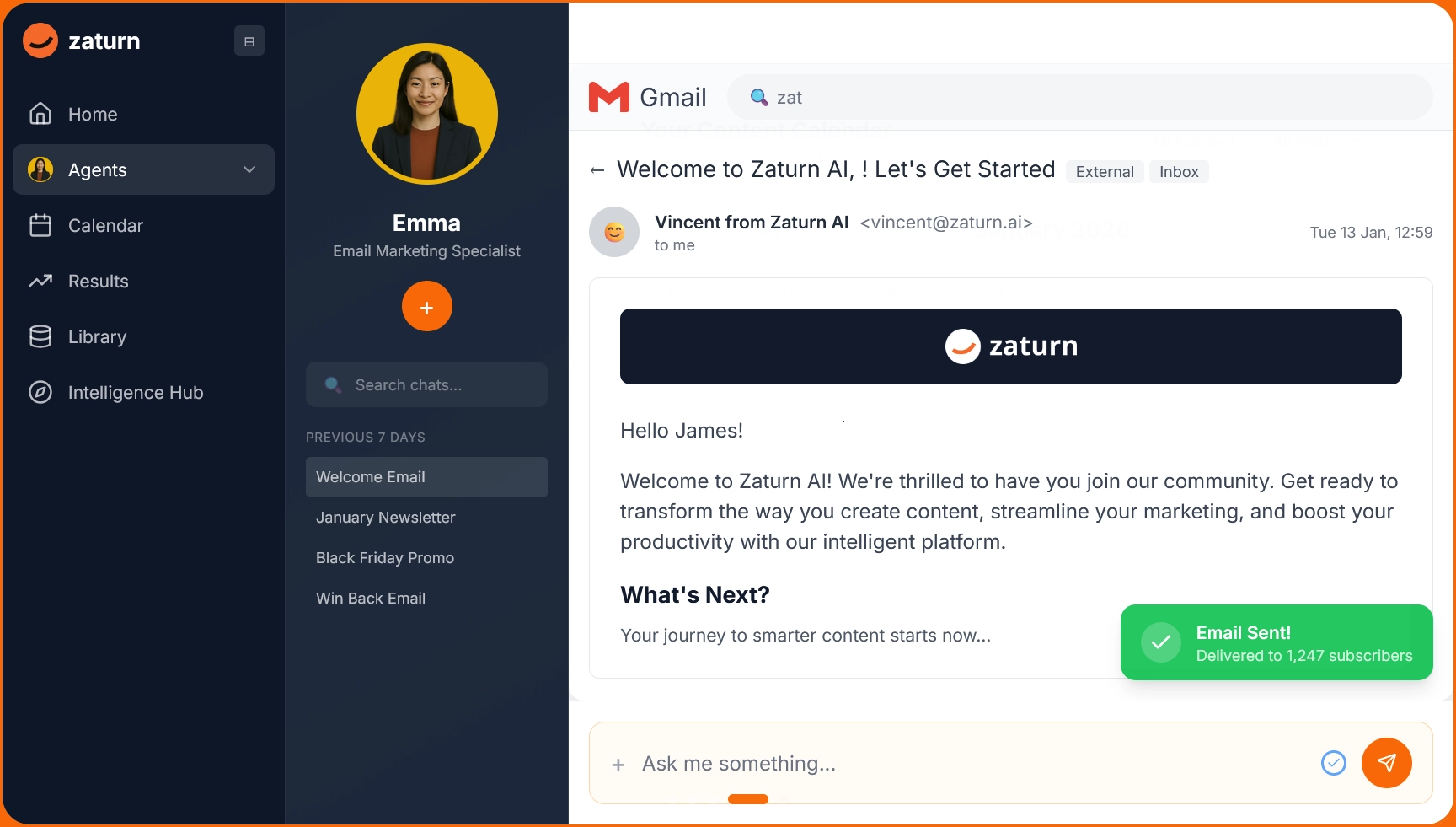
Running ActiveCampaign is time-consuming. You still write the briefs, build the sequences, figure out segmentation, and decide what goes out when. ActiveCampaign automates delivery, but it actually doesn't reduce how much work there is.
Emma is Zaturn's email marketing agent. Tell her your goals and she handles everything. She plans the calendar, writes campaigns in your brand voice, builds automations, segments your list, and puts every email in a review queue before it sends.
She plugs into Mailchimp, Brevo, Outlook, or Gmail, so there's no migration and no new sending platform to learn. Users typically approve their first month of email campaigns within 30 minutes.
Notable Features
She fully plans your strategy: Emma builds a content calendar based on your goals and decides what campaigns to run. You don't have to brief her every week.
Everything gets written in your brand voice: Subject lines, body copy, CTAs, and test variants are all written from your brand brief so you're editing 10% of the output rather than starting from scratch.
Automations are built during setup: Welcome sequences, win-back flows, and post-purchase follow-ups are set up by Emma so they're running from day one without a multi-day implementation project.
Nothing sends without your sign-off: Every email sits in a review queue. You edit, reject, or approve, but you always control what reaches your subscribers.
It works with your existing platform: Emma connects to Mailchimp, Brevo, Outlook, and Gmail. Your list, your deliverability history, and your sending platform stay exactly where they are.
Pros and Cons
Pros | Cons |
|---|---|
✅ She handles the full email workflow; you're reviewing, not producing | ❌ Zaturn is a newer platform, so user reviews are limited |
✅ Emma works through your existing ESP, not as a standalone sending platform | |
✅ Flat monthly rate regardless of list size; no contact-based pricing surprises | |
✅ The subscription includes other specialized agents, covering ads, social media, SEO, and website/CRO |
Pricing
Plan | Price | What's included |
|---|---|---|
Starter | $69/mo. | All 6 agents including Emma, all integrations, 1 workspace, 1 user, unlimited content, 14-day free trial |
Growth | $129/mo. | Everything in Starter, 3 workspaces, 3 users, priority support, onboarding call |
Custom | Talk to Sales | Unlimited campaigns, white-label, dedicated success manager, custom integrations |
📌 If email marketing keeps getting deprioritized because you don’t have the time to build campaigns, Emma handles that for you for less than ActiveCampaign’s Pro plan. Try it for free for 14 days; no credit card is required.
2. Brevo — Smart Pick for Affordable, Scalable Email Marketing
Brevo charges by email volume, not contact count. If ActiveCampaign’s per-contact pricing has been compounding as your list grows, this model alone can cut your bill by a noticeable amount.
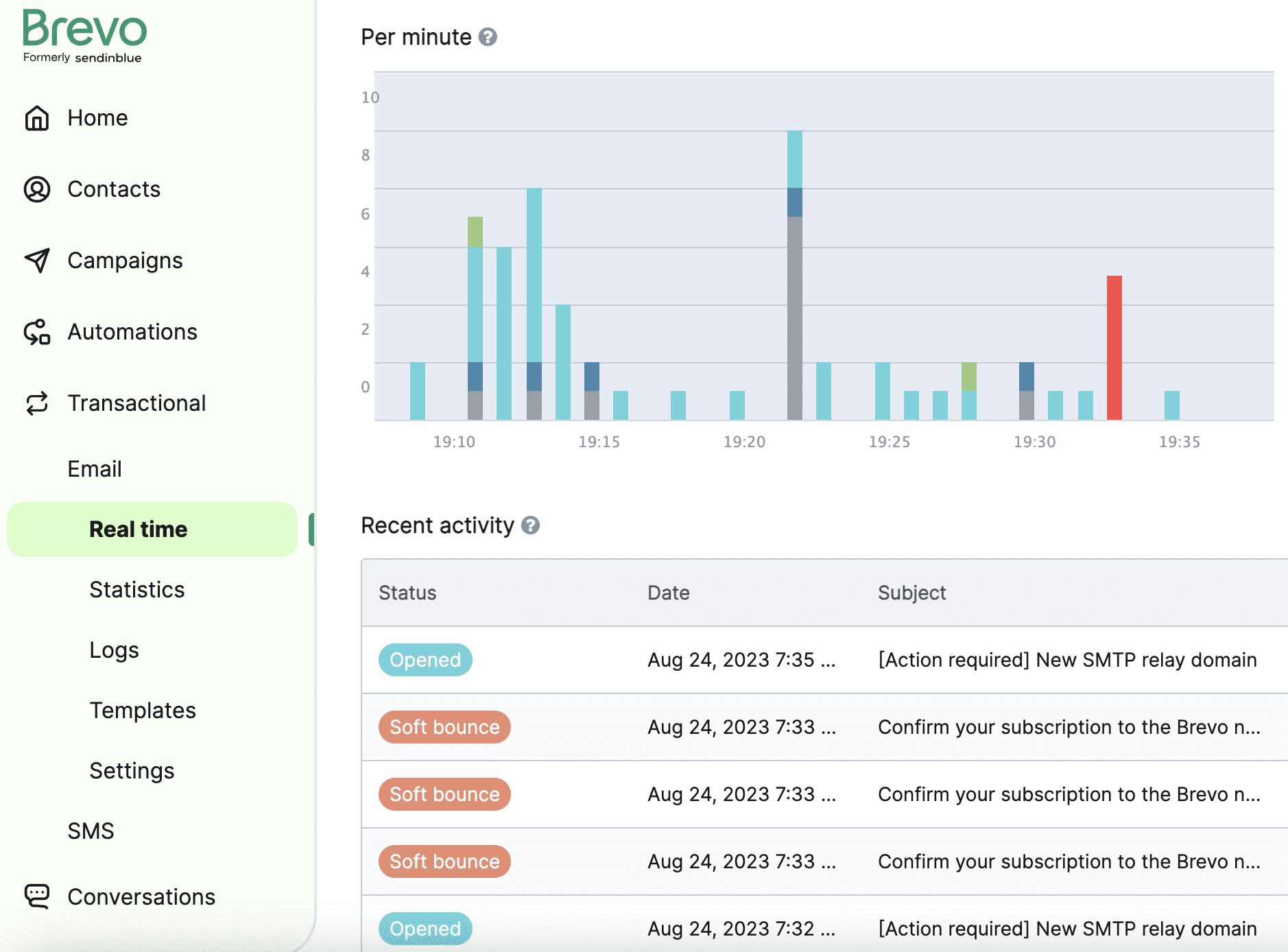
Brevo's pricing model is the main reason people switch to it from ActiveCampaign. You pay based on how many emails you send per month, not how many contacts you store.
A large list you email infrequently costs far less than it would on ActiveCampaign. Beyond that, Brevo covers more channels than ActiveCampaign in one platform: email, SMS, WhatsApp, and web push all run from the same workflow builder.
The automation depth doesn't match ActiveCampaign's complex branching logic, but for a large percentage of small businesses, it covers everything they actually use. It’s also GDPR- and CCPA-compliant.
Notable Features
Volume-based pricing with unlimited contacts: Your bill reflects how much you send, not how many people are in your database, including the unsubscribed ones ActiveCampaign was charging you for.
Email, SMS, WhatsApp, and push in one workflow: Multi-channel sequences without paying for separate tools or maintaining separate integrations for each channel.
Transactional email included: Order confirmations and triggered emails run from the same platform as your marketing campaigns. No separate transactional email service is required.
AI subject line suggestions and send time optimization: It analyzes your audience's actual engagement patterns, not generic best-time recommendations but data from your specific subscribers.
A useful free plan: 300 emails per day to unlimited contacts on the free tier, which gives you enough runway to test properly before committing to paid.
Pros and Cons
Pros | Cons |
|---|---|
✅ Contact storage is free; you only pay for what you actually send | ❌ Template design flexibility is limited; heavy customization hits frustrating walls |
✅ The number of available integrations is high, with WooCommerce integrating seamlessly | ❌ Automation depth is shallower than ActiveCampaign for complex conditional logic |
✅ Multi-channel coverage in one platform at a price that doesn't punish list size | |
✅ The interface is user-friendly and easy to navigate and utilize effectively |
Pricing
Plan | Starting | What's included |
|---|---|---|
Free | $0/mo. | 300 emails/day, unlimited contacts, basic automation, Brevo branding on emails |
Starter | From $9/mo. | From 5,000 emails/mo., no daily limit, remove Brevo branding for $12/mo., basic reporting |
Standard | From $18/mo. | Marketing automation, A/B testing, advanced email reporting, no Brevo logo |
Professional | From $499/mo. | From 150,000 emails per month, additional marketing channels, multi-user access, contact scoring, e-commerce features |
Enterprise | Custom | Multi-account management, custom objects, loyalty engine, dedicated IP |
📌 Brevo is the most direct ActiveCampaign swap for teams whose primary complaint is pricing. Just know that if you’ve been relying on complex behavioral automation, you’ll feel the difference.
3. Klaviyo — Built for Fast-Growing E-Commerce Brands
Klaviyo is built specifically for e-commerce, covering purchase behavior, browse abandonment, predictive lifetime value, and more native concepts. If ActiveCampaign’s e-commerce integration felt like an afterthought to you, Klaviyo fixes that.
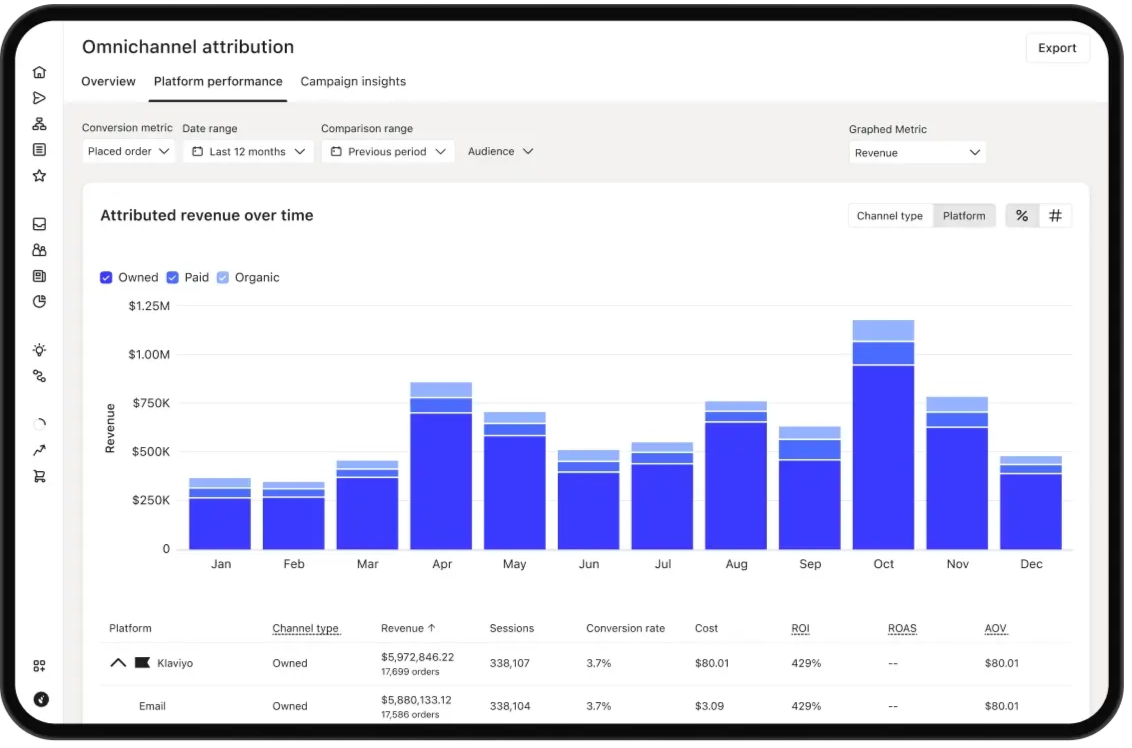
ActiveCampaign can connect to e-commerce platforms, but the integration feels bolted on compared to what Klaviyo does natively. Klaviyo ingests purchase history, browsing behavior, and product catalog data in real time and builds customer profiles around
Triggers like "viewed product but didn't buy," "purchased X but not Y," and "predicted to churn in 30 days" are built-in concepts; you're not engineering custom fields to approximate what Klaviyo calculates automatically.
The predictive analytics lets you strategize churn risk scores and expected next purchase dates per subscriber, feeding into segmentation that helps you target high-value customers differently from casual browsers without building complex tagging systems.
Notable Features
Ecommerce-native data model: Purchase history, cart events, and product catalog data feed into customer profiles automatically, meaning no custom field mapping is required.
Predictive lifetime value and churn risk: Klaviyo calculates how valuable each subscriber is likely to be and flags who's going cold so you can act on retention before it's too late.
Pre-built e-commerce flows: Abandoned cart, browse abandonment, post-purchase, win-back, and back-in-stock templates that work out of the box with your store data.
Flows AI: Describe the automation you want in plain language and Klaviyo builds the flow structure. This cuts the manual setup time for standard e-commerce sequences significantly.
Smart Send Time per subscriber: Delivers emails at the time each individual subscriber is most likely to open based on their own history, not a one-size-fits-all recommendation.
Pros and Cons
Pros | Cons |
|---|---|
✅ It has the best ecommerce integration in the category | ❌ It’s expensive for beginners as whose needs grow quickly |
✅ It has powerful automation capabilities with real purchase and behavioral data | ❌ Its learning curve is steep; you need to invest time to fully understand it |
✅ It’s relatively easy to use considering its features and depth | ❌ Many users complain about the platform’s customer support, noting it takes long to get answers during critical times |
✅ Predictive analytics add real strategic value — not vanity metrics | ❌ The platform has limited templates and intuitive editing features |
Pricing
Plan | Starting price | What's included |
|---|---|---|
Free | $0/mo. | Up to 250 profiles, 500 emails/mo., basic reporting, email support |
From $20/mo. | Unlimited emails, all integrations, predictive analytics, AI segments, Marketing Agent | |
Email + SMS | From $45/mo. | Everything in Email plus SMS/MMS marketing |
If you run an e-commerce store, Klaviyo is almost certainly the right switch from ActiveCampaign. The native purchase data and predictive analytics justify the price for stores doing real volume. But if you’re not in e-commerce, its features are largely wasted.
4. Mailchimp — Best for Teams That Want Less Complexity
Mailchimp won’t out-automate ActiveCampaign (and that’s not the point). If you found ActiveCampaign too complex, Mailchimp’s interface is easier to navigate, and the AI features are well-integrated without being overwhelming.
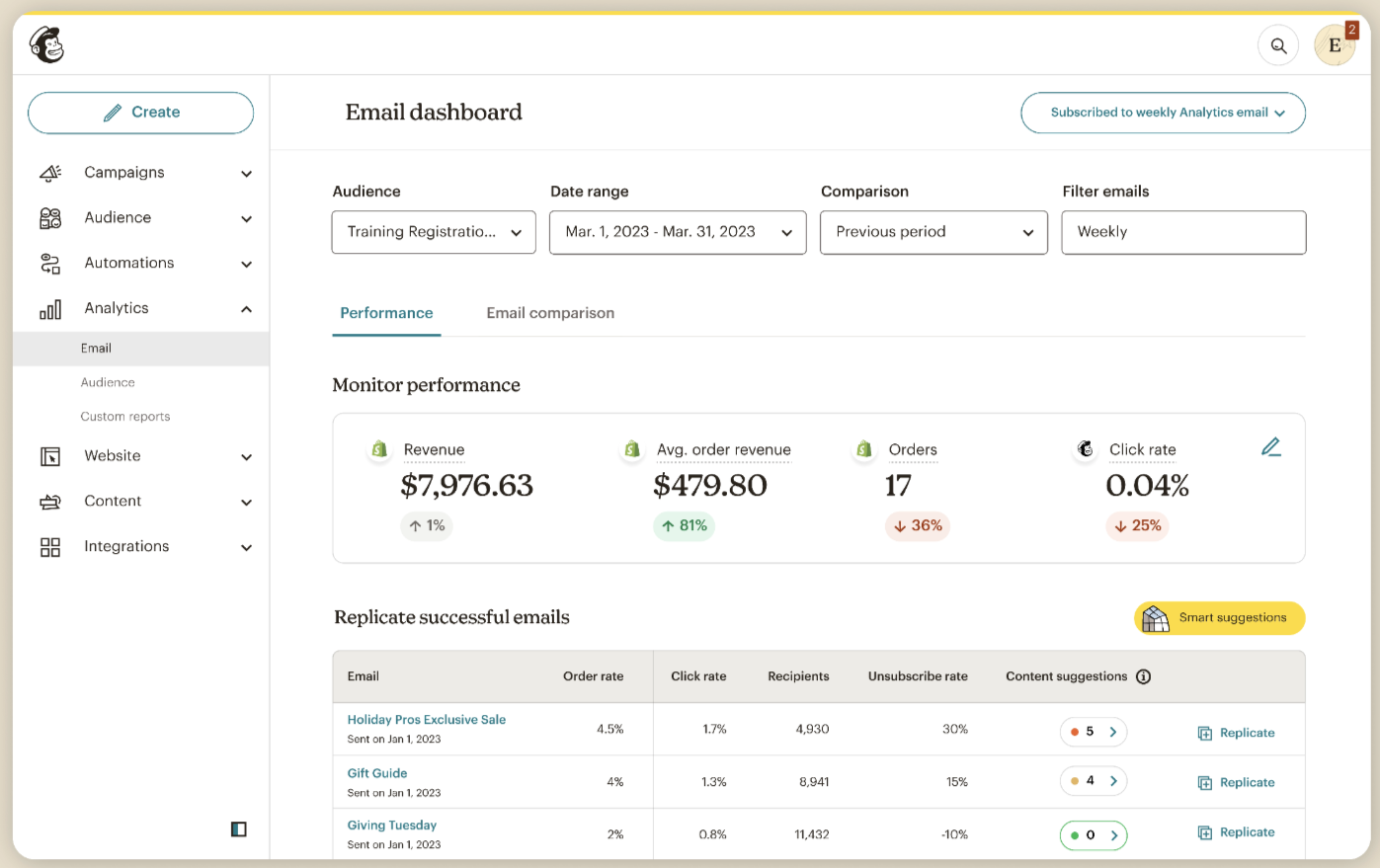
Mailchimp has grown from a scrappy small business email tool into a broader marketing platform covering email, landing pages, social media, and digital ads.
The AI features are well-integrated: the Creative Assistant generates on-brand templates from your logo and colors, subject line suggestions analyze past campaign performance, and the Content Optimizer reviews emails before you send them.
But automations are lacking. Mailchimp covers standard use cases like welcome sequences and abandoned carts, but complex behavioral branching hits its ceiling quickly.
If you left ActiveCampaign specifically because the automation was too complex, you’ll find Mailchimp a relief. But if you want more automation features, you’ll eventually go back to ActiveCampaign.
Notable Features
Creative Assistant for on-brand templates: Upload your logo and brand colors once, and Mailchimp generates email designs that actually look like your brand without starting from scratch every campaign.
AI subject line suggestions and send time optimization: These work from your actual audience data. It’s an analysis of what's performed with your specific subscribers, not generic recommendations.
Content Optimizer: Reviews your email before it sends and suggests specific improvements based on engagement data from similar campaigns, which is a useful second opinion without hiring one.
Multi-channel from one platform: Email, landing pages, social scheduling, and digital ads are all managed from a single dashboard for teams that want consolidation without headaches.
Generative AI copywriting: Subject line variants and email body copy are generated inside the campaign builder. The first drafts are good enough, but you still need to refine.
Pros and Cons
Pros | Cons |
|---|---|
✅ It has one of the easiest interfaces in the category | ❌ Pricing scales aggressively as your list grows, with 10,000 contacts pushing you past $135/mo. |
✅ The email marketing features are intuitive and easy to use | ❌ Contact import and social media link management aren’t intuitive to use |
✅ The Creative Assistant generates on-brand templates without design skills | ❌ Automation is shallower; complex behavioral sequences will pale in comparison to ActiveCampaign |
Pricing
Plan | Price | What's included |
|---|---|---|
Free | $0/mo. | 500 contacts, 1,000 emails/mo., basic templates, Mailchimp branding |
Essentials | From $13/mo. | 500 contacts, 5,000 emails/mo., A/B testing, scheduling, 3 audiences |
Standard | From $20/mo. | 500 contacts, automation, behavioral targeting, send time optimization |
Premium | From $350/mo. | 10,000 contacts, advanced segmentation, multivariate testing, priority support |
📌 Mailchimp makes sense if you found ActiveCampaign too difficult and frustrating to use and your email marketing is relatively straightforward. However, note that once your list hits a few thousand contacts, the per-contact pricing catches up fast.
5. Audienceful — Lightweight Alternative for Modern Teams
Audienceful is built for teams who want to write and send newsletters without fighting a clunky campaign builder. The Notion-inspired editor, minimal setup, and native Webflow integration make it the fastest path from idea to inbox for content-first teams.
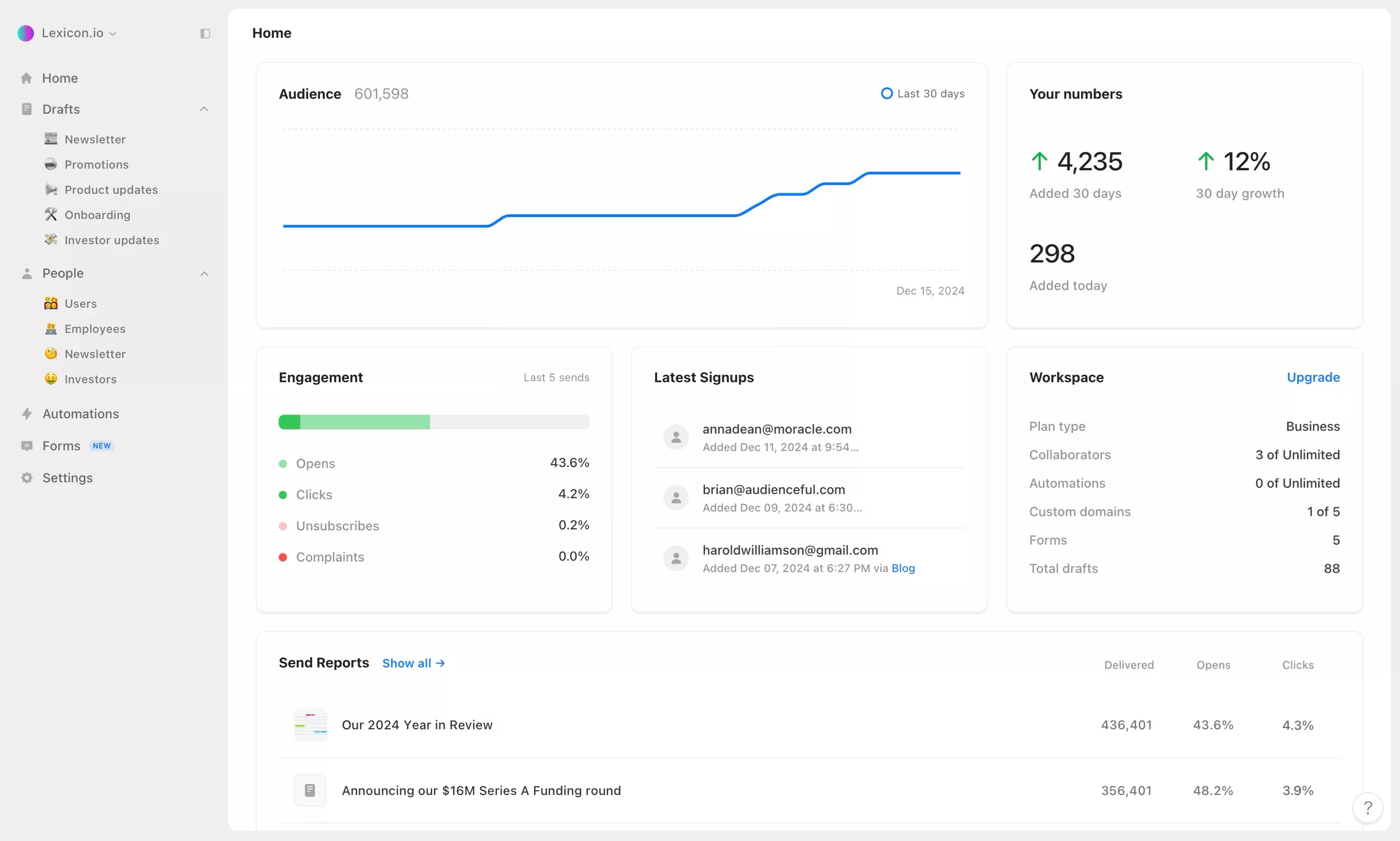
Audienceful is built for people who write. The editor feels like a notes app and there are no template libraries to navigate, no drag-and-drop builders to fight with, and no campaign structures to configure.
Your emails are automatically wrapped in clean, mobile-first, dark-mode-friendly templates without you thinking about design. That's the catch for teams whose main blocker is that the tool keeps getting in the way of actually publishing.
The feature set is lightweight. You get drip sequences, basic segmentation by tags and custom fields, and a native Webflow integration that lets you cross-publish newsletters to your Webflow site simultaneously.
In essence, it's for teams who were using 20% of ActiveCampaign and paying for 100% of it.
Notable Features
Notion-inspired editor: Write emails the same way you'd write a document. No campaign builder, no template hassles, and no design decisions get in your way. Just write and send.
Clean branded emails by default: Your emails are automatically wrapped in mobile-first, dark-mode-friendly templates. Add your logo once and you're done; never touch a template again.
Native Webflow integration: Cross-publish newsletters to a Webflow collection simultaneously. It’s useful for content teams managing both a newsletter and a website.
Simple drip sequences: Welcome sequences, lead magnets, and email courses set up without a consultant. The automation builder is minimal by design; it’s lightweight and fast to configure.
1,000+ integrations via Zapier: Sync contacts from Stripe, Shopify, HubSpot, Salesforce, and most other tools through Zapier without custom API work.
Pros and Cons
Pros | Cons |
|---|---|
✅ The fastest path from idea to sent email; no template or builder headaches | ❌ No G2 or Trustpilot reviews, meaning there’s limited third-party validation |
✅ Native Webflow integration is genuinely unique in this category | ❌ Automation depth is minimal; it’s not suitable for complex behavioral sequences |
✅ Extremely generous free plan |
Pricing
Plan | Price | What's included |
|---|---|---|
Free | $0/mo. | 1,000 contacts, 2 team collaborators, 1 automated sequence, unlimited forms |
Essentials | $37.50/mo. | 3,000 contacts, 3 team collaborators, 3 automated sequences, custom sending domain, no branding |
Growth | $70/mo. | 3,000 contacts, unlimited collaborators, unlimited automations, multiple domains, advanced analytics |
📌 Audienceful is the right pick if you’ve been paying for ActiveCampaign’s power and using almost none of it. It’s ideal for teams that want to write good emails and send them consistently, not for teams running complex multi-branch behavioral automation.
6. HubSpot — Best for Teams Ready for a More Powerful CRM
HubSpot is the natural upgrade when ActiveCampaign's CRM feels too basic for your sales process. Its marketing features and CRM are native to each other, not a third-party integration you have to maintain.
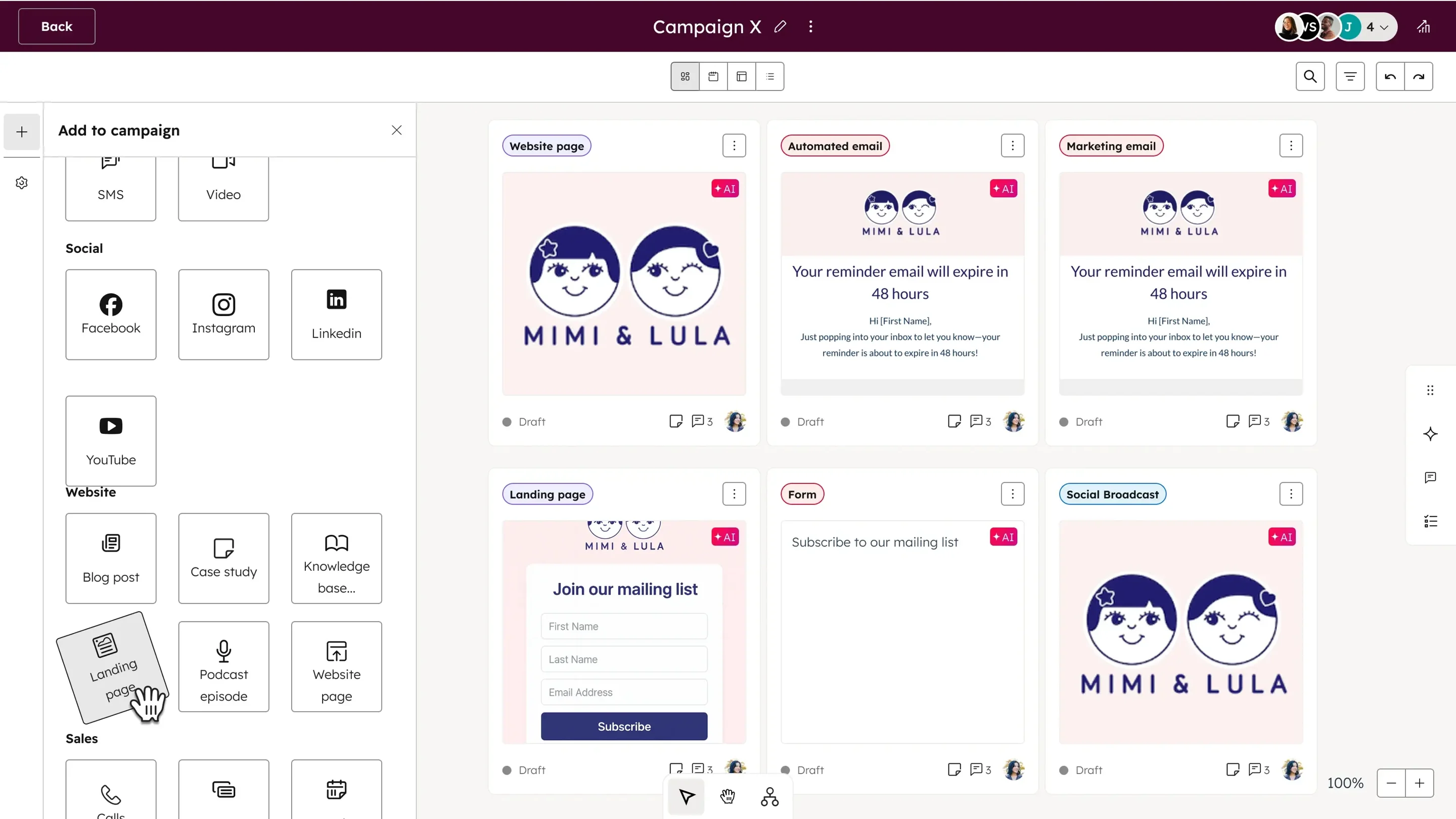
ActiveCampaign combines email automation with a CRM, but the CRM has always been secondary to the email features. If your team is running complex B2B sales cycles with multiple stakeholders, deal stages, and follow-up sequences tied to pipeline movement, that limitation will catch up to you quickly.
HubSpot built email marketing and CRM as integrated products from the start. Email sequences trigger based on deal stage changes, contact property updates, or sales activity, not just email engagement.
The issue is pricing. The free CRM is useful, but the automation depth that makes HubSpot worth switching to requires Marketing Hub Professional at $890/mo. plus a $3,000 onboarding fee. HubSpot is the right move for teams that have grown into it, not teams trying to save money.
Notable Features
CRM and marketing built as one product: Email automations trigger based on deal stage, contact properties, or sales rep activity. These are native integrations that make sequences more powerful than ActiveCampaign's CRM-adjacent approach.
Smart content and personalization: Show different content to different segments within the same email or landing page, a premium feature ActiveCampaign requires workarounds to replicate.
Attribution reporting: Track which campaigns, channels, and touchpoints actually drive revenue (not just opens and clicks), so you can justify marketing spend with actual numbers.
AI email writing and subject line generation: HubSpot's AI assistant drafts copy inside the campaign builder, trained on marketing best practices and your brand voice settings.
Free, functional CRM: Contact management, deal pipelines, email tracking, and meeting scheduling are free forever. There’s no trial expiry, and it’s useful without paying anything.
Pros and Cons
Pros | Cons |
|---|---|
✅ CRM and email marketing are native, not a bolted-on integration | ❌ Marketing Hub Professional starts at $890/mo. plus $3,000 onboarding, a huge jump from ActiveCampaign |
✅ Smart content and advanced personalization exceed what ActiveCampaign offers | ❌ Most features worth switching for require paid plans; the free tier is very limited for marketing |
✅ Free CRM covers pipelines, contact management, and email tracking with no expiry | ❌ Steep learning curve requiring time and training |
✅ Massive integration ecosystem with marketplace apps | ❌ Per-seat pricing compounds extremely fast |
✅ Attribution reporting gives revenue-level visibility, not just email metrics | ❌ Overkill for solo operators and small teams who don’t need CRM depth |
Pricing
Plan | Price | What's included |
|---|---|---|
Free | $0/mo. | CRM, contact management, deal pipelines, email tracking, 5 email templates |
Marketing Hub Starter | $20/mo./seat | 1,000 contacts, email marketing, forms, landing pages, basic automation |
Marketing Hub Professional | $890/mo. | 2,000 contacts, 3 seats (+$50/mo./seat), full automation, A/B testing, smart content, attribution, $3,000 onboarding fee required |
Marketing Hub Enterprise | $3,600/mo. | 10,000 contacts, 5 seats (+$75/mo./seat), custom behavioral events, predictive lead scoring, custom reporting, $7,000 onboarding fee required |
📌 HubSpot makes sense when you’ve genuinely outgrown ActiveCampaign’s CRM and need email marketing and sales pipeline as one system. For small businesses primarily using ActiveCampaign for email automation, the jump to HubSpot’s paid tiers is hard to justify. Brevo or Mailchimp is more proportionate.
How to Pick the Right ActiveCampaign Alternative
The best alternative depends on what pushed you away from ActiveCampaign in the first place. Here’s what we recommend:
Your situation | Best fit |
|---|---|
Email marketing keeps getting deprioritized and you have no time to build campaigns | Zaturn Emma — handles strategy, writing, and automations at $69/mo. |
You run an ecommerce store | Klaviyo — native purchase data and predictive analytics from $20/mo. |
The complexity was the problem and you just need to send good emails | Mailchimp — simpler interface, from $13/mo. |
You mainly need newsletters and light automations | Audienceful — free up to 1,000 contacts, $37.50/mo. to grow |
You need CRM and marketing genuinely integrated | HubSpot — free to start, $890/mo. for full automation |
Contact-based pricing is the main frustration | Brevo — volume-based billing, unlimited contacts, from $9/mo. |
Everything You Wanted ActiveCampaign to Be
The tools above can make email marketing easier, but they still leave the hard part to you: deciding what to send, writing the campaigns, and building the automations that keep everything moving.
Zaturn takes that off your plate.
Emma plans your campaigns, writes the emails, builds the sequences, and queues everything inside the platform you already use. There’s no migration, rebuilding your list, or learning another complicated system.
You simply review, approve, and send.
Try Zaturn for free for 14 days. No credit card is required. Most users have their first email campaign ready to approve within their first session.