Best Alternative to Mailchimp
Best for getting started
Features
- Email Automation — Good
- AI Writing — Good
- Ease of Use — Good
- Mutli-Channel Marketing — Basic
- Pricing Value — Basic
Pros & Cons
Pros
- Easiest interface in the category
- Creative assistant generates on-brand templates from your logo and colors
- AI subject line suggestions and send time optimizations based on your actual audience data
- Multi-channel coverage, including email, lading pages, social scheduling, and digital ads
Cons
- Pricing scales aggresively
- Deleted contacts count toward billing limits until your anniversary date
- Automation is shallower than competitors
- Legacy building sunsetting forces users to rebuild tepmates from scratch in the New Builder
Why teams switch to Zaturn
- No more contact-based billing surprises
- Emma builds the campaigns, not just delivers them
- Approval before anything sends
- Consistent email marketing without the time investment
- No migration required
- More for the same price
Compared platforms
Mailchimp
Zaturn
Brevo
MailerLite
Kit
Klaviyo
Feature comparison
| Feature | Zaturn | Brevo | MailerLite | Kit | Klaviyo |
|---|---|---|---|---|---|
| Starting Price | $69/mo. | $9/mo. | $10/mo. | $39/mo. (Creator) | $20/mo. |
| Pricing Model | Flat monthly | Volume-based | Contact-based | Subscriber-based | Profile-based |
| Free Plan | ❌ 14-day trial | ✅ Unlimited contacts | ✅ 500 subscribers | ✅ 1,000 subscribers | ✅ 250 profiles |
| Email Automation | ✓ | ✓ | ✓ | ✓ | ✓ |
| Campaign Writing | ✓ | ✗ | ✗ | ✗ | ✗ |
| Multi-Channel | ✅ All channels | ✅ Email, SMS, WhatsApp, push | ❌ Email only | ❌ Email only | ✅ Email + SMS |
| ✓ | ✓ | ✓ | ✓ | ✓ | |
| E-Commerce-Native | ✗ | ✗ | ✗ | ✗ | ✓ |
| Approval Workflow | ✓ | ✗ | ✗ | ✗ | ✗ |
Why Do People Switch From Mailchimp?
Mailchimp isn’t broken; it just evolved into something most small businesses didn’t sign up for. Here’s what users frequently complain about on Trustpilot (2.6/5) and G2 (4.4/5).
Pain point | What's actually happening |
|---|---|
Punishing pricing | You pay per contact stored, not per email sent. Deleted contacts count toward your limit until your billing anniversary, meaning a spring list clean-up doesn't reduce your bill until the next cycle. As your list grows, the jumps between tiers are steep and frequent. |
Disastrous ratings | Mailchimp's G2 score is 4.4/5. Its Trustpilot is 2.6/5 with 67% one-star reviews. Most complaints center on billing surprises, difficulty cancelling, and unresponsive support after the Intuit acquisition. |
Limited automations | The standard tier covers basic welcome sequences and abandoned cart. Anything involving behavioral branching, conditional logic, or multi-step flows requires Standard or Premium, which pushes the monthly cost significantly higher. |
Limited free plan | It used to be genuinely useful. Now it's capped at 500 contacts and 1,000 emails per month with Mailchimp branding on every send. It's a trial with no expiry, not a real free tier. |
Inconsistent template editor | Mailchimp is sunsetting its Legacy Builder, forcing users to recreate templates from scratch in the New Builder. The HTML customization in the new editor is more limited, and the transition has frustrated long-term users. |
Mailchimp Alternatives at a Glance
Here’s how the five tools compare before we get into each one.
Tool | Starting Price | Rating | Best For |
|---|---|---|---|
Zaturn (Emma) | $69/mo. | 4.0 (Trustpilot) | Email done for you, including strategy, copy, automations, and sending |
Brevo | $9/mo. | 4.1 (Trustpilot) | Unlimited contacts, volume-based pricing, and multi-channel |
MailerLite | $10/mo. | 4.3 (Trustpilot) | Cleanest like-for-like Mailchimp replacement at a lower cost |
Kit | $39/mo. (Creator) | 4.2 (Trustpilot) | Content creators, newsletters, and audience-building |
Klaviyo | $20/mo. | 4.6 (G2) | E-commerce brands that need purchase-behavior triggers |
1. Zaturn (Emma) — Best for Fully Automating Email
Mailchimp is a platform you run, but Zaturn’s Emma runs it for you. She writes the campaigns, builds the automations, and sends them through whatever platform you already use, while you review and approve.
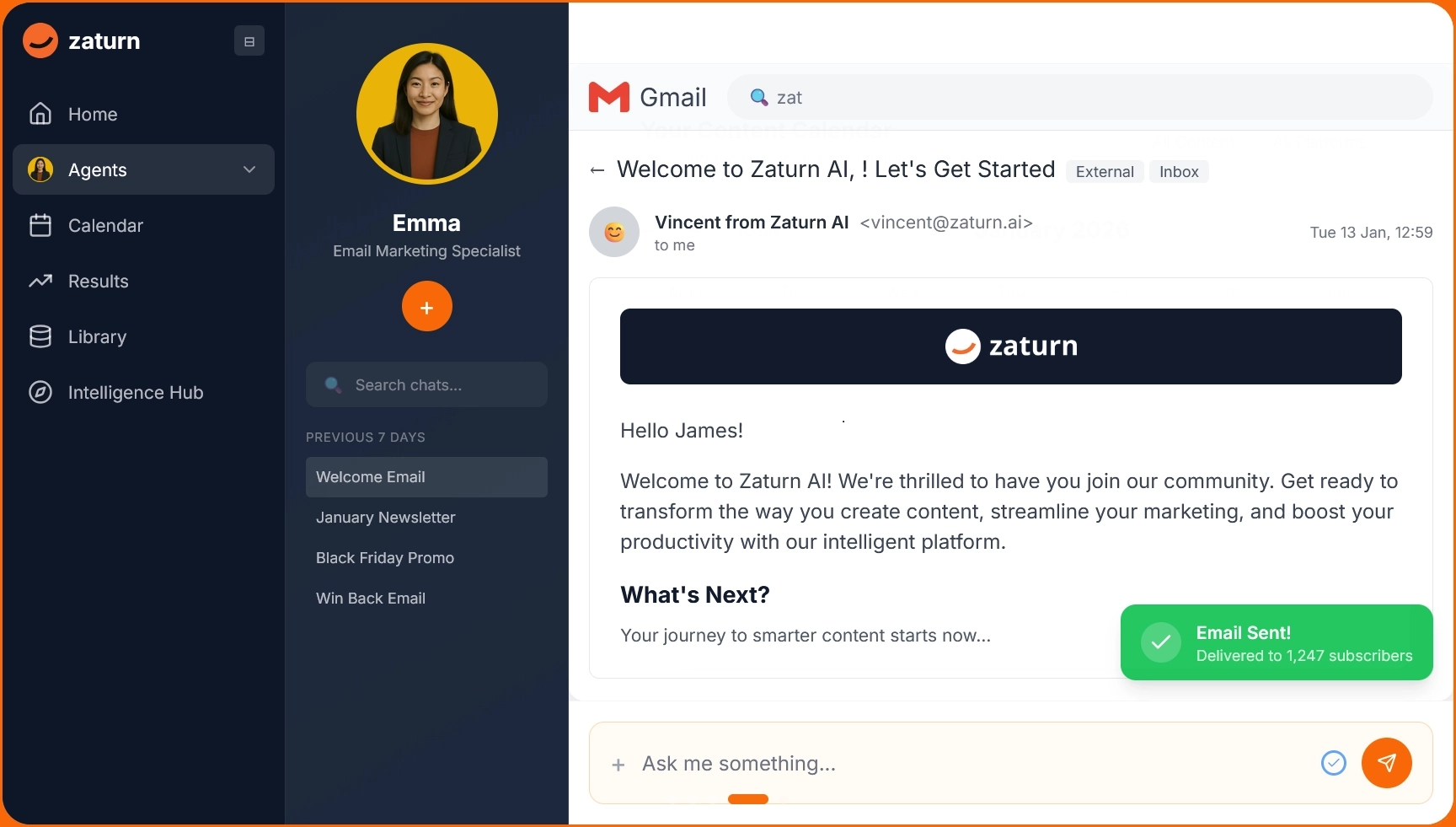
The frustration most people have with Mailchimp is the overhead of using it. You still have to open a campaign, write the subject line, draft the body, figure out the right segment, set up the automation, and then do it all again next week. Mailchimp makes that process easier, but it doesn't make it shorter.
Emma is Zaturn's email marketing agent. You brief her once about your brand, goals, and list, and she takes it from there. She plans the campaign calendar, writes everything in your brand voice, builds the automations, segments your list, and puts every email in a review queue before it sends.
She connects to Mailchimp, Brevo, Gmail, and Outlook, so there's no migration and no moving your list.
Notable Features
She plans what to send and when. Emma builds a content calendar based on your goals; you don't decide what campaigns to run; you just review what she's planned.
Everything is written in your brand voice. Subject lines, body copy, CTAs, and test variants are all based on your brand brief, so you're editing, not writing from scratch.
Automations are built during setup. Welcome sequences, win-back flows, and post-purchase follow-ups are set up to run from your first session.
She works with your existing platform. Emma connects to Mailchimp, Brevo, Gmail, and Outlook. Your list, your deliverability history, and your sending platform stay there.
Nothing sends without your approval. Every email sits in a review queue. You control what reaches your subscribers, always.
Pros and Cons
Pros | Cons |
|---|---|
✅ Handles the full email workflow; you're reviewing, not producing | ❌ Emma works through your existing ESP, not as a standalone sending platform |
✅ No migration needed, she plugs into Mailchimp, Brevo, Gmail, and Outlook | ❌ Emma is part of a 6-agent suite specializing in SEO, ads, social media, and CRO, hence the higher price point |
✅ Flat monthly rate regardless of list size, meaning no contact-based billing surprises | ❌ Newer platform with fewer third-party reviews than established tools |
✅ Nothing reaches your subscribers without your sign-off | |
✅ Brand context stored permanently, meaning no briefing between sessions | |
✅ 14-day free trial, no credit card |
Pricing
Plan | Price | What's included |
|---|---|---|
Starter | $69/mo. | All 6 agents including Emma, all integrations, 1 workspace, 1 user, unlimited content, 14-day free trial |
Growth | $129/mo. | Everything in Starter, 3 workspaces, 3 users, priority support, onboarding call |
Custom | Talk to Sales | Unlimited campaigns, white-label, dedicated success manager |
📌 Verdict: If the problem with Mailchimp is that you never have enough time to build the campaigns consistently, Emma solves that at a better price than Mailchimp’s plans. Try it for free for 14 days; no credit card is required.
2. Brevo — Best for Fixing the Contact Billing Problem
Mailchimp charges per contact stored, including deleted ones until your billing anniversary. Brevo charges per email sent to unlimited contacts. That pricing model alone solves the most common reason people leave Mailchimp.
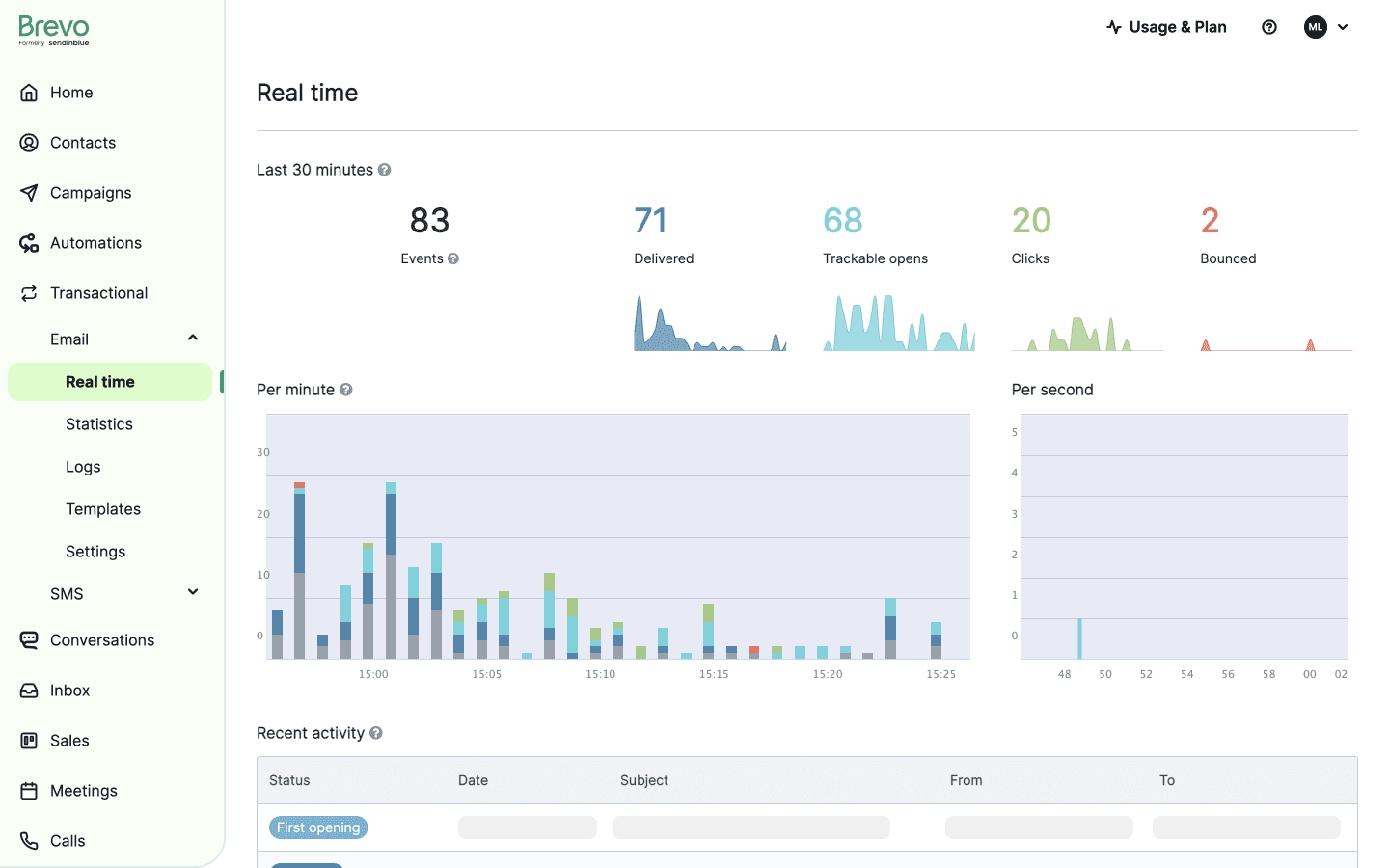
Brevo and Mailchimp look similar on the surface: both have drag-and-drop email builders, automation, landing pages, and segmentation. The fundamental difference is the pricing model.
You pay for emails sent, not contacts stored. A list of 20,000 people you email twice a month costs far less on Brevo than it does on Mailchimp. The free plan covers 300 emails per day to unlimited contacts, which is something Mailchimp's 500-contact free tier can't come close to matching.
Beyond pricing, Brevo covers more channels in one platform. Email, SMS, WhatsApp, and web push notifications all run from the same workflow builder, though you have to pay extra.
For businesses that want to reach customers across channels without stitching together multiple tools, that's meaningful coverage at a price that doesn't compound.
Notable Features
Volume-based pricing with unlimited contacts. Your bill reflects how many emails you send, not how many contacts sit in your database. There are no billing anniversary surprises and no charges for unsubscribed contacts.
Email, SMS, WhatsApp, and push in one workflow. You get multi-channel sequences without paying for separate tools or rebuilding automations in a different platform for each channel.
Useful free plan. 300 emails per day to unlimited contacts is enough to run an email program before committing to paid.
Transactional email included. Order confirmations and triggered emails run from the same platform as your marketing campaigns.
AI subject line suggestions and send time optimization. Brevo analyzes your specific audience's engagement patterns rather than giving generic best-practice recommendations.
Pros and Cons
Pros | Cons |
|---|---|
✅ Volume-based pricing eliminates the contact-count billing trap entirely | ❌ Automation depth shallower than Mailchimp for complex behavioral sequences |
✅ Free plan with unlimited contacts and 300 emails per day | ❌ Templates customization is limited, and design-heavy emails hit walls quickly |
✅ Multi-channel coverage, including email, SMS, WhatsApp, and push from one platform | ❌ Account throttling reported when send volume spikes suddenly |
✅ Transactional and marketing email managed from the same platform | ❌ Deliverability can be inconsistent on shared IPs at higher volumes |
✅ Easier interface than Mailchimp for non-technical teams | ❌ Pricing gets complex as you add channels and scale send volume |
✅ AI subject line suggestions analyze your specific audience data | ❌ Customer support is slower on lower tiers than the pricing implies |
Pricing
Plan | Price | What's included |
|---|---|---|
Free | $0/mo. | 300 emails/day, unlimited contacts, basic automation, Brevo branding |
Starter | $9/mo. | From 5,000 emails/mo., no daily limit, remove branding, basic reporting |
Business | $18/mo. | Marketing automation, A/B testing, landing pages, advanced reporting |
Professional | $499/mo. | Additional marketing channels, multi-user access, contact scoring, AI segmentation |
Enterprise | Custom | Dedicated IP, SSO, advanced integrations, priority support |
📌 Verdict: Brevo is the most direct Mailchimp replacement for anyone whose primary complaint is pricing. If contact billing has been compounding as your list grows, switching to volume-based pricing is the fix. Just now that the automations aren’t as good at Mailchimp’s.
3. MailerLite — Best Like-for-Like Replacement at a Lower Price
MailerLite has a clean email builder, great automations, landing pages, and sign-up forms, and it costs significantly less than Mailchimp. If you want the same experience without the price tag, this is the simplest switch.
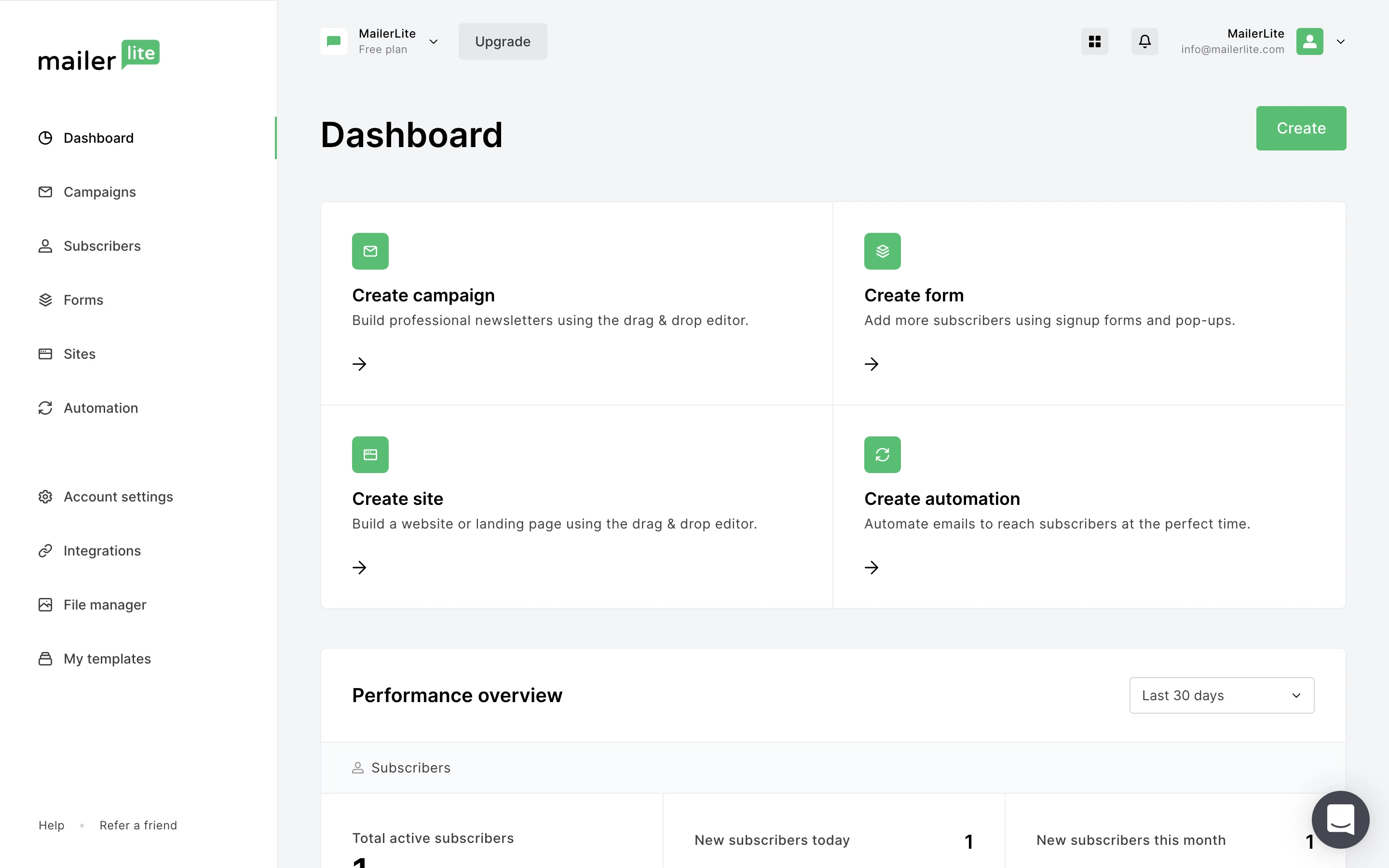
MailerLite is the tool most people mean when they say "I want something like Mailchimp but cheaper." It's comparable in terms of what it does (drag-and-drop email editor, automation workflows, landing pages, pop-ups, and sign-up forms), but the pricing is more generous.
The free plan covers 500 subscribers and 12,000 emails per month, which already beats Mailchimp's 500-contact, 1,000-email free tier on email volume alone.
The interface consistently gets praised in G2 reviews for being intuitive without being watered down. Automation covers the standard use cases well, such as welcome sequences, conditional branching, and re-engagement flows, and the editor doesn't force you to rebuild templates when they update the platform.
It's the unsexy but solid option for anyone who just wants Mailchimp's experience without Mailchimp's billing model.
Notable Features
Functional free plan. 500 subscribers and 12,000 emails per month, and it includes a drag-and-drop editor, automation builder, signup forms, and 10 landing pages before you pay anything.
Clean drag-and-drop email editor. Comparable experience to Mailchimp's New Builder, but without the forced transition from a legacy editor that's caused so much frustration.
Automation workflows with conditional logic. Multivariate testing and campaign auto-resend on Growing Business. These are features that require Mailchimp's Standard plan at a higher price point.
AI writing assistant on Advanced. Built-in AI copywriting on the $20/mo. Advanced plan. It’s useful for teams that want AI-assisted drafts without a separate tool.
Websites and unlimited landing pages. Build full websites and unlimited landing pages on paid plans. Mailchimp requires upgrades to match this coverage.
Pros and Cons
Pros | Cons |
|---|---|
✅ Free plan includes automation, landing pages, and signup forms, and is more functional than Mailchimp's free tier | ❌ Free plan capped at 500 subscribers |
✅ Interface is consistently praised as the easiest to use in the category | ❌ Advanced reporting and Facebook integration locked behind $20/mo. Advanced plan |
✅ Multivariate testing on Growing Business at $10/mo. | ❌ Fewer native integrations than Mailchimp |
✅ No forced template migrations, your existing email designs stay intact | ❌ Email support only on Growing Business |
✅ AI writing assistant included on Advanced without a separate subscription | ❌ Occasional deliverability issues reported on shared IPs at scale |
Pricing
Plan | Price | What's included |
|---|---|---|
Free | $0/mo. | 500 subscribers, 12,000 emails/mo., drag-and-drop editor, automation builder, 10 landing pages, signup forms |
Growing Business | $10/mo. | Unlimited emails, 3 user seats, unlimited templates, dynamic emails, campaign auto-resend, multivariate testing, unlimited landing pages |
Advanced | $20/mo. | Unlimited users, smart sending, Facebook integration, custom HTML editor, enhanced automations, AI writing assistant, 24/7 live chat support |
Enterprise | Custom | 100k+ subscribers, dedicated IP, dedicated success manager, onboarding consultation |
📌 Verdict: MailerLite is the cleanest Mailchimp replacement for businesses that want a familiar experience at a lower price. If you're leaving because of cost and the feature set otherwise works for you, this is the most straightforward switch available.
4. Kit — Best for Creators and Newsletter-First Businesses
Kit is built around the relationship between a creator and their audience, not campaign management. If your email list is central to how you build a business, Kit’s subscriber-centric model and creator monetization tools go places Mailchimp doesn’t.
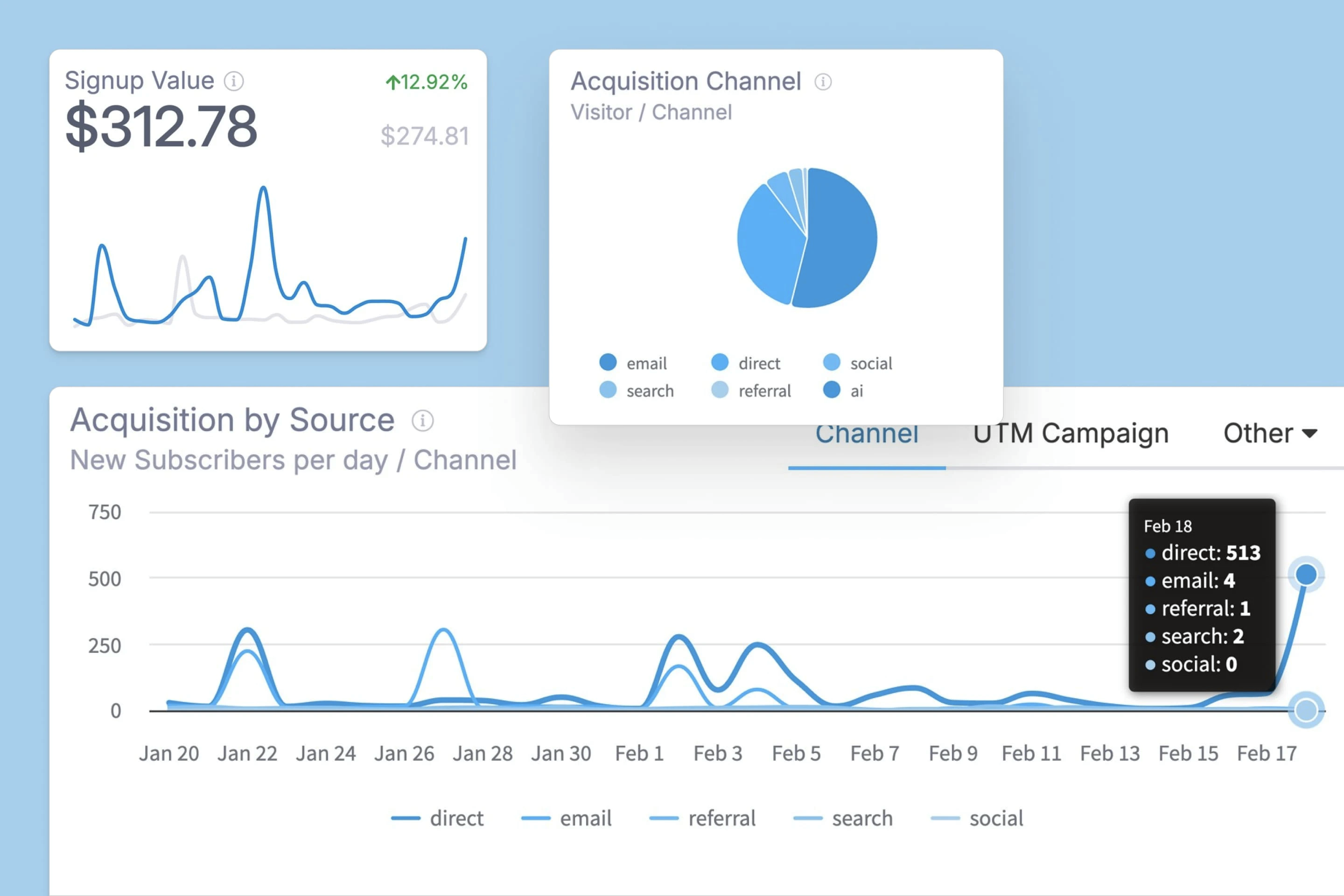
Kit (rebranded from ConvertKit in 2024) was built for bloggers, podcasters, course creators, coaches, and anyone whose email list is the basis of how they grow and monetize.
The philosophy is subscriber-centric rather than campaign-centric: every subscriber has tags, segments, and a relationship history, and automations respond to how they engage rather than just when you hit send.
Where Mailchimp treats your list as a database you broadcast to, Kit treats it as an audience you build a relationship with. The visual automation builder is intuitive and more powerful than Mailchimp's at comparable price points.
The Creator Network lets you grow your list through newsletter recommendations from other creators. And digital product and paid newsletter features are built in; no third-party tool is required to monetize your audience directly.
Notable Features
Subscriber-centric model. Every contact has tags and segments that update based on behavior. You're building a relationship record, not just a mailing list, and automations respond to how people actually engage.
Visual automation builder. It’s more intuitive than Mailchimp's automation interface. You get unlimited visual automations on Creator, and conditional branching and multiple entry points are straightforward to set up.
Creator Network. Recommend other newsletters and get recommended back. It’s a built-in list growth mechanism that Mailchimp simply doesn't have.
Digital products and paid newsletters are built in. Sell digital products and subscriptions directly on the free Newsletter plan. No separate Gumroad or Teachable account needed.
RSS campaigns. Automatically send new blog posts to your list without manual work. It’s useful for content-first businesses publishing regularly.
Pros and Cons
Pros | Cons |
|---|---|
✅ Subscriber-centric model with tags and segmentation creates a relationship record per contact | ❌ Creator plan starts at $39/mo., which is more expensive than MailerLite at equivalent subscriber counts |
✅ Sell digital products and subscriptions directly on the free plan | ❌ A/B testing subject lines locked behind Creator plan |
✅ Visual automation builder is more intuitive than Mailchimp at comparable price points | ❌ Not built for e-commerce or complex multi-step marketing automations |
✅ Creator Network recommendations help grow your list without paid acquisition | ❌ Email template library is minimal and text-heavy |
✅ RSS campaigns automatically send new content to your list without manual work | ❌Subscriber engagement scoring and deliverability reporting only on Pro at $79/mo. |
✅ Free Newsletter plan includes audience tagging, segmentation, and unlimited broadcasts | ❌ Kit branding on all free plan emails; removal requires upgrading to Creator |
Pricing
Plan | Price | What's included |
|---|---|---|
Newsletter | $0/mo. | Up to 1,000 subscribers, 1 basic visual automation, unlimited landing pages and forms, unlimited broadcasts, audience tagging, sell digital products |
Creator | $39/mo. | Unlimited visual automations, unlimited email sequences, A/B test subject lines, polls, remove Kit branding, apps and integrations, RSS campaigns, 24/7 support |
Pro | $79/mo. | Everything in Creator, unlimited users, insights dashboard, deliverability reporting, subscriber engagement scoring, newsletter referral system, Facebook custom audiences |
📌 Verdict: Kit is the right move if your email list is central to how you build a business rather than just a marketing channel. The subscriber-centric model, built-in monetization, and Creator Network go well beyond what Mailchimp offers for this use case. For traditional e-commerce or campaign-heavy marketing, the other tools on this list are a better fit.
5. Klaviyo — Best for E-Commerce Stores
Mailchimp's e-commerce features are surface-level. Klaviyo was built specifically for online stores. Purchase behavior, browse abandonment, and predictive lifetime value are native concepts, not integrations you bolt on.
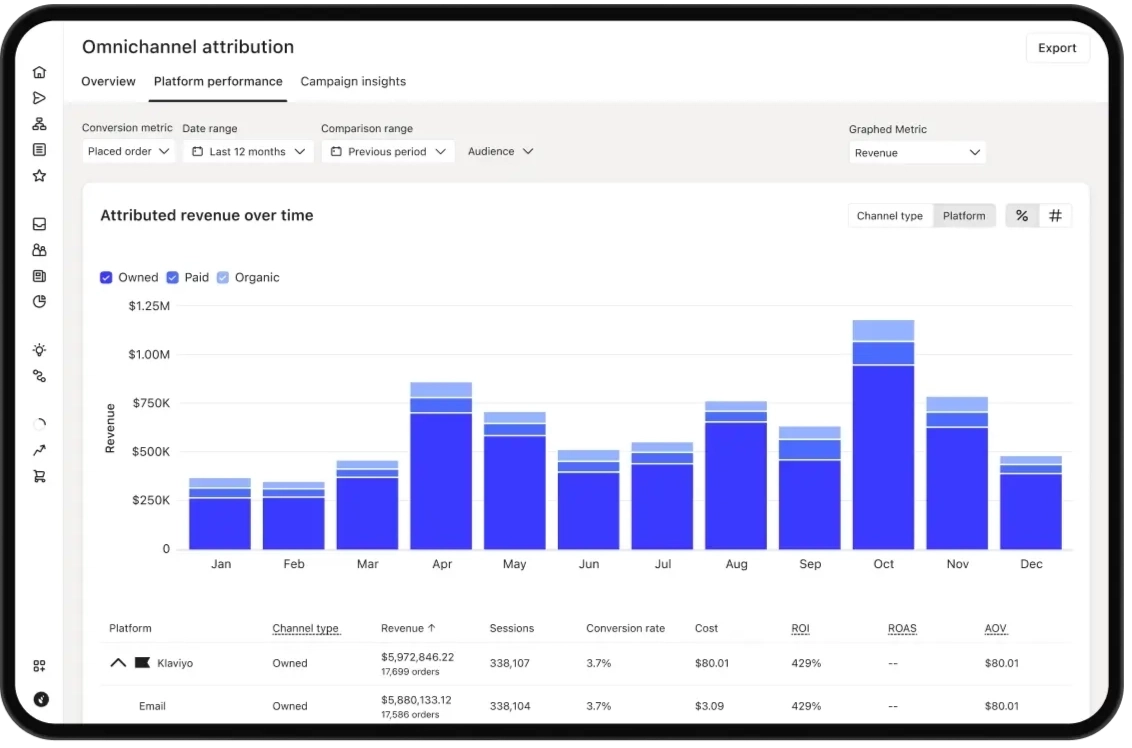
Mailchimp connects to e-commerce platforms, but the connection feels like an add-on. The data syncs, but behavioral triggers are limited and the segmentation requires workarounds to get purchase-behavior logic working properly.
Klaviyo was built from the ground up for e-commerce. Purchase history, product catalog data, and browsing behavior are native to the platform. Triggers like “viewed product but didn't add to cart” or “ordered twice in 30 days” work out of the box without custom configuration.
The predictive analytics is where Klaviyo earns its reputation: predicted customer lifetime value, churn risk, and expected next order date per subscriber are calculated automatically, not something you have to build yourself.
Combined with Flows AI that builds sequences from plain language descriptions, Klaviyo is a fundamentally more powerful tool for stores doing serious volume. The price reflects that.
Notable Features
E-commerce-native data model. Purchase history, browse behavior, and product catalog data feed into customer profiles automatically. No custom field mapping or workarounds required.
Predictive lifetime value and churn risk per subscriber. They’re automatically calculated, not a metric you build yourself. It lets you segment your highest-value customers differently from casual browsers.
Pre-built ecommerce flows. Abandoned cart, browse abandonment, post-purchase, win-back, and back-in-stock templates work out of the box with your store data.
Flows AI. Describe the automation you want in plain language and Klaviyo builds the flow. This cuts manual setup time significantly for standard e-commerce sequences.
SMS and email in one platform. Run coordinated email and SMS campaigns from the same workflow without a separate SMS tool or subscription.
Pros and Cons
Pros | Cons |
|---|---|
✅ E-commerce-native data model; purchase-history and browsing behavior feed into profiles automatically | ❌ More expensive than every other option on this list as contact count grows |
✅ Predictive lifetime value and churn risk are calculated per subscriber without manual setup | ❌ Steeper learning curve |
✅ Pre-built abandoned cart, browse abandonment, and win-back flows work out of the box | ❌ Poor customer support response times are a consistent G2 complaint |
✅ Flows AI builds automation sequences from plain language, which cuts setup time | ❌Limited template editing flexibility frustrates design-focused teams |
✅ SMS and email in one platform without a separate subscription | ❌ If you don’t run an e-commerce store, most of Klaviyo’s depth is wasted |
✅ Deep native integrations with Shopify, WooCommerce, and Magento | ❌ Free plan caps at 250 profiles |
Pricing
Plan | Price | What's included |
|---|---|---|
Free | $0/mo. | Up to 250 profiles, 500 emails/mo., basic flows, email support |
From $20/mo. | Unlimited emails, all integrations, predictive analytics, AI segments, Flows AI | |
Email + SMS | From $45/mo. | Everything in Email plus SMS and MMS marketing |
📌 Verdict: Klaviyo makes sense if you run an e-commerce store and Mailchimp’s behavioral triggers have been feeling limited. The native purchase data and predictive analytics justify the price for stores doing volume. For everything else, the other options provide better value.
How to Pick the Right Mailchimp Alternative
These tools solve different problems, so it helps to know exactly what made you look for a Mailchimp alternative. Here are our recommendations.
Your situation | Best fit |
|---|---|
Email marketing keeps getting deprioritized; there’s no time to build campaigns | Zaturn Emma — $69/mo., campaigns written and sent for you |
Contact-based pricing is your main frustration | Brevo — volume-based billing, unlimited contacts, from $9/mo. |
You want Mailchimp's experience at a lower price | MailerLite — from $9/mo., free plan up to 1,000 subscribers |
You're a creator, blogger, or newsletter-first business | Kit — free up to 1,000 subscribers, creator monetization built in |
You run an e-commerce store and need behavioral triggers | Klaviyo — native purchase data, from $20/mo. |
Remove Email From Your To-Do List With Zaturn
The tools above all make email marketing more manageable, but none of them remove it from your to-do list.
Brevo, MailerLite, and Klaviyo are still platforms you run. You write the campaigns, set up the sequences, and decide what goes out.
Zaturn’s Emma plans, writes, and sends everything through your ESP, while you approve what reaches your audience.
Try Zaturn for free for 14 days. No credit card is required. Most users have their first email campaign ready to approve within their first session.